
Wireless Home Security Installation in Atlanta
A wireless home security installation is the practical way to protect an Atlanta house without opening walls or fishing cable between floors. Sensors, the keypad, and the siren talk to the panel by radio. A cellular communicator then sends alarm signals to a monitored station, so the system does not depend on a phone jack that a storm or a cut line can take down.
Schedule a free consultation. Call (770) 645-0061 or contact American Alarm online.
This guide is for Metro Atlanta homeowners planning that work. It covers the walk-through, where devices go, how the signal leaves the house, and what a monitored install day looks like. It is not a price sheet and not a product ranking. American Alarm has designed and monitored home systems across greater Atlanta since 1995, from a single local office in Roswell.
What Wireless Home Security Installation Covers
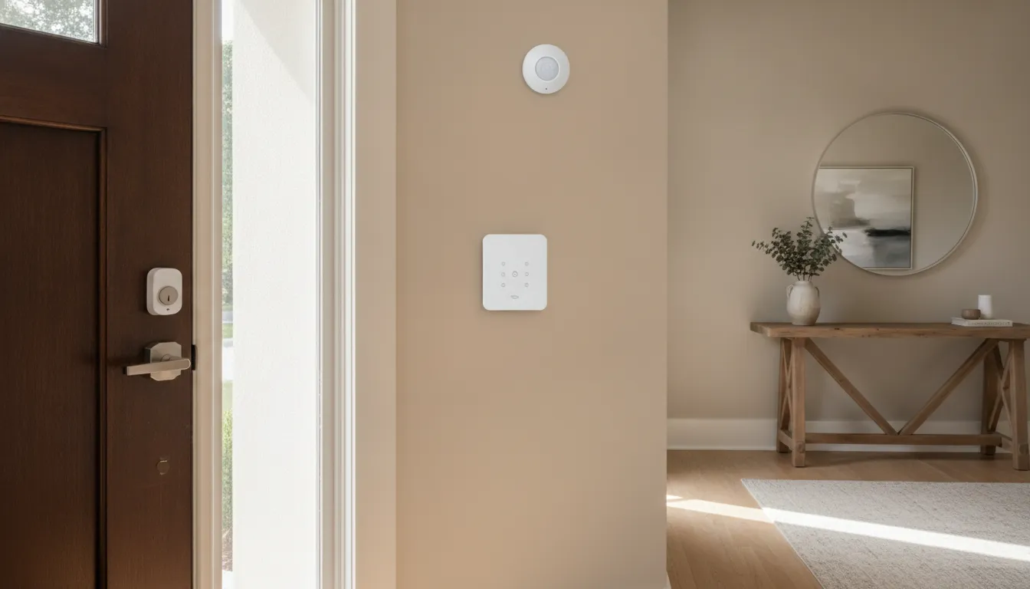
Wireless home security installation is a planned layout of a panel, entry sensors, a motion or glass-break detector, a siren, and a path to monitoring. The pieces are small and battery powered. They do not need a wire run back to a closet. That is why the work fits finished homes, additions, and houses where pulling cable would mean patching drywall.
Modern wireless systems are easier to put in because they do not require punching walls or running new wiring. Ease of mounting is not the same as a finished security plan. A professional still has to name each door, test each sensor, and confirm the station can hear the panel.
The pieces a typical Atlanta home install includes:
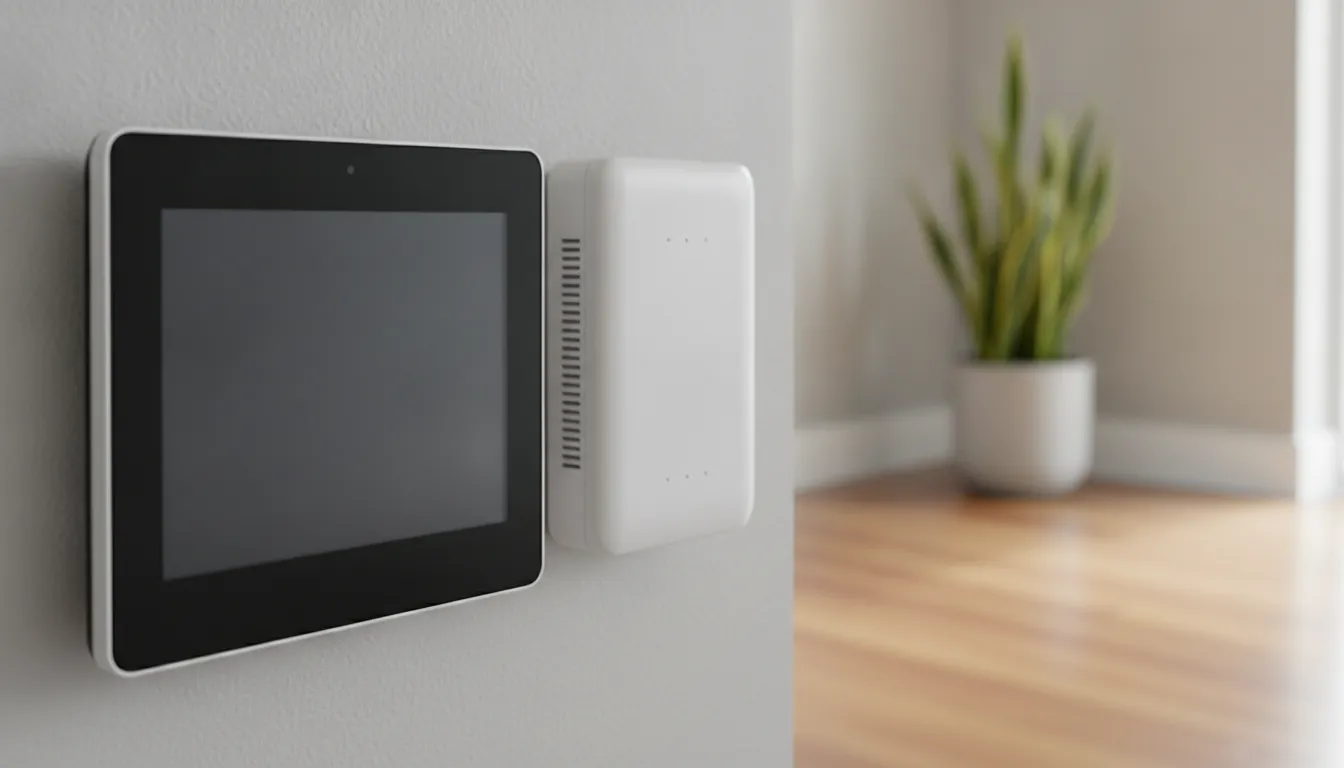
- Control panel: The keypad you arm and disarm, often with a screen, a siren, and its own backup battery.
- Door and window contacts: Small paired pieces that report when an entry opens.
- Interior detector: A motion sensor or glass-break sensor for rooms a contact cannot cover.
- Communicator: The radio that sends the alarm off the property, usually over cellular.
- Key fob and app access: A way to arm, disarm, and get alerts without standing at the panel.
If you want the broader picture of how wireless panels and sensors work, the wireless alarm system guide covers that. This page stays on the installation decisions a homeowner makes before and during the visit.
Walk the House Before Anyone Mounts a Sensor
A useful install starts with a walk, not a parts list. American Alarm uses a free in-home review to mark how people actually enter, which rooms sit empty during the day. And where a panel is easy to reach but not obvious from the street.
Count every ground-floor door, including the door from the garage into the house. Then note first-floor windows that open onto a porch, a deck, or a side yard with cover. Upstairs windows matter less for a first pass unless a roof or balcony makes them easy to reach. Write down pets, ceiling fans, and sun-blasted glass, because those change where a motion sensor can sit.
Bring these notes to the consultation:
- Entry list: Front, back, side, garage, and any basement door.
- Daily pattern: Who leaves first, who comes home late, and whether a sitter or cleaner needs a code.
- Existing gear: An old panel, leftover contacts, or a system that is no longer monitored.
- Trouble spots: A door that never quite latches, a slider that sticks, or a glass wall.
Many North Atlanta homes already have a panel from a prior company. A takeover can reuse compatible equipment and reprogram it to American Alarm’s station, sometimes the same day, instead of starting from bare walls. The alarm reactivation and monitoring page explains that path. A brand-new layout still makes sense when the old contacts are dead, the panel is obsolete, or the house has been remodeled since the last install.
Place Contacts, the Panel, and the Siren
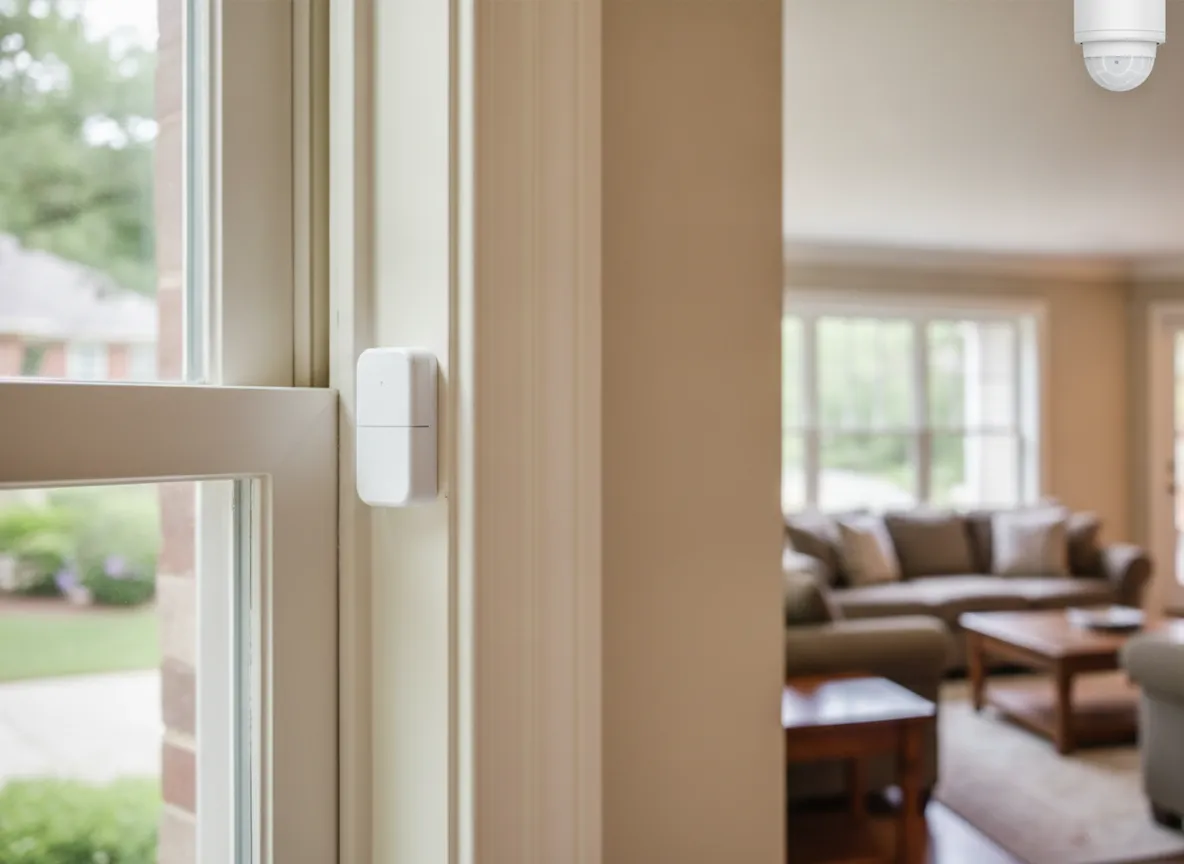
Placement is the part of wireless home security installation that decides whether the system is quiet and useful or full of false alerts. Contacts go on the door or window and the frame, lined up so a normal close holds them together and a real open pulls them apart.
Good placement follows a few house rules:
- Doors first: Every door someone can walk through from outside gets a contact, including the garage-to-house door.
- Reachable windows next: Cover windows a person can open from the ground, a deck, or a low roof.
- Motion with a purpose: Aim interior sensors across a hallway or a main room, not at a sunny window, a pet path, or a ceiling fan.
- Panel where you live: Mount the keypad on the route you already walk when you come home, at a height everyone in the house can use.
- Siren that carries: Place the siren so it is loud inside and audible just outside, not buried in a closet.
Wireless contacts are supervised, which means they check in on a schedule. If a battery dies or a sensor stops reporting, the panel can say so before you find out during an alarm. That check-in is one reason a technician tests each zone by name instead of trusting a green light on day one.
Glass-break sensors help on large windows where a contact would only see the sash open, not the glass broken. They are a supplement, not a replacement for contacts on the doors you use every day.
Choose Cellular Connectivity for the Alarm Path
The sensors inside the house are wireless. The path from the house to the monitoring station is a separate choice. On American Alarm residential systems, that path is either a traditional phone line or a cellular communicator. Cellular is the usual choice for a new wireless install because it does not use outside phone wiring that can be cut or damaged.
The communicator sits with the panel and uses the cell network, not your Wi-Fi, to deliver alarm signals. House internet can still be useful for app alerts and remote control. It should not be the only way an intrusion signal leaves the property. If the router reboots or the provider has an outage, a cellular path can still reach the station.
How an Atlanta home alarm sends its signal.
| Connection | What it uses | Best fit | Watch-out |
|---|---|---|---|
| Cellular communicator. | Cell network at the panel. | New wireless installs and homes with no reliable landline. | Needs a usable cell signal where the panel is mounted. |
| Landline. | Existing phone jack. | Homes that already have a monitored line and want to keep it. | Outside cable can be cut or fail in a storm. |
| Interactive app. | Home internet plus the panel. | Arming, disarming, and door alerts on your phone. | Not a substitute for the alarm signal path. |
Published monitoring for American Alarm starts at $18.95 a month for landline reactivation and $29.95 a month for cellular monitoring. Those are monitoring rates, not an installation quote. The Atlanta alarm monitoring cost guide is the place for that comparison. During planning, the useful question is whether the panel location gets a steady cell signal, not which package looks cheapest.
A panel backup battery keeps the keypad and communicator alive through a short power cut. Confirm the battery test on install day, and ask how you will be told when it needs replacement. Keep a family contact plan as well, so people can still reach each other when phone networks are busy. Your alarm path is one piece of that plan, not the whole plan. UL reviews central stations that receive those signals under UL 827, the central station service standard.
What Happens on a Monitored Install Day
Once the layout and the signal path are agreed, install day is a sequence, not a surprise. American Alarm often schedules the work within a day of the consultation, and technicians are background-checked. The visit is local: dispatch comes from the Roswell office and covers roughly a 25-mile radius around Metro Atlanta, including Alpharetta, Marietta, Decatur, and Sandy Springs.
- Confirm the plan: Walk the marked doors, windows, panel spot, and siren spot before anything is mounted.
- Mount and name each zone: Contacts and detectors go up, then each one is labeled so “front door” means the front door.
- Program codes and the app: The household gets user codes, and phone alerts are turned on for the people who should receive them.
- Connect the communicator: The cellular path is checked from the panel location, not assumed from a bar reading in the driveway.
- Test with the station: Sensors are tripped one at a time and the monitoring center confirms it received the signal.
- Train and document: You practice arming, disarming, and what to say if the station calls. You leave with warranty notes and a contact for service.
That station test is the step self-installed kits most often skip. A sensor that beeps in the hallway has not proved the operator can dispatch help. American Alarm’s monitoring is UL-certified central station service, which means the station is reviewed for how alarm signals are received and handled. Ask to hear the test called back before the technician leaves.
For a general look at install day on any home system, see the home alarm installation guide. Use this wireless page when the open questions are sensor placement and cellular connectivity. After the system is live, phone control of your security system is how most households arm and check doors without walking to the keypad.
Avoid the Mistakes That Show Up After Install Day
Most wireless problems in Atlanta homes are layout mistakes, not bad hardware. They show up the first week, usually as a chirp at bedtime or an alert you learn to ignore. Fixing them is part of planning, which is cheaper than treating every beep as an emergency.
Watch for these before you sign off on the work:
- A contact on a door that never latches: The sensor is doing its job. Adjust the strike or the closer, or the zone will false-alarm every night.
- Motion aimed at glass or a pet route: Afternoon sun and a dog through the kitchen create alerts nobody trusts. Move the sensor to a hallway.
- A panel in a dead cell spot: Interior closets and basements can be quiet on the cell network. Test the communicator where it will actually live.
- One shared code for everyone: Give family, a sitter, and a cleaner their own codes so the log shows who armed the house.
- Skipping the station test: A local beep only proves the siren. The operator has to confirm the signal before the job is done.
- No plan for low batteries: Supervised sensors report a weak battery. Ask who gets that alert, and replace the cell before it dies on a holiday.
American Alarm includes phone troubleshooting before a truck rolls, and non-emergency service is scheduled in under 24 hours when a visit is needed. Use that when a single zone starts chirping. Do not wait until the whole system is in trouble. If you are still comparing who should do the work, the reasons homeowners choose a local Atlanta company cover service area and how the team works, without turning this page into an installer ranking.
Questions to Ask Before You Book the Visit
A short list keeps the consultation on your house instead of a generic package. You do not need brand names. You need to know how the system will behave on a Tuesday night when you are late and the sitter is at the door.
Ask these, and write down the answers:
- Which openings are in the first layout? You should hear specific doors and windows, not a room count.
- Where will the panel and communicator go? Confirm that spot has a cell signal and is on your normal path in and out.
- What happens in a power cut? Ask about the panel battery and how long the communicator can still report.
- Who calls whom during an alarm? Confirm the call list, the password, and what the station does if nobody answers.
- Can you add a sensor later? Wireless zones are meant to grow. A nursery, a new deck door, or a home office should not require a second system.
- What does monitoring include? Separate the monthly monitoring service from the install visit so you know who you call at 2 a.m.
Homeowners across Alpharetta, Roswell, Marietta, and Decatur ask the same things, because the houses differ and the goal does not. You want a system you will actually arm. Atlanta home security systems is the broader local overview if you are still deciding whether a monitored system fits the house at all.
Leave pricing spreadsheets and brand scorecards for other pages. If the quote conversation is the thing you need next, use the monitoring guide already linked above rather than guessing from a national kit review. A local walk-through will tell you whether a takeover or a new wireless layout is the right job.
Schedule a free consultation. Call (770) 645-0061 or contact American Alarm online.
Frequently Asked Questions
How do I install a wireless security system in my home?
Start with a walk-through of doors, reachable windows, and the panel location. A technician mounts contacts and any interior sensors, programs codes, confirms the cellular signal, and tests each zone with the monitoring station. You should be able to arm, disarm, and explain a false alarm before they leave.
Do wireless sensors need Wi-Fi?
No. Door contacts, motions, and the panel talk over their own radio. Wi-Fi or home internet is for the app. The alarm signal to the station should go out through a cellular communicator or a phone line so a router outage does not silence the system.
Can you put a wireless system in a finished Atlanta house?
Yes. Because devices are battery powered and radio linked, a normal install does not open walls. That fits remodels, brick homes, and additions where fishing wire would be slow and messy. The limit is layout and signal, not whether the drywall is already painted.
What if I already have an old alarm panel?
A compatible panel can often be reprogrammed for American Alarm monitoring without a full replacement. If the contacts are failing or the panel cannot use a cellular communicator, a new wireless layout is the cleaner job. A technician can tell which path fits after seeing the existing equipment.
How long does a residential wireless install take?
Most single-family layouts are a same-day visit once the plan is set. Time depends on how many openings you cover and whether the work is a takeover or a new panel. The station test and the app setup are part of the visit, not a later appointment you have to chase.
Schedule a free consultation. Call (770) 645-0061 or contact American Alarm online.
American Alarm installs and monitors wireless home systems for houses across greater Atlanta. Bring your entry list, or ask for the walk-through, and you will leave with a layout that matches the way you use the house.

Leave a Reply
Want to join the discussion?Feel free to contribute!