
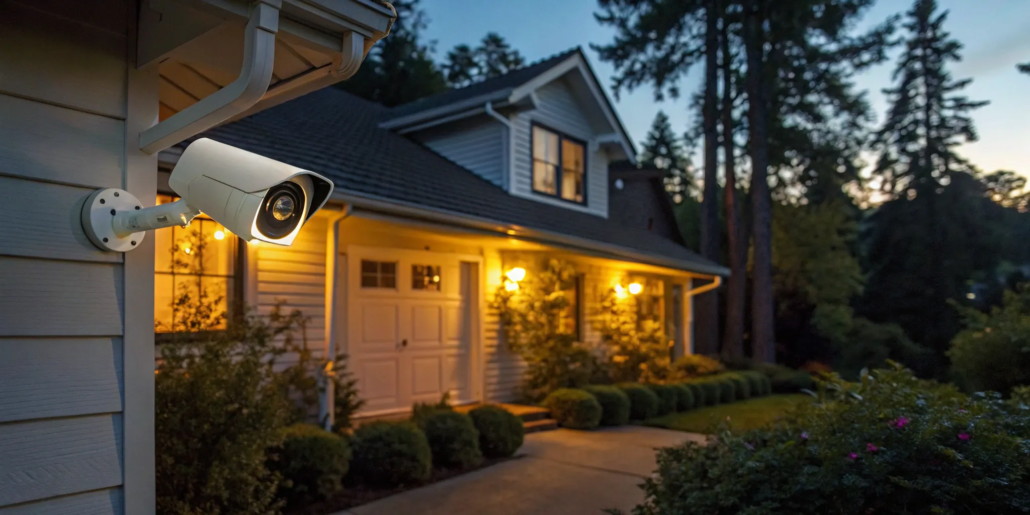
Wireless Alarm Monitoring: What It Is & Why It Matters
Life changes, and your security should be able to change with it. You might finish a basement, add a new wing to your office, or move to a new location. A traditional, hardwired system can’t easily keep up. This is where the flexibility of a wireless home alarm system truly shines. With no cables tying it down, you can easily add sensors or even take the entire system with you. But true peace of mind comes from knowing it’s always connected. That’s the power of 24/7 wireless alarm monitoring—a solution designed to adapt right alongside you.
Key Takeaways
- Wireless Systems Offer Unmatched Flexibility: Their wire-free design means a clean, fast installation, the freedom to easily add more sensors as your needs change, and simple integration with your other smart home devices.
- Tailor Security to Your Specific Needs: Find the right fit by assessing your property’s unique entry points, choosing between DIY and professional installation, and selecting a monitoring plan that aligns with your budget and lifestyle.
- Modern Alarms Are Built for Reliability: Today’s systems use encrypted signals to block hackers and have cellular and battery backups to ensure they stay connected and powered on, even if your internet or electricity goes out.
What Is a Wireless Alarm System?
Think of a wireless alarm system as a smart security network for your home or business that doesn’t rely on a web of complicated wires. Instead of being physically connected, its components—like sensors and cameras—use secure radio frequencies to talk to a central control panel. This is the same reliable technology that powers your Wi-Fi and other everyday devices, sending signals instantly and securely. This setup makes installation much faster and cleaner, since there’s no need to drill holes or run cables through your walls. For renters or those who might move, this is a huge plus, as you can often take the entire system with you.
This flexibility is a key advantage. You can easily add new sensors as your security needs change, whether you’re finishing a basement or adding a new wing to your office. Plus, many modern wireless systems and products connect seamlessly with other smart devices in your space, like smart locks, lights, and thermostats. This integration puts total control right at your fingertips through a smartphone app, creating a truly connected and secure environment. It’s a modern, adaptable approach to keeping your property safe without the hassle of a traditional wired setup.
How Do Wireless Alarms Actually Work?
At its heart, a wireless alarm system is a team of devices working together. You have a central control panel, which acts as the brain of the operation. This hub communicates with all the sensors placed around your property. These include door and window sensors that detect when something is opened, and motion detectors that spot movement in key areas. If a sensor is tripped, it sends an instant, wireless alert to the control panel. The panel then sounds a loud alarm to deter the intruder and, if you have professional monitoring, immediately notifies the security team. Many systems also let you use voice commands through assistants like Alexa or Google Home to arm or disarm your alarm, making security feel effortless.
The Role of the Central Hub
The central hub is the command center of your entire security setup. Think of it as the heart of the system, constantly communicating with every sensor you have installed. When a door sensor is tripped or a motion detector is activated, it sends an immediate signal to the hub. This smart panel then processes the information and takes action, sounding a powerful siren and, if you have professional monitoring, instantly alerting our 24/7 monitoring center. It’s the crucial piece that connects all the components of your security system, ensuring a rapid and coordinated response when you need it most. This seamless integration is what provides true peace of mind.
Wireless vs. Wired Alarms: Which Is Right for You?
The main difference is right in the name: one uses wires, and the other doesn’t. A wired system requires running physical cables through your walls to connect every sensor to the control panel. This often means a more involved and lengthy installation process. Wireless systems skip all that, making installation quicker, less invasive, and often more affordable. They also offer more freedom. You can place sensors exactly where you need them, not just where a wire can reach. If you decide to add more cameras or sensors later, it’s a simple process. While both are reliable, the flexibility and ease of our security services make wireless the go-to choice for most modern properties.
How Burglars Target Traditional Wired Systems
It helps to think like an intruder to stay one step ahead. While any alarm is a good deterrent, older, wired systems have some known weak spots. The most common tactic is cutting the lines. A determined burglar might sever the main power and phone lines to your property, which stops a traditional alarm from sending out a distress signal. Another risk is physical damage. Once inside, an intruder could try to quickly find and smash the control panel before it alerts the monitoring center. These are precisely the vulnerabilities that modern security systems are built to solve, giving you more reliable and resilient protection.
Finding the Best Wireless Home Alarm System
Choosing the right wireless alarm system can feel overwhelming with so many options on the market. The “best” system really comes down to your specific needs, budget, and how hands-on you want to be. Are you a homeowner looking for a fully integrated smart security system, or a renter who needs a simple, portable DIY solution? Do you prefer the peace of mind that comes with professional installation and monitoring, or are you comfortable setting things up yourself?
To help you make an informed decision, we’ll walk through some of the most popular wireless alarm systems available. We’ll look at national brands known for their DIY-friendly setups and professional services, but we’ll start with our top recommendation for Atlanta-area homes and businesses. A local provider can offer a level of personalized service and community knowledge that larger companies often can’t match. Think about what matters most to you—customization, cost, contract length, or professional oversight—as you compare these options.
Our Top Pick: American Alarm’s Wireless Solutions
For those in the Atlanta area, we believe a local expert provides the best protection. Our integrated wireless solutions are designed for both homeowners and businesses, blending smart home convenience with robust security. We don’t just sell you a box of sensors; we provide a complete security plan tailored to your property. With professional installation and local monitoring, you get a system that works seamlessly from day one and a team that’s right around the corner when you need them. We handle the setup, so you can focus on feeling safe.
What to Know About Ring Alarm Pro
Ring is a household name, largely thanks to its video doorbells. The Ring Alarm Pro system is a popular choice for those who want a straightforward DIY installation. It integrates smoothly with other Ring products and Amazon Alexa, making it a great fit if you’re already building a smart home ecosystem. Because it’s easy to set up and take down, it’s a flexible option for both renters and homeowners who want to manage their own security without professional help.
What to Know About SimpliSafe
SimpliSafe has built its brand on user-friendly, DIY security. Their systems are known for being incredibly easy to install right out of the box, which makes them another excellent choice for renters or first-time alarm system users. A key part of SimpliSafe’s philosophy is proactive protection—using tools like entry sensors and sirens to deter intruders before they even get inside. If you’re looking for a system you can set up in under an hour without drilling any holes, SimpliSafe is a strong contender.
Unique Features and Costs
Most security systems today are wireless, offering a ton of benefits with very few downsides. Because there’s no need to plug in or route wires through your walls, the setup is incredibly simple and clean. When it comes to cost, it’s helpful to look at both the initial equipment and the ongoing monitoring. While the price of the hardware can vary, the long-term value is often found in affordable professional monitoring. For example, some plans can be surprisingly budget-friendly, with professional alarm monitoring costing as little as $9.95 a month. At American Alarm, we focus on providing smart, affordable security, and we often have specials that make protecting your property even more accessible.
Smart Home Integration
One of the best parts of a modern wireless system is how it plays with others. Many wireless systems and products connect seamlessly with other smart devices in your space, like smart locks, lights, and thermostats. This creates a truly connected environment that you can manage from a single app on your phone. Imagine being able to check your system’s status, adjust your thermostat, and turn on the lights from your phone, no matter where you are. Plus, many systems can connect with popular smart home assistants like Alexa and Google. A simple voice command can arm your system as you’re heading out the door, making your security routine feel completely effortless.
What to Know About Cove Security
If you’re looking for affordability and flexibility, Cove is worth a look. This system is designed to be simple and effective without locking you into a long-term contract. Cove Security offers the choice between DIY installation or professional setup, giving you control over the initial cost and effort. It’s a solid, no-fuss option for anyone who wants reliable protection and professional monitoring without the commitment or higher price tag of some of the larger brands.
Unique Features and Costs
When you’re comparing systems, the price tag is only part of the story. You’ll find different cost structures: some systems are a one-time equipment purchase, while others include professional monitoring for a monthly fee. It’s about finding a plan that fits your budget without compromising on protection. Many modern wireless systems also offer incredible value through smart home integration, allowing you to connect everything from smart locks to lights for a more convenient and secure space. This flexibility extends to the system itself; because there are no wires, you can easily add new sensors as your needs evolve or even take the system with you if you move. It’s a security solution designed to adapt to your life.
What to Know About ADT Command
ADT is one of the oldest and most recognized names in home security, and for good reason. They specialize in professionally installed and monitored systems. With ADT Command, you’re not just buying equipment; you’re paying for a full-service security experience. With multiple monitoring centers, they are known for fast response times. Their modern wireless systems, which now integrate with Google Nest products, are ideal for anyone who wants to leave their home’s security entirely in the hands of trusted experts.
Unique Features and Costs
Most security systems today are wireless, offering a ton of benefits with very few downsides. Because there’s no need to plug in or route wires through your walls, the setup is incredibly simple and clean. When it comes to cost, it’s helpful to look at both the initial equipment and the ongoing monitoring. While the price of the hardware can vary, the long-term value is often found in affordable professional monitoring. For example, some plans can be surprisingly budget-friendly, with professional alarm monitoring costing as little as $9.95 a month. At American Alarm, we focus on providing smart, affordable security, and we often have specials that make protecting your property even more accessible.
Smart Home Integration
One of the best parts of a modern wireless system is how it plays with others. Many wireless systems and products connect seamlessly with other smart devices in your space, like smart locks, lights, and thermostats. This creates a truly connected environment that you can manage from a single app on your phone. Imagine being able to check your system’s status, adjust your thermostat, and turn on the lights from your phone, no matter where you are. Plus, many systems can connect with popular smart home assistants like Alexa and Google. A simple voice command can arm your system as you’re heading out the door, making your security routine feel completely effortless.
What to Know About Vivint
Unique Features and Costs
Vivint is a brand that leans heavily into high-tech security, offering some of the most advanced equipment available. This includes AI-powered outdoor monitoring devices and wide-angle video doorbells. This isn’t a system you set up on your own; it requires professional installation, which guarantees every component is placed and configured correctly for optimal performance. While the initial equipment cost starts around $199, it can become a significant investment as you add more devices. Monitoring also requires a commitment, often with a long-term contract of up to 60 months. For those who prioritize cutting-edge technology and want a robust, professionally managed system, Vivint’s features and reliability make it a serious contender.
Smart Home Integration
Where Vivint really stands out is in its smart home capabilities. The system is designed to be the central command for your entire connected home, integrating smoothly with popular voice assistants like Alexa and Google Assistant. This allows you to create sophisticated automations that make life easier and more secure. For example, you can set your system to automatically adjust the thermostat and lock the doors when you arm the alarm for the night. Everything is managed through a single, intuitive smartphone app, giving you complete control over your security and smart devices from anywhere. It’s a great choice if you envision a home where all your technology works together seamlessly.
Must-Have Features for Your Wireless Alarm
Choosing a wireless alarm system feels a lot like picking a new smartphone—the options can seem endless. But once you know which features truly matter, you can easily find the right fit for your home or business. A great system does more than just sound an alarm; it offers a suite of tools that work together to give you peace of mind. From intelligent sensors to seamless smart home integration, the best wireless alarms are flexible, user-friendly, and designed to adapt to your life. Let’s walk through the essential features you should have on your checklist.
Why Smart Sensors and Detectors Matter
At the heart of any effective wireless alarm are its sensors. These devices are your first line of defense, using radio waves to communicate with the main control panel without the need for cumbersome wiring. Modern systems go far beyond basic door and window contacts. Look for a setup that includes a variety of smart sensors, such as those that detect the sound of breaking glass or sudden temperature changes that could signal a fire. Advanced motion detectors can even tell the difference between a person and a pet, which means your furry friends won’t trigger false alarms. These intelligent sensors work together to create a comprehensive security net around your property.
The Power of Wireless Alarm Monitoring from Your Phone
One of the biggest advantages of a modern wireless system is the ability to manage your security from anywhere. With a dedicated smartphone app, you can arm or disarm your system, check the status of your sensors, and even view live video feeds from your security cameras, all from the palm of your hand. This feature is invaluable whether you’re at work, on vacation, or just running errands. Imagine getting an instant notification if a door is opened unexpectedly and being able to immediately check your cameras. This level of remote monitoring gives you constant connection and control over your property’s safety, offering a powerful sense of security.
Professional vs. Self-Monitoring: What’s the Best Choice?
When an alarm is triggered, what happens next is critical. You have two main options: professional or self-monitoring. With self-monitoring, you receive alerts directly on your phone and are responsible for contacting the authorities. It’s a hands-on approach that avoids monthly fees. On the other hand, professional monitoring connects your system to a 24/7 command center. When an alarm goes off, trained professionals assess the situation and dispatch emergency services for you. This is a key feature of our security system monitoring, ensuring a rapid response even if you’re asleep, in a meeting, or can’t reach your phone. Your choice depends on your budget and how much responsibility you want to take on.
Low Battery Notifications
A wireless system is only effective if it has power, which is why low battery notifications are a non-negotiable feature. Instead of leaving you to guess when a sensor’s battery might die, modern systems proactively alert you when power is running low. This alert, usually sent directly to your smartphone, gives you plenty of time to swap out the batteries before there’s any interruption in your protection. It’s a simple but critical feature that ensures your system is always operational. This proactive approach is a key benefit of today’s wireless systems, giving you the confidence that your security is always ready to perform when you need it most.
How Your Alarm Works with Other Smart Devices
A wireless alarm system can be the central hub of a fully connected smart home. Look for systems that integrate with popular voice assistants like Alexa or Google Home. This allows you to use simple voice commands to arm your system as you’re heading out the door or check on your cameras from the couch. Beyond voice control, these integrations can create automated routines. For example, you could have your smart lights turn on and your doors lock automatically whenever you arm the security system. This creates a more responsive and convenient living environment where your security system and other smart devices work together seamlessly to make your life easier and safer.
Internet Speed Requirements for Video
If your wireless alarm system includes video surveillance, your internet connection plays a huge role in its performance. It’s not just about download speed, which is what we use for streaming movies. For security, the upload speed is what really counts, as this determines how quickly your system can send video footage to the cloud or your phone. A slow upload speed can lead to choppy, delayed video feeds—not ideal when you need to see what’s happening in real-time. As a general rule, you’ll want at least 1-2 Mbps of upload speed for each standard-definition video device. For high-definition devices, that number jumps to 3-5 Mbps each. It’s also important to consider how much bandwidth all your other connected devices consume, so your security system always has the speed it needs to perform reliably.
Can You Easily Add to Your System Later?
Your security needs can change over time. You might build an addition, get a new pet, or decide you want to add cameras to your backyard. A major benefit of wireless alarms is their flexibility. Because there are no wires to run through your walls, adding new sensors, cameras, or keypads is incredibly simple. You can place devices exactly where they’re needed for optimal coverage, not just where it’s convenient to run a cable. This scalability means your system can grow with you. If you think your needs might evolve, contact us to discuss a system that offers the freedom to easily expand your security coverage whenever you need to.
Understanding Security Vulnerabilities
A strong security system does more than just react—it anticipates. Burglars have their own tactics, but modern wireless alarms have smart features designed to counter them. Understanding these vulnerabilities and the technology that solves them is key to choosing a system that truly keeps you safe. Here are a few essential features that address common security concerns head-on.
“Crash and Smash” Protection
Imagine an intruder breaks in and rushes to destroy your alarm’s control panel before it can call for help. This “crash and smash” tactic is a real concern, but modern systems are prepared for it. That’s why “crash and smash” protection is a critical feature. The moment a sensor is tripped, your system sends a preliminary signal to the monitoring center. If the control panel is then destroyed and goes offline, the team knows it’s a confirmed emergency and dispatches help immediately. This smart feature outsmarts a common burglar tactic, ensuring you’re protected even if the panel is damaged.
The Importance of a Loud Siren
Never underestimate the power of a loud siren. It’s an essential component of any effective alarm system, serving two vital purposes. First, it’s a powerful deterrent. The sudden, piercing sound is designed to startle and disorient an intruder, creating an immediate sense of panic and an urge to flee before they can take anything. Second, it’s an unmistakable call for attention. A blaring alarm alerts your neighbors and anyone passing by that something is wrong, turning a private emergency into a public event. This is the last thing a burglar wants, making the siren one of your most effective lines of defense.
Panic Buttons for Immediate Alerts
Sometimes, an emergency isn’t a break-in. It could be a medical issue or any situation where you feel unsafe and need help fast. This is where panic buttons become an invaluable tool for personal safety. These discreet buttons can be on a keypad, a key fob, or in your smartphone app. With a single press, they send an immediate distress signal to your professional monitoring center. The team can then dispatch the appropriate emergency services—police or medical personnel—to your location. This feature provides an extra layer of security and peace of mind, ensuring help is always just a button-press away.
How Much Do Wireless Alarm Systems Cost?
Figuring out the cost of a wireless alarm system is a top priority for most people, and for good reason. You want to feel safe without breaking the bank. The final price tag isn’t just one number; it’s a combination of equipment, installation, and ongoing services. The good news is that wireless systems offer a lot of flexibility, so you can often find a solution that fits your budget. Let’s break down the main costs you can expect.
Breaking Down Equipment Costs
The first expense you’ll encounter is the hardware itself. The price for security equipment can vary quite a bit, depending on what you need. A basic starter kit for a small apartment might include a hub, a door sensor, and a motion detector. For a larger home or business, you’ll likely need more security products, like additional window sensors, glass break detectors, and security cameras. The level of technology also plays a role; advanced cameras with high-definition video and smart analytics will cost more than simpler models. Think about the size of your property and how many entry points—doors and windows—you need to cover to get a better idea of your starting costs.
Example Package Pricing
To give you a clearer picture, let’s look at how pricing can break down. A starter package for a smaller home or office might include the essentials: a control panel, a few door and window sensors, and a motion detector. For a larger property with more entry points, you’d look at a more comprehensive package with additional sensors. The cost also changes based on the technology you choose; for example, adding advanced video surveillance will influence the total price. Some systems are a one-time purchase, while others pair with affordable professional monitoring for a small monthly fee. The best way to find a solution that fits your budget is to look at tailored packages, and you can often find great value with current specials that bundle equipment and services together.
Factoring in Installation and Setup Fees
Once you have your equipment, you need to get it up and running. Many wireless systems are designed for DIY installation, which can save you money upfront. However, a professional installation ensures every sensor is placed correctly for optimal coverage and that the system is perfectly synced. At American Alarm, our professional services give you peace of mind that your system is installed right from day one. The cost for professional setup often depends on the complexity of your system and the size of your property. It’s a one-time fee that can prevent a lot of future headaches and ensure your investment works as it should when you need it most.
What to Expect for Monthly Monitoring Fees
Beyond the initial setup, you’ll want to consider the recurring cost of monitoring. You generally have two options: self-monitoring or professional monitoring. With self-monitoring, you get alerts on your phone and are responsible for contacting the authorities. Professional monitoring means a team is watching over your property 24/7. If an alarm is triggered, they verify the emergency and dispatch police or fire services immediately. This service comes with a monthly fee, but it provides a critical layer of protection, especially when you’re away. We often have special offers that make professional monitoring incredibly affordable and accessible for any budget.
Comparing Monthly Rates
When you start looking at monthly rates, you’ll see a pretty wide range. Some of the big national brands offer plans that start around $23 to $30 per month. For that price, you get the peace of mind that comes with 24/7 professional oversight. However, it’s good to know that you don’t always have to pay that much. More affordable options are out there, with some monitoring services costing as little as $10 a month. The key is understanding what you’re getting for that fee. You’re paying for a team of professionals to be ready to act the moment an alarm is triggered. This professional monitoring is what ensures a fast response from emergency services, which is a crucial part of any reliable security plan.
What Affects the Final Price?
So, what determines your final bill? It’s a mix of everything we’ve covered. The biggest factors are the size of your property and the number of sensors and cameras you need. A multi-story house or a large commercial space will naturally require more equipment than a small condo. The type of monitoring plan you choose is another key factor. Finally, any add-ons like video storage plans, smart home integrations, or specialized sensors will also influence the cost. The best way to get a clear picture is to get a personalized quote based on your specific needs. You can contact us to walk through your options and build a system that works for you.
Understanding Contract Lengths
The contract length is another key piece of the puzzle when choosing your security system. Just as wireless technology gives you the freedom to adapt your system over time, you also have choices when it comes to your service agreement. Some people prefer the stability and often lower monthly rates of a longer-term contract, while others value the flexibility of a shorter commitment. The type of monitoring you select often plays a big role here. Professional monitoring services typically involve an agreement to ensure continuous protection, while self-monitored plans might offer more month-to-month freedom. The best approach is to be clear about your needs upfront so you can find a plan that aligns with your life. To get a clear picture of what works for you, it’s always a good idea to discuss your options with a security expert.
Weighing the Pros and Cons of Wireless Alarms
Deciding between a wired and wireless alarm system can feel like a big choice, but it doesn’t have to be. Wireless technology has come a long way, offering reliable and flexible security for homes and businesses. Like any technology, it has its strengths and weaknesses. Let’s break down what you can expect from a wireless system so you can make a smart decision for your property.
Why Choose a Wireless System?
Wireless alarm systems are popular for a reason. Their biggest advantage is flexibility. Because they communicate using radio signals instead of cables, installation is much faster and cleaner, with no need to drill holes in your walls. This makes them perfect for renters or anyone who wants to avoid a complex setup. You can also easily move sensors and cameras if you rearrange a room or move to a new home. Expanding your system is simple—just add another sensor where you need it. Many of our modern security systems integrate seamlessly with other smart devices, giving you a connected way to protect your property.
What Are the Potential Downsides?
Some people worry that wireless systems are easier for intruders to bypass. While older models may have been vulnerable, today’s systems use encrypted signals that are very difficult to disrupt. Another common concern is signal interference, but professional installers know how to place components to ensure a strong connection throughout your space. A poorly planned system can have weak spots, which is why working with an expert is so important for your peace of mind. Our team ensures your security services are set up for maximum effectiveness.
What to Know About Batteries and Backup Power
Since wireless components aren’t hardwired, they run on batteries. This means you’ll need to replace them every few years, which is a small ongoing maintenance cost. Most systems will alert you long before a battery runs out, so you won’t be caught off guard. What happens if your power or internet goes out? You’re still protected. Quality wireless systems include a cellular backup that keeps your alarm connected to the monitoring center, no matter what. If you have questions about battery life or backup features, feel free to contact us for details.
The Risk of a Failed Backup Battery
It’s a valid question: what happens if the backup battery itself fails during a power outage? Without a working backup, your system would indeed go offline, leaving your property vulnerable. However, this scenario is highly unlikely with a professionally managed system. Modern wireless alarms are designed with multiple safeguards. Your system will send you low-battery notifications long before it runs out of power, giving you plenty of time to address it. This is a key part of our comprehensive security services—we ensure your system is always ready. Plus, with a cellular backup, your connection to the monitoring center remains active even if both your power and internet fail. Proper maintenance and professional oversight are the best ways to guarantee your backup power is reliable when you need it most.
Are Wireless Alarms Reliable and Secure?
It’s completely normal to have questions about the reliability of a wireless alarm system. After all, you’re trusting it to protect your home or business. You might wonder if the signal can be blocked, if it’s vulnerable to hackers, or what happens if the power goes out. These are all valid concerns, and the good news is that modern wireless technology is designed specifically to address them, offering robust and dependable security. Let’s break down exactly how these systems stay secure and reliable.
Worried About Signal Interference? Here’s What to Know
One of the biggest questions people have is about signal strength. Wireless alarms use radio waves to communicate between sensors and the main control panel, so it’s fair to wonder if other household devices could cause interference. While it’s true that things like Wi-Fi routers and microwaves also use radio frequencies, professional-grade security systems operate on dedicated, secure frequencies to prevent this kind of overlap.
To ensure a consistently strong connection, proper placement of each component is key. A professional installation will map out the ideal locations for sensors and the control panel, eliminating potential dead zones and guaranteeing that every signal gets through loud and clear. This expert setup is a core part of our security services and ensures your system works flawlessly from day one.
The Truth About Signal Jammers
You’ve probably seen it in a heist movie: a tech-savvy burglar uses a mysterious device to disable a security system. This device, a signal jammer, is a real tool that attempts to block the radio frequencies a wireless system uses to communicate. While older models may have been vulnerable, today’s systems are built to withstand this tactic. Modern alarms use encrypted signals that are incredibly difficult for a jammer to disrupt. Furthermore, the best systems don’t rely on a single point of failure. They include a cellular backup, which means that even if your Wi-Fi signal is compromised, your system instantly switches to a cellular network to maintain its connection with the monitoring center. This layered approach ensures your protection remains active, making signal jammers largely ineffective against a professionally installed, modern alarm.
How Systems Protect Against Hacking
The idea of a hacker disabling your security system is scary, but it’s also highly unlikely with today’s technology. Reputable wireless alarm systems use advanced encryption to protect their signals. Think of it like the security used for online banking—every piece of data sent between your sensors and the control panel is scrambled. This makes it nearly impossible for an unauthorized person to intercept or tamper with the signal.
This digital shield is always active, protecting your system 24/7. By choosing high-quality systems and products, you’re investing in technology that’s built to resist digital threats. It’s a far cry from the simplistic, unencrypted systems of the past; modern wireless security is designed with sophisticated protection at its core.
What Happens When the Power Goes Out?
A security system isn’t much good if it shuts down during a power outage. That’s why wireless alarms are built with multiple layers of backup power. The main control panel is equipped with a backup battery that kicks in automatically the moment electricity is cut. Individual sensors also run on long-lasting batteries, so they continue to operate independently.
But what about the internet connection? Even if your Wi-Fi goes down, the system doesn’t miss a beat. Most modern alarms include a built-in cellular connection as a fail-safe. This allows the system to maintain its link to the security system monitoring center, ensuring that any alerts are transmitted no matter what. Your property stays protected through storms, power failures, and internet outages.
Is a Wireless Alarm Right for Your Business?
Just about any business can benefit from a reliable security system, but wireless alarms are a game-changer for specific industries. Their flexibility, scalability, and ease of installation solve common security challenges that wired systems can’t always address. If you run a retail store, office, warehouse, or restaurant, a wireless system offers tailored protection that fits your unique space and operational needs. Let’s look at how different businesses can use wireless security to protect their assets and people.
How Wireless Alarms Protect Retail Shops
Retail stores are prime targets for theft, both during and after business hours. A wireless alarm system is your first line of defense, protecting valuable inventory from shoplifters and burglars. You can place sensors on doors, windows, and even display cases without drilling holes or running unsightly wires. Modern systems also integrate with cameras, allowing you to keep an eye on the sales floor remotely. Plus, many insurance providers offer premium discounts for businesses with professionally installed intrusion alarms, so your investment can lead to direct cost savings. It’s a smart way to secure your products and potentially lower your operating costs with our current specials.
Keeping Your Office Space Secure
An office holds more than just desks and chairs; it contains expensive equipment, sensitive client data, and most importantly, your team. Wireless security systems protect your company’s property, employees, and inventory. You can easily add sensors to server rooms or file storage areas that require extra protection. Integrating access control systems is also simple with a wireless setup, letting you manage who can enter the building or specific suites without the hassle of traditional keys. This gives you a complete picture of your office’s security, ensuring everything and everyone is safe.
Wireless Alarm Monitoring for Warehouses
Warehouses, distribution centers, and manufacturing plants present a major security challenge due to their sheer size. Running cables across a massive, open-concept space is often impractical and expensive. This is where wireless systems truly shine. Because they don’t require physical connections between components, wireless alarm systems are often less expensive and much easier to install in larger spaces. You can place motion detectors and sensors exactly where they’re needed—from loading docks to remote corners of your inventory storage—to create a comprehensive security net. Adding commercial camera systems provides visual verification for any alerts, giving you full coverage of your facility.
Protecting Restaurants and Hotels with Wireless Alarms
The hospitality industry has a constant flow of people, from guests and staff to vendors and delivery drivers. Modern business security systems have evolved far beyond simple intrusion detection, offering a multifaceted approach to protecting these dynamic environments. For a restaurant, this could mean securing liquor storage and walk-in freezers. For a hotel, it means protecting guest rooms, common areas, and back-of-house operations. Wireless systems allow you to place discreet sensors and panic buttons where they’re needed most, ensuring the safety of both your guests and your team. Explore our security services to find a solution that fits your business.
Common Myths About Wireless Alarms, Busted
Wireless technology has changed how we live, but it can also feel a bit mysterious. It’s no surprise that some common misconceptions about wireless alarm systems have popped up over the years. If you’ve heard that these systems are unreliable or easy to bypass, it’s time to set the record straight. Let’s look at the facts behind the fiction so you can make a confident choice about protecting your home or business.
Myth: They’re unreliable and easy to hack.
This is a big concern, but it’s largely unfounded. Reputable wireless alarm systems use advanced encryption to protect their signals, much like the technology that secures online banking. This makes it extremely difficult for anyone to hack your system. At American Alarm, we use high-quality systems and products designed with multiple layers of security, ensuring your connection is stable and your property is protected around the clock.
Myth: Other devices will interfere with the signal.
With Wi-Fi, smart devices, and other gadgets in your home or office, it’s natural to wonder about signal interference. Professional wireless alarms avoid this by operating on a dedicated, secure frequency. This prevents your other devices from disrupting the connection. Plus, our professional installation ensures every sensor is placed for optimal signal strength, creating a reliable network that covers your entire property without any dead spots.
Myth: They cause too many false alarms.
While older systems were known for being overly sensitive, today’s technology is much smarter. Modern wireless alarms use advanced features to minimize false alarms, like pet-immune motion detectors that can tell the difference between your dog and an intruder. Smartphone control also helps prevent accidental triggers. With professional security system monitoring, an operator can verify any emergency before dispatching help, giving you total peace of mind.
Myth: They’re expensive and hard to maintain.
The idea that a security system is a luxury is outdated. Wireless technology has made security more accessible and affordable than ever. Because there’s no complex wiring, installation is faster and less expensive than with traditional systems. Maintenance is typically as simple as changing sensor batteries every few years—and the system alerts you when it’s time. We offer a range of affordable options and specials to fit different budgets, proving top-tier security doesn’t have to come with a huge price tag.
Making Your Property a Hard Target
A security system is a powerful tool, but it works best as part of a broader strategy to make your property less appealing to potential intruders. By thinking one step ahead, you can create layers of protection that encourage would-be burglars to move on before they even try to get inside. It’s about being proactive and turning your home or business into a place that’s simply not worth the risk. These simple, effective measures work hand-in-hand with your alarm system to create a truly secure environment.
Thinking Like an Intruder
The first step in protecting your property is to see it through an intruder’s eyes. What are they looking for? Most are searching for an easy target—a property they can get into and out of quickly without being noticed. The data backs this up: studies show that 83% of burglars check for an alarm system before attempting a break-in, and 60% will choose a different target if they see one. The mere presence of a professionally installed system, complete with visible yard signs and window decals, is often enough to deter them. It sends a clear message that your property is protected and monitored, making it a much harder and riskier target than the house down the street.
Reinforcing Doors and Windows
Your doors and windows are the most common entry points, so making them as secure as possible is essential. A strong deadbolt and reinforced door frame can make it much harder for someone to kick in a door. For sliding glass doors, a simple security bar can prevent them from being lifted off their tracks. But physical strength is only half the battle. Pairing these reinforcements with smart electronic security products creates a formidable defense. Door and window sensors will trigger an alarm the moment they’re opened, while glass break sensors detect the specific sound frequency of shattering glass, providing an extra layer of protection for vulnerable areas.
Using Smart Lighting to Simulate Presence
A dark, unoccupied property can be an open invitation for trouble. While leaving a light on all the time can be a giveaway that you’re away, smart lighting integrated with your security system offers a much more convincing solution. You can program lights to turn on and off in different rooms throughout the evening, mimicking the natural patterns of someone being home. This automation creates a powerful illusion of occupancy, making your property seem active and lived-in. It’s a simple yet highly effective way to make a potential intruder think twice, all managed easily through the same app you use to control your alarm.
Keeping Valuables Out of Sight
Sometimes, the simplest security measures are the most effective. Burglars are often opportunistic, and seeing expensive electronics, jewelry, or other valuables through a window can be a powerful temptation. Take a moment to walk around the outside of your property and see what’s visible from the street or your yard. If you can spot high-value items, so can someone else. Make it a habit to keep laptops, cash, and other valuables out of plain sight. Closing your blinds or curtains, especially at night, is another easy way to reduce temptation and make your property a less attractive target for a quick smash-and-grab.
Making an Informed Decision with Data
Choosing a security system is a significant decision, and it helps to look beyond the features and focus on the facts. The data on burglar behavior and the financial benefits of professional monitoring paint a clear picture of why a high-quality alarm system is a smart investment. When you understand the statistics, you can move forward with confidence, knowing your choice is backed by proven results. This isn’t just about feeling safer; it’s about making a data-driven decision to actively reduce your risk.
Understanding Burglar Behavior: Key Statistics
If you want to stop a burglar, it helps to know how they think. Research consistently shows that the presence of an alarm system is a major deterrent. According to a study from SafeHome, an overwhelming 83% of burglars will specifically look for signs of an alarm before attempting to enter a property. Even more telling, 60% of them will abandon their plans and look for an easier target if they find one. These numbers confirm that a security system isn’t just for catching intruders—it’s for preventing break-ins from happening in the first place. It’s a proactive investment in your safety that has a measurable impact on a burglar’s decision-making process.
How a Monitored System Can Lower Home Insurance
A professionally monitored alarm system does more than just protect your property; it can also save you money. Most home insurance providers offer discounts of 2% to 15% for properties with monitored security systems. Why? Because from their perspective, you’re actively reducing risk. A monitored system means a faster response from emergency services, which can minimize damage and loss from a break-in or fire. This makes your property a safer bet to insure. These savings can help offset the cost of your monthly plan, making professional security system monitoring an even more affordable and logical choice for protecting your investment.
Your Guide to Choosing and Installing a System
Picking the right wireless alarm system doesn’t have to be overwhelming. Once you’ve decided to go wireless, the process comes down to three key steps: understanding what your property needs, deciding how you’ll get it installed, and planning a budget that makes sense for the long haul. Thinking through these points will help you move from researching options to enjoying the peace of mind that comes with a secure home or business. It’s all about matching the right technology to your unique space and security goals. By breaking it down, you can confidently select a system that fits perfectly.
Start by Assessing Your Property’s Needs
Before you buy any equipment, take a walk around your property. How many doors and ground-floor windows are there? These are your primary entry points. Larger or more complex properties will naturally require more sensors and cameras to cover all vulnerable areas. Think about specific zones you want to protect, like a home office with expensive equipment or a stockroom with valuable inventory. The size of your space and the number of entry points you need to secure are the biggest factors in determining which security system is right for you and what the final cost will be.
Self-Installation vs. Professional Setup: Which to Choose?
Wireless alarm systems are famously easy to set up, which makes do-it-yourself installation a popular choice. If you’re comfortable with basic tech, you can likely have your system running in an afternoon. However, professional installation offers complete peace of mind. An expert will ensure every sensor is placed for optimal coverage and that the entire system is configured correctly from the start. For larger properties or for anyone who wants to guarantee a flawless setup, having a professional handle the installation is a smart move.
How to Plan Your Budget for the Best Value
Your security system is an investment, so it’s important to think about the total cost over time. Beyond the initial price of the equipment, consider the monthly monitoring fees. Professional monitoring is what ensures a rapid response when an alarm is triggered, and different plans come with different features and costs. The level of technology you choose also plays a role. While it can be tempting to go for the cheapest option, look for a system that offers lasting value and reliability. Check for any available specials or promotions to find a great system that fits your budget.
Can You Get a Discount on a Wireless Alarm System?
Yes, you absolutely can. While a high-quality security system is a serious investment in your peace of mind, there are several ways to make it more affordable. Many people assume that top-tier protection comes with a price tag that’s out of reach, but that’s often not the case. From seasonal promotions to long-term savings on your insurance, getting a great deal on a wireless alarm system is possible with a little research.
Thinking strategically about when and how you buy can lead to significant savings. Companies often provide special offers, flexible payment options, and bundled packages that make securing your home or business more accessible. Let’s walk through some of the best ways to find a system that fits your security needs and your budget.
How to Find the Best Promotions and Deals
One of the most direct ways to save money is by keeping an eye out for active promotions. Security companies frequently run special offers, especially around holidays or specific seasons. It’s always a good idea to check a provider’s website for any current deals before making a purchase. For example, we keep an updated list of our latest specials to help new customers get started.
Another fantastic, and often overlooked, way to save is through your insurance provider. Many insurance companies offer premium discounts for homes and businesses with professionally monitored alarm systems because they reduce the risk of theft and damage. A quick call to your insurance agent can clarify what kind of discount you might be eligible for after installing a system.
Should You Consider a Payment Plan?
The upfront cost of equipment can be a major hurdle for some people. If paying for everything at once is a concern, look for companies that offer financing or flexible payment plans. This allows you to spread the cost of the hardware over several months, making it much more manageable. For instance, some national brands offer options through services like Affirm, which breaks the total into smaller monthly installments.
This approach makes it possible to get the comprehensive, high-quality system you need now without draining your savings. When you’re getting quotes, don’t hesitate to ask security providers about the payment plans they have available. A good company will work with you to find a solution that makes you feel both safe and financially comfortable.
Why Equipment Bundles Can Save You Money
Purchasing your security components in a bundle is almost always more cost-effective than buying each piece separately. Security providers typically package together the most essential devices—like a control panel, door and window sensors, and motion detectors—into starter kits or business packages. These bundles are designed to provide comprehensive coverage at a lower price point than a-la-carte shopping.
These packages are a great starting point, and you can usually add more devices as your needs change. Whether you need a basic setup for a small retail shop or a more complex system for a large home, starting with a bundle is a smart financial move. You can explore different systems and products to see how bundled deals can give you more protection for your money.
Related Articles
- Wireless vs. Wired Commercial Alarm Systems in Atlanta | American Alarm
- Monitored Security Systems vs Self-Monitoring | Atlanta GA
- Wireless Security System Atlanta | American Alarm Corporation
- Top Wireless Home Security Tips to Consider
- Blog | Atlanta Alarm Monitoring | American Alarm Corporation
Frequently Asked Questions
What happens to my alarm system if the power or internet goes out? This is a great question. Modern wireless systems are designed with backups in mind. The main control panel has a battery that takes over during a power outage, and the individual sensors run on their own batteries. Even if your Wi-Fi goes down, the system uses a built-in cellular connection to stay in touch with the monitoring center, so you’re always protected.
Can I really install a wireless system myself, or should I hire a professional? You absolutely can install many wireless systems yourself, especially if you’re comfortable with basic tech. However, a professional installation guarantees that every sensor is placed in the most effective spot and that the entire system is configured correctly. This can prevent headaches like weak signals or coverage gaps, giving you total confidence that your system is working perfectly from day one.
Is it true that I can take my wireless alarm system with me if I move? Yes, this is one of the biggest perks of going wireless. Since there are no wires drilled into the walls, you can easily pack up your sensors, cameras, and control panel and set them up at your new home or business. It makes wireless systems a fantastic, flexible investment, especially for renters or anyone who anticipates moving in the future.
How often will I need to change the batteries in the sensors? You won’t have to worry about this very often. The batteries in most wireless sensors are designed to last for several years. Your system will also give you plenty of warning with a notification on the control panel or your smartphone app when a battery is running low, so you’ll have more than enough time to replace it without any lapse in protection.
I have a dog. Will my pet constantly set off the motion detectors? This is a very common concern, but modern technology has it covered. Many wireless systems come with pet-immune motion detectors that are smart enough to tell the difference between a person and a pet under a certain weight. During a professional installation, the technician can also position the sensors to avoid areas where your pets spend most of their time, which helps prevent false alarms.


Leave a Reply
Want to join the discussion?Feel free to contribute!