FC Error on Security System: What It Means
An alarm keypad that suddenly shows FC or Comm Fail is reporting a communication problem, not necessarily a failed alarm system. The message deserves attention because the panel may not be reaching the monitoring center as expected.
A fc error on security system commonly means the control panel did not complete communication with the monitoring receiver. The exact cause depends on the panel, communicator, and connection in use, so note the display and timing without opening or reprogramming the equipment.
For homeowners and businesses across Metro Atlanta, the safest next step is to understand what the code indicates. Observe only accessible status information, and request qualified alarm service when the trouble persists or monitoring may be affected. The communication path and the panel setup determine what the error means in practice.
Talk with an Atlanta alarm professional about the trouble message. Call (770) 645-0061.
What Does an FC Error on a Security System Mean?
An FC message usually means Failed to Communicate. The alarm control panel attempted to send a signal to the monitoring receiver but did not complete that communication. Some systems display the same condition as Comm Fail or use a slightly different trouble-code format.
The message is important because it concerns the connection between your alarm system and its monitoring service. It does not automatically mean that every sensor has failed, that the entire system needs replacement, or that there is one universal repair. The exact meaning depends on the panel brand, the communicator installed with it, and the communication setup serving the property.
FC and Comm Fail describe a communication problem
The control panel receives information from sensors. It sends events through a communication path. That path may use a phone connection, a cellular communicator, an internet connection, or combined equipment. When the panel cannot complete its expected connection with the monitoring center, it records a trouble condition and may alert you with an FC or Comm Fail message.
The display may appear after a brief interruption, or it may remain until the communication path is restored and the panel receives the appropriate acknowledgment. A temporary message and a recurring message can have different causes, so the timing and frequency are useful details to record for a technician.
Why the panel and setup matter
Two properties can show similar wording while needing completely different service. One system may have an outdated phone-line configuration. Another may depend on a cellular or IP communicator affected by equipment age, power conditions, or a network change. A provider transition, account change, or recent system modification can also affect how the panel reaches the monitoring receiver.
A generic FC explanation is not a repair guide. Note the message, timing, frequency, and visible status information. Do not open the equipment or enter installer programming. If you are unsure whether signals are reaching the monitoring center, contact your alarm provider and confirm the status of the account and communication path.
For Metro Atlanta homes and businesses, Atlanta security system monitoring includes the communication link that helps your alarm system report events for review and response.
What Usually Causes an FC Communication Failure?
An FC condition usually appears when the alarm control panel cannot complete a communication attempt with the monitoring receiver. The exact cause depends on the panel, communicator, and service setup. The same display can point to different conditions in different homes and businesses.
| What you observe. | What it may indicate. | Safe next step. |
|---|---|---|
| FC or Comm Fail remains on the keypad. | The panel may not be completing its communication path. | Record the message and contact the alarm provider. |
| The message appears after a provider or service change. | The panel and monitoring setup may be out of sync. | Tell the provider what changed and request a configuration review. |
| The trouble is intermittent. | The communication path may be unstable or affected by an occasional condition. | Record timing and visible indicators without opening equipment. |
The communication path may be interrupted
Every monitored alarm needs a path between the control panel and monitoring center. The system may use a telephone connection, cellular communicator, IP connection, or more than one method. A damaged or inactive path can prevent an alarm signal from reaching the monitoring center. American Alarm supports both landline and cellular communication options for Atlanta-area customers.
Some panels use an internal dialer. Others rely on a separate communicator. The panel may keep trying when the receiver does not acknowledge the signal. That incomplete exchange can produce FC or a similar message. The general concept is documented in explanations of failed communication for common alarm panels, but panel behavior varies by manufacturer and configuration.
Older phone-line settings can conflict with a newer setup
Older systems may use a phone line that is no longer active or compatible. FC can also appear after a property changes communication methods without updating the panel settings. That is especially important when an existing system has been retained during a monitoring-provider change.
Cellular, IP, or power conditions may affect the communicator
A cellular or IP communicator can have a connection problem or equipment fault. A lost network path or visible power issue can also matter. A recent outage, tripped circuit, or unlit indicator may help explain when the trouble began. Do not open the panel or disconnect equipment to investigate. Simply note what you can observe from outside the enclosure.
Provider changes can leave the system out of sync
When monitoring is canceled, transferred, or reactivated, the account and equipment must agree about where signals should go. A system from another provider may need qualified reprogramming or a communication-path review. If your monitoring service recently changed, alarm reactivation and monitoring support can help determine whether the FC condition is related to that transition.
How Can You Check the Problem Safely?
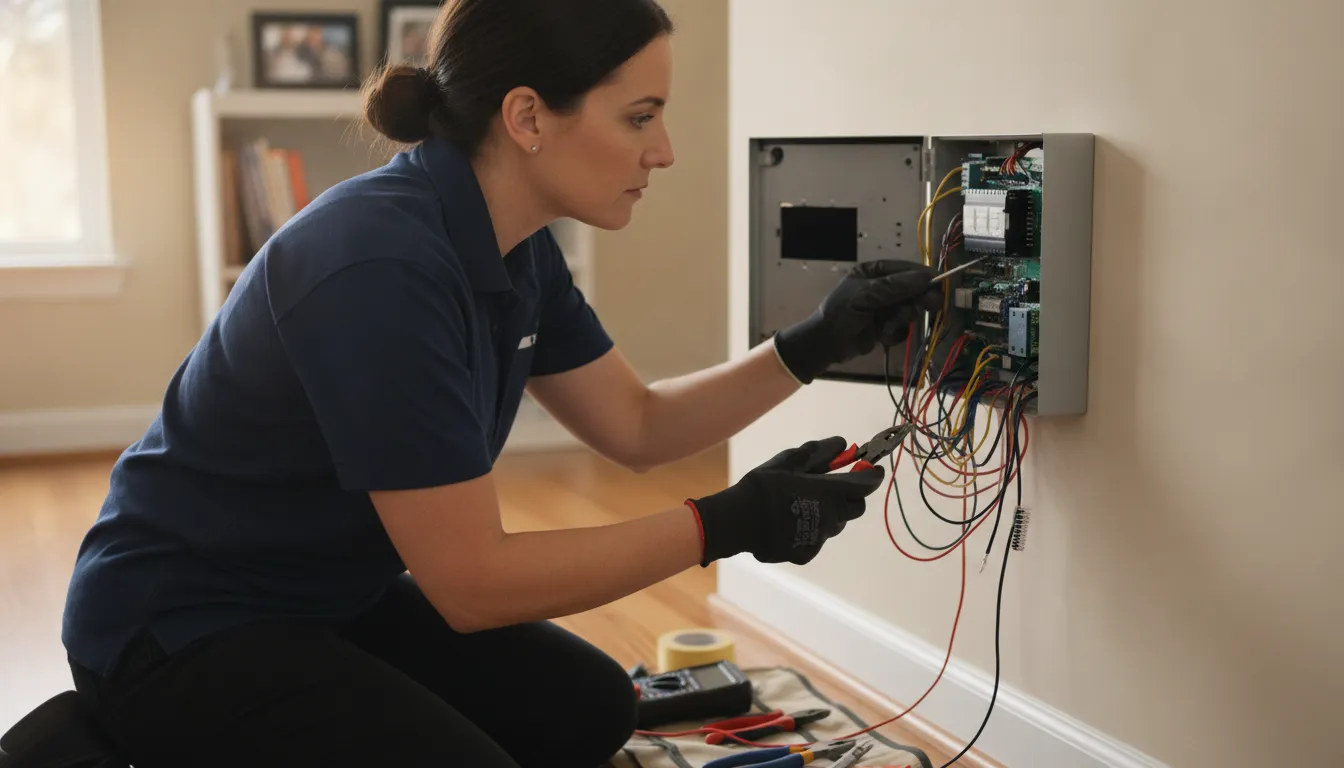
A keypad message can provide useful information without requiring you to open the control panel or change its settings. The goal is to document what the system is reporting and identify whether the condition is ongoing, not to repair the communication path at the keypad.
Use these observations before contacting your alarm provider:
- Read the display exactly. Write down whether the keypad shows FC, Comm Fail, or another trouble message. Note any zone number, system name, or additional wording. Different panels and keypad types can label a similar communication condition differently.
- Record when it appeared. Note the date and approximate time, whether the message is still present, and whether it returns after being cleared by normal user operation. A persistent message and an intermittent message can point to different service questions.
- Listen for related indications. Record whether the keypad produces a recurring trouble tone or whether other visible status lights have changed. Do not silence or reset the system repeatedly just to hide the indication. Your provider may need to know how the condition behaved.
- Observe visible equipment indicators. Without opening anything, look at the normal exterior display and any plainly visible status lights on connected communication equipment. Do not remove covers, move wiring, or reach behind the panel. If the system uses a network connection, note any separate, obvious network outage without changing alarm equipment.
- Confirm the monitoring relationship. If your monitoring service recently changed, was reactivated, or was transferred from another provider, include that information when you call. A provider or account transition can affect how the panel communicates, and the correct fix depends on the equipment and setup.
- Contact the alarm provider with your notes. Share the exact message, timing, visible indicators, recent changes, and whether the property is a residence or business. Ask whether the provider can review the account and guide phone-first troubleshooting before arranging a visit.
Do not enter installer programming, clear phone numbers, disconnect wires, bypass zones, power down the panel, or disable monitoring to make the FC condition disappear. Those actions can change how alarms are transmitted or leave a property without expected protection. If you are unsure what is safe to touch, stop at the visual check and request qualified alarm service.
When Should You Request Alarm Service in Atlanta?
Request qualified alarm service when an FC or communication-failure message persists, returns repeatedly, or appears alongside uncertainty about whether your signals are reaching the monitoring center. A single temporary trouble condition may have a straightforward explanation. But the keypad message alone cannot identify whether the issue involves the panel, communicator, network, power, account, or communication path.
Start with phone-first troubleshooting when available. An alarm professional can review the display, ask when the trouble began, confirm monitoring status, and decide whether a visit is needed. This helps when the alarm still arms but signal delivery is uncertain. Do not enter installer programming, open the panel, disconnect wires, bypass a zone, or make changes intended to silence the condition without understanding the effect on monitoring.
Situations that warrant a service call
- Repeated or persistent trouble: Request service if the FC message returns after clearing a notification, continues through normal operation, or is joined by additional trouble indications.
- Uncertain monitoring: Contact your provider if you cannot confirm that the account is active, the monitoring center is receiving test signals, or a previous provider transition was completed correctly.
- Unknown access or equipment history: A qualified technician should review the system when you do not have installer information, recently purchased the property, or inherited equipment from another provider.
- Visible equipment concerns: Arrange an inspection if you notice damaged equipment, unusual power indicators, exposed wiring, or a communicator that may no longer match the system setup. Observe from the outside rather than opening the enclosure.
- Business uptime risk: A communication failure can create uncertainty for a business that relies on alarm monitoring. American Alarm can provide commercial alarm system troubleshooting for business-specific alarm continuity concerns.
American Alarm supports major alarm platforms, including Honeywell/Ademco VISTA, DSC Power series, 2GIG, GE Caddx, and ITI systems. Because the correct next step depends on the brand, panel, and communication setup. Metro Atlanta property owners should provide the exact keypad message and request a review rather than assume every FC condition has the same cause.
How Can Atlanta Property Owners Prevent Repeat FC Errors?
Summary: Preventing repeat FC errors starts with keeping the alarm system and its communication path maintained, documented, and matched to the current monitoring arrangement. A qualified local provider can review the setup after equipment, network, or service-provider changes and identify weaknesses before they become recurring trouble alerts.
Once an FC condition has been addressed, ask what caused the communication failure and what will keep it from returning. The exact answer depends on the control panel, communicator, monitoring configuration, and service available at the property. A useful review should look beyond the keypad message and consider the complete path from the alarm panel to the monitoring center.
Keep the system and communication path current
Schedule appropriate maintenance for the alarm equipment and ask the provider to review the communication method during that visit. A property may rely on a landline, cellular communicator, internet-based path, or a combination of technologies. Equipment that was appropriate when installed may need attention after a carrier change, network change, panel upgrade, or other service transition.
When equipment or communication service changes, confirm that the panel, communicator, account, and monitoring center still work together. This matters after a provider change or system reactivation. The review should include a clear test of the communication path, completed by the provider without bypassing protection or altering settings casually.
For residential properties, reviewing supported alarm equipment can help owners understand whether their current platform fits the available monitoring setup. For a business, the same conversation should account for operating hours, access to equipment, notification contacts, and the need to keep protection available during service work.
Document changes and keep communication clear
Keep a record of the panel brand and model, communicator type, provider, recent visits, and phone, cellular, or network changes. Note when FC appeared, whether it persists, and whether it followed a power, network, equipment, or provider change. This information gives a technician a more useful starting point than a general report that the alarm is beeping.
Also review the account’s contact information and escalation instructions whenever a property changes ownership, management, occupants, or responsible staff. Ask the alarm provider how maintenance notifications are delivered and who should receive them. Clear communication helps prevent a known trouble condition from being overlooked.
When local knowledge matters, American Alarm’s local experience supports practical service decisions for Metro Atlanta homes and businesses. A maintenance plan, documented communication path, and qualified provider review can reduce repeat FC errors without resorting to invasive changes or guesswork.
What Should You Tell an Alarm Technician?
Good information helps an alarm technician understand the trouble condition before recommending the next step. A clear description can also make a phone-first review more productive, whether the system protects a Metro Atlanta residence or a business.
Exact details matter because an FC error on a security system can relate to different communication paths, panels, and monitoring arrangements. Share what you can observe safely, then let the technician determine what requires testing or service.
Information to gather before you call
- Exact display: Read the message as it appears, including whether the keypad says FC, Comm Fail, or shows another trouble condition. If possible, take a clear photo of the display.
- Timing: Note when the message first appeared and whether it remains on the keypad or comes and goes. Mention any repeated beeps, alerts, or monitoring notifications.
- Recent changes: Tell the technician about a recent power interruption, internet or phone service change, cellular service change, provider switch, system reactivation, or work near the alarm equipment.
- Visible indicators: Describe lights or status indicators you can see without opening the panel or equipment. Do not disconnect wires, enter programming, or bypass a zone to clear the message.
- Panel identity: Provide the alarm brand and model if they are printed on the keypad, documentation, or service records. If you do not know them, say so rather than guessing.
- Monitoring status: Explain whether monitoring is active, recently changed, or uncertain. This helps the technician assess the communication path and any account transition.
- Property type: Identify the site as a residence, office, retail location, warehouse, or another business property. Business systems may have multiple areas, users, or communication requirements.
Questions worth asking
Ask whether the displayed condition indicates a failed communication attempt, whether monitoring is currently receiving signals, and whether the issue can be evaluated by phone first. You can also ask what information or access the technician needs, whether the existing equipment is supported. And whether the recommended work addresses the communication path, the panel, the monitoring account, or a combination.
For a business, ask how service will affect scheduled opening, closing, access control, or alarm testing. For a residence, confirm how the technician will coordinate arrival and whether the system will remain protected during evaluation. These questions keep the service decision practical without turning a trouble message into a guess about replacement.
Schedule alarm service or phone-first troubleshooting. Call (770) 645-0061.
Frequently Asked Questions
What does an FC message mean on an alarm keypad?
FC commonly means Failed to Communicate. It indicates that the alarm panel did not complete communication with the monitoring receiver. Some systems display a similar condition as Comm Fail. The exact meaning depends on the panel brand and the communication setup.
Can an FC message appear after changing alarm providers?
Yes. A system may still be configured for an older phone-line or signaling method after a provider, communicator, network, or monitoring arrangement changes. The panel and its communication path may need to be reviewed so signals reach the correct monitoring service.
What can I safely check when FC keeps appearing?
Record the exact keypad message, note whether it is continuous or intermittent, and observe any visible power or communication indicators without opening the equipment. Confirm that your monitoring service is active, then contact the alarm provider. Do not enter installer programming, disconnect wiring, bypass zones, or open the panel.
When should I request alarm service for an FC error?
Request qualified service when the message persists, returns repeatedly, follows a system change, or appears while you are uncertain whether alarm signals are reaching the monitoring center. A technician can identify the panel and communication path, provide phone-first troubleshooting when appropriate, and determine whether an on-site repair or configuration review is needed.
Get Help With an FC Error on Your Security System
An FC error can have different causes depending on the alarm panel and communication setup. If the message continues, returns repeatedly, or you are unsure whether signals are reaching the monitoring center. A qualified review can help identify the next safe step for your Atlanta-area property.
Call American Alarm at (770) 645-0061 for help with an FC error.


Leave a Reply
Want to join the discussion?Feel free to contribute!