
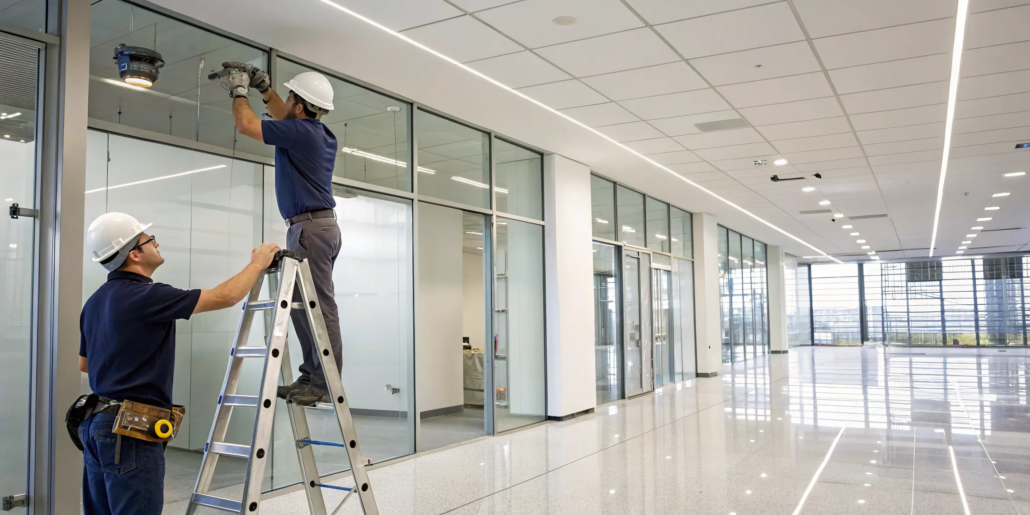
Your Guide to Commercial Security Camera Installation
Your business is one-of-a-kind, so why settle for a generic security system? The needs of a retail shop on a busy street are completely different from those of a large warehouse or a healthcare facility. A cookie-cutter approach simply won’t protect what you’ve built. The key is a tailored solution designed around your property’s specific layout and operational goals. This guide helps you create that custom fit. We’ll explore different types of business security camera system installation, essential features, and the strategic planning that turns a professional commercial security camera installation into a powerful tool for your company.
Key Takeaways
- Match the hardware to your environment: The right system is a mix of different tools; use discreet dome units for indoor spaces, visible bullet units to deter intruders, and PTZ units to actively monitor large, open areas.
- Expert installation prevents critical security gaps: Professional setup is about more than just mounting equipment. It ensures optimal placement to eliminate blind spots and correct network configuration so your system is reliable when you need it most.
- Plan for ongoing support to maximize your investment: Your security needs will evolve, so a true solution includes regular maintenance, accessible technical help, and a clear path for future upgrades to keep your system effective for years to come.
Which Commercial Video System Is Right for You?
When you start looking into a video system for your business, you’ll quickly find there isn’t a one-size-fits-all solution. The right choice depends on your property’s layout, your security goals, and the areas you need to monitor. Understanding the main types of commercial video equipment is the first step in designing a system that truly protects your assets. From subtle indoor units to highly visible outdoor devices, each style offers unique advantages. Let’s look at four of the most common options you’ll encounter.
The Discreet Dome System
Dome units are a favorite for both indoor and outdoor commercial settings, largely because of their discreet, low-profile design. The tinted enclosure makes it tough to tell exactly where the lens is pointing, which can be a powerful deterrent on its own. These devices are often built with vandal-resistant casings, making them a durable choice for areas with public access. With a wide field of view, a single dome unit can cover a significant area like a retail sales floor, lobby, or office space. Their versatility and sturdy construction make them a go-to for many businesses looking for reliable surveillance.
The Visible Deterrent: Bullet Systems
You can easily spot a bullet-style device by its distinct cylindrical shape, which resembles a tube or a “bullet.” Unlike dome units, these are highly visible, and that visibility is part of their strength. When potential intruders see a bullet unit, they know the area is being monitored, which often deters them from proceeding. These devices are designed for long-range viewing and are excellent for monitoring specific entry points, parking lots, and the perimeter of your building. Most are built to withstand the elements, making them a solid choice for outdoor security.
Maximum Coverage with Pan-Tilt-Zoom (PTZ)
PTZ stands for Pan-Tilt-Zoom, and these units offer a level of active, real-time control that fixed devices don’t. An operator can remotely control the device to pan horizontally, tilt vertically, and zoom in on specific details with incredible clarity. This makes PTZ units ideal for covering large, open areas like warehouses, loading docks, or expansive parking lots where you might need to follow activity as it happens. A single PTZ device can do the job of multiple fixed units, providing dynamic and comprehensive coverage for your most critical zones.
The Modern Choice: IP Video Systems
IP, or Internet Protocol, units are digital devices that send and receive data over a computer network. This is a major step up from older analog systems, allowing for much higher resolution video and a host of modern features. Because they connect to your existing network, IP-based systems and products are easy to integrate and scale as your business grows. They also enable powerful capabilities like remote viewing from a smartphone or computer, motion-triggered alerts, and flexible data storage options, including cloud-based solutions. This technology forms the backbone of most modern commercial surveillance setups.
Key Features Your Business Video System Needs
Choosing a commercial video system is about more than hardware. The right features ensure you get clear, useful footage when it matters most. From high-resolution imaging to smart alerts and remote access, these capabilities work together to create a security solution tailored to your business. Let’s look at the key features that make a real difference.
Why Commercial-Grade Systems Are Different
It might be tempting to think any video system will do, but the equipment designed for homes just isn’t built for the demands of a business. Commercial-grade systems are fundamentally different, starting with their durability. They are constructed from tougher materials and include critical features like backup power to ensure they run 24/7 without fail. The installation is also far more complex, requiring an expert to strategically place units, configure the network securely, and integrate everything with your other security measures, such as access control systems. Beyond the hardware, these systems offer advanced capabilities like AI-powered analytics and significantly longer video storage, often retaining footage for months, which is vital for incident review and liability protection. This professional approach ensures your system is reliable and effective from day one.
Why Crystal-Clear Resolution Matters
When reviewing footage, clarity is crucial for identifying faces or license plates. High-resolution video makes all the difference. While 1080p is a solid standard, 4K offers superior detail. Some advanced systems and products also let you pan, tilt, and zoom to focus on specific areas. This added detail is invaluable for protecting your property.
Securing Your Property After Dark with Night Vision
Your business needs protection around the clock. Modern night vision technology provides a clear picture in total darkness using features like infrared (IR) illumination. Other technologies like wide dynamic range (WDR) balance scenes with bright and dark areas, while low-light capabilities produce clear color images in dim conditions. This ensures you never miss a critical event.
Color Night Vision vs. Traditional Infrared
When we talk about night vision, there are two main types to consider. Traditional systems rely on infrared (IR) light to illuminate an area, producing a clear black-and-white image even in complete darkness. This technology is reliable and highly effective. However, color night vision offers a significant advantage by using highly sensitive image sensors to capture full-color images in low-light conditions. This added detail can be critical. Imagine trying to identify a vehicle or a person from footage; knowing the exact color of a car or a piece of clothing provides much more useful information than a grayscale image can. The right choice really depends on the specific environment you’re monitoring.
Getting Smarter Alerts with Motion Detection
Don’t waste time sifting through hours of uneventful video. Many modern commercial video systems use built-in analytics to detect motion, identify vehicles, or count people. This makes monitoring far more efficient. You can set up custom alerts sent to your phone or email when specific activity is detected, allowing you to respond quickly.
How to Monitor Your Business from Anywhere
As a business owner, you can’t always be on-site. Remote access gives you the freedom to check on your property from anywhere with an internet connection. You can watch live or recorded footage from a computer, tablet, or smartphone. This feature provides peace of mind, allowing you to stay connected and ensure everything is running smoothly.
Where Will You Store Your Video Footage?
All that high-quality video needs a secure place to be stored. You can use local storage on a network video recorder (NVR) or opt for cloud-based storage. An NVR is a physical device kept on-site, while the cloud offers off-site backup. The storage you need depends on your system’s resolution and how long you keep recordings. We can help you find the right solution when you contact us for a consultation.
Advanced System Capabilities to Consider
Today’s commercial video systems offer much more than just a recorded feed of the day’s events. The technology has evolved to be smarter, more responsive, and incredibly versatile. These advanced capabilities transform your system from a passive observer into an active partner in protecting your business. By integrating intelligent analytics, environmental sensors, and durable hardware, you can create a comprehensive security solution that addresses a wider range of potential risks. Exploring these features is a key step in designing a system that not only records incidents but actively helps prevent them, providing a deeper level of protection for your Atlanta-based business.
AI Analytics for Smarter Security
Imagine a system that doesn’t just see movement but understands it. That’s the power of Artificial Intelligence (AI) analytics. Instead of sending you an alert every time a tree branch sways in the wind, AI can distinguish between people, vehicles, and animals, significantly reducing false alarms. Modern systems use AI to actively find threats and help businesses make smarter decisions. For example, you can set rules to be notified if someone lingers in a sensitive area after hours or if a vehicle is parked in a no-go zone. This intelligent monitoring allows you to focus on genuine events, making your security more efficient and effective.
Integrated Sensors Beyond Video
True security extends beyond what a lens can capture. Many advanced systems can be integrated with specialized sensors that detect a variety of environmental threats. For instance, smart sensors can monitor for sudden changes in air quality, including temperature, humidity, and chemicals, which could indicate a fire or a leak. Some can even detect vaping in restricted areas or identify specific sounds, like shouting or even gunshots, and trigger an immediate alert. By adding these layers of detection, your security system provides a more complete safety net, protecting your people and property from a much broader range of risks.
Specialized Systems for Harsh Environments
Your security equipment is an investment, and it needs to be tough enough to withstand its environment. For outdoor areas or locations with public access, specialized hardware is essential. Many of these devices are built with vandal-resistant casings, making them a durable choice that can resist tampering or direct impact. Beyond physical damage, these rugged systems and products are also designed to operate reliably in challenging conditions, from Atlanta’s summer heat and humidity to freezing winter temperatures. Choosing hardware built for the job ensures your system remains online and effective when you need it most, providing uninterrupted protection.
How Much Does a Commercial Video System Installation Cost?
Planning your budget is a crucial first step when you decide to install a commercial video system. The total investment can vary significantly because every business has unique needs. The final price tag depends on several moving parts, from the size of your property to the specific features you require for effective monitoring. Think of it less like buying a product off the shelf and more like creating a tailored solution. Key factors that will shape your budget include the number of video units, how much footage you plan to record, and the complexity of your network. Understanding these elements will help you set a realistic budget.
What Factors Influence Your Installation Cost?
Several key factors influence the final cost of your installation. The number of video units required is a primary driver; a small storefront will have different needs than a large warehouse. The amount of video footage you need to record and store also plays a big role, as it determines the data storage solution you’ll need. Additionally, the complexity of the network setup and how the devices integrate with other security systems can affect the price. Each of these components is essential for building a comprehensive and effective system tailored to your property.
How Geographic Location Affects Pricing
It might surprise you, but where your business is located plays a significant role in the final installation price. The primary driver behind this is the cost of labor, which can vary quite a bit from one city to the next. For example, the rates for skilled technicians in a major metropolitan area like Atlanta will naturally differ from those in smaller, more rural towns. Beyond labor, local regulations and the existing infrastructure at your property can also influence the complexity and cost of the job. This is why getting a quote from a local provider is so important; it ensures your estimate accurately reflects the market conditions in your specific area, giving you a much clearer picture of your total investment.
Estimating Costs for Your Business Size
To give you a general idea, installation costs often scale with the size of the business. A small business that needs between four and 16 video units might see installation costs ranging from $1,500 to $8,000. For a mid-sized operation requiring 16 to 64 devices, the cost could be anywhere from $8,000 to $25,000. Larger enterprises with more than 64 units can expect costs to start at $25,000 and go up from there. These figures are estimates, but they provide a helpful starting point for your financial planning.
Industry-Specific Cost Estimates
The industry you operate in has a major impact on the final cost of a commercial video system, as each sector has its own unique security challenges and requirements. For instance, a small retail store might budget between $3,000 and $15,000 for a complete installation. In contrast, a large warehouse with its expansive layout could see costs ranging from $8,000 to $35,000. Specialized environments like healthcare facilities often have higher costs, typically from $10,000 to $50,000, due to compliance regulations. Manufacturing plants and office buildings also have distinct needs, with installation costs generally falling between $12,000 to $60,000 and $5,000 to $25,000, respectively. These industry estimates highlight why a custom assessment is so important for creating an effective and affordable security plan.
Planning for Equipment and Long-Term Costs
Beyond the initial installation, remember to account for essential equipment and continuing support. You’ll need to budget for components like network switches and video recorders. Professional installation is also a critical investment to ensure everything is set up correctly, preventing blind spots and connectivity problems. A reliable installer provides ongoing support, including technical help and system updates, which is vital for keeping your security system effective long-term. For a precise quote, it’s always best to get in touch with a professional.
Cost Breakdowns by System Type
When you’re looking at the numbers, it helps to have a general idea of what to expect. A commercial video system can range from around $1,500 for a small business to over $50,000 for a large-scale enterprise. Most businesses find their investment falls somewhere between $5,000 and $25,000 for a professionally installed system. This range covers the hardware, setup, and configuration needed for a reliable solution. The final cost depends on your specific needs, such as the number of video units and the complexity of the installation, but these figures provide a solid starting point for your budget discussions.
Budgeting for Labor and Network Hardware
The video units themselves are just one part of the equation. Your budget should also account for the essential network hardware and the cost of professional installation. Network equipment, like recorders and storage solutions, can add anywhere from $2,000 to $15,000 or more to the total cost, depending on your needs. Installation labor typically runs between $150 and $300 per device. Investing in professional services ensures that every component is installed correctly, your network is secure, and your system operates flawlessly from day one, saving you from costly issues down the road.
Calculating the Return on Your Investment (ROI)
A commercial video system is more than a security measure; it’s a smart business investment. To understand its true value, think about the return on your investment (ROI). This goes beyond just preventing theft. A well-designed system can lead to lower insurance premiums and improve your operational efficiency by giving you insights into daily activities. By deterring crime and providing critical evidence when needed, you protect your assets and your bottom line. When you explore your options, consider how these benefits add up to make your security system a valuable tool for your business’s long-term health.
Is Professional Installation Worth the Investment?
When you’re investing in a security video system for your business, the quality of the installation is just as important as the quality of the equipment. While a self-installation might seem like a way to cut costs, it often leads to performance issues and security gaps that can cost you more in the long run. A professional installation ensures your system is set up correctly from day one, giving you reliable performance and peace of mind. It’s about making sure your investment works exactly as it should to protect your property, employees, and assets.
The Real Benefits of Hiring a Professional
Working with a professional installer is like having a security expert on your team. They do more than just mount devices; they provide a complete service tailored to your business. A seasoned technician will help you select the right products for your needs, map out the most effective locations for each unit, and give you a clear understanding of the timeline and costs. This partnership ensures your system is designed for your unique space, covering all critical areas without blind spots. It’s the best way to get a system that’s both effective and efficient.
Why Getting Multiple Quotes Is a Smart Move
When making any significant investment in your business, you get multiple quotes. Your security system should be no different. Comparing proposals from several installers isn’t just about finding the lowest price; it’s about finding the best solution. Each company may have a different perspective on your property’s needs, from the number of video units required to how they can integrate with your existing systems. This process gives you a clearer picture of your options and helps you find a partner who understands your specific security goals and can work within your budget. It’s the smartest way to ensure you’re getting the right coverage and the best possible value for your investment.
What to Ask Your Professional Installer
Once you’ve narrowed down your list of potential installers, it’s time to ask the right questions. A true professional does more than just run wires and mount hardware; they act as a security consultant. They should be able to walk you through their recommendations, explaining why they chose specific products and placements for your property. This conversation is your opportunity to gauge their expertise and ensure they’re a good fit for your business. A thorough discussion should cover everything from system compatibility and legal compliance to the warranties and ongoing support they provide after the installation is complete.
Questions About System Compatibility and Compliance
Your video system shouldn’t operate in a silo. It’s important to ask how the proposed equipment will work with any other security measures you already have in place, such as an access control system or a monitored alarm. A seamless integration creates a much stronger security posture. You also need to discuss legal compliance. Different industries have specific regulations regarding video surveillance, and your installer should be knowledgeable about all local and state laws. Confirming that your new system meets all necessary requirements will protect your business from potential legal issues down the road.
Understanding Warranties and Insurance Coverage
Your relationship with an installer shouldn’t end once the system is up and running. Be sure to ask detailed questions about their warranties. A reputable company will offer a warranty on both the installation itself—covering things like cabling and workmanship—and a separate manufacturer’s warranty on the hardware. You should also verify that the installer carries adequate liability insurance. This protects your business from any potential damages that could occur during the installation process. Knowing you’re covered by strong warranties and proper insurance provides long-term peace of mind and shows you’re working with a true professional who stands behind their work.
Sidestep These Common Installation Pitfalls
Many businesses underestimate the complexity of installing a commercial video system. It’s not as simple as plugging in a few devices. One of the most common mistakes is improper placement. Placing a unit too high, too low, or pointing it in the wrong direction can create significant blind spots and render your recordings useless for identification. Another challenge is ensuring the network can handle the data stream without issues. A non-professional approach can easily lead to these and other technical problems, undermining the very security you’re trying to establish.
How Expert Installation Protects Your Investment
Ultimately, a security video system is only as good as its installation. Professionals ensure every component works together seamlessly. They correctly position each device for optimal coverage, configure the network for stable performance, and make sure your data storage complies with any relevant privacy regulations. They can also integrate your video system with other security tools, like access control systems, to create a more comprehensive solution. Investing in professional installation means you can trust your system to protect your business when it matters most.
Your Professional Installation: A Step-by-Step Guide
When you partner with a professional for your security system installation, you’re getting more than just a few new pieces of hardware. You’re getting a comprehensive service designed to protect your business from every angle. The process is a partnership, starting with a deep dive into your specific needs and ending with a fully operational system your team feels confident using.
A professional installation is a structured process that ensures nothing is overlooked. It begins with a thorough evaluation of your property and a strategic plan tailored to your goals. From there, technicians handle the physical setup and technical integration, making sure every component works together seamlessly. The final steps involve rigorous testing, fine-tuning the configuration, and providing your staff with the training they need to manage the system effectively. This methodical approach guarantees your new video system is not only installed correctly but is also optimized to provide the best possible protection for your business.
Preparing Your Network for a Seamless Installation
Your new video system, especially if it’s an IP-based system, relies heavily on your business’s network. Before any equipment is installed, it’s essential to make sure your network is ready to handle the data load. A professional installer will assess your current infrastructure to prevent bottlenecks that could disrupt your video feed. The complexity of your network setup plays a role in the overall project, influencing how well your new devices integrate with other security services like alarm monitoring. A properly configured network is the foundation for a reliable system, ensuring your recordings are consistent and your system connects smoothly with all your security tools. This preparation is a key part of a professional installation, guaranteeing your system works effectively from day one.
Step 1: The Initial Site Walkthrough and Plan
The first step is always a detailed site assessment. A security expert will visit your location to perform a complete walk-through, identifying potential vulnerabilities and discussing your primary security concerns. This isn’t about a quick look around; it’s an in-depth analysis of your property’s layout, entry points, and high-risk areas. During this consultation, they will listen to your goals, whether it’s monitoring a stockroom, overseeing transactions, or securing an entire facility. Based on this assessment, they will develop a custom plan that outlines the ideal type and placement of equipment to give you the coverage you need. You can contact us to schedule a free on-site evaluation.
Step 2: Setting Up and Integrating Your System
Once you approve the custom plan, the installation team gets to work. Professional technicians are trained to install your video equipment for optimal performance and minimal disruption to your business. They handle all the wiring and network configuration to ensure a stable and reliable connection. This phase is also where integration happens. Your video surveillance system can be connected with other security tools, such as access control systems, to create a unified security solution. This ensures all your systems work together, providing a more complete picture of your property’s security and making it easier to manage.
Step 3: Testing, Fine-Tuning, and Team Training
After the physical installation is complete, the job is far from over. The technicians will thoroughly test every device and connection to confirm everything is working as it should. They will configure the software, set up recording schedules, and ensure you have secure remote access to view your live and recorded video from any device. Just as important, they will provide hands-on training for you and your team. This training session covers how to operate the system, use the software, and review footage, empowering your staff to confidently manage your business’s security day-to-day.
Staying Compliant with Local Regulations
Operating a business comes with a responsibility to adhere to specific rules and regulations, and your security system is no exception. Professional installers are knowledgeable about local and federal laws regarding video surveillance, including privacy considerations. They ensure your system is compliant with industry-specific standards, such as HIPAA for healthcare facilities or PCI for retail environments. This expertise helps you avoid potential legal issues related to video recording, data storage, and employee privacy. Relying on a professional for your commercial security services gives you peace of mind that your system is not only effective but also fully compliant.
Navigating Legal, Privacy, and Compliance Rules
Installing a commercial video system involves more than just hardware and software; it also means understanding your legal responsibilities. As a business owner, you need to be aware of privacy laws and industry regulations to protect both your company and your customers. These rules aren’t just suggestions—they are legal requirements that can carry significant penalties if ignored. Navigating this landscape can feel complicated, but it’s a critical part of responsible ownership. A well-designed system respects privacy while providing security, and a professional partner can help ensure you meet all the necessary legal and technical standards from the start.
Understanding the “Reasonable Expectation of Privacy”
One of the most important legal concepts in video surveillance is the “reasonable expectation of privacy.” This principle determines where you can and cannot place monitoring equipment. In areas open to the public, like a retail sales floor or a building lobby, people generally have a low expectation of privacy. However, in private spaces such as restrooms, locker rooms, or employee break areas, individuals have a high expectation of privacy, and recording in these locations is typically illegal. The key is to focus your surveillance on public-facing and operational areas for legitimate security reasons. A professional can help you design a layout that respects these boundaries and keeps your business compliant.
Audio Recording: Stricter Rules to Follow
While video recording is common, capturing audio is a different story with much stricter legal rules. Federal law generally requires “one-party consent,” meaning at least one person in the conversation must know they are being recorded. Some states require all parties to consent. Because of this complexity, recording conversations between customers or employees without their explicit permission can create serious legal problems. For most businesses, the safest approach is to disable audio recording capabilities on their security systems entirely. If you believe you have a specific, lawful need for audio, it’s essential to consult with a legal professional before you proceed.
Avoiding Claims of Harassment
Even when your system is legally compliant, how you use it matters. Surveillance should be for general security, not for targeting individuals. For example, constantly aiming a device at a neighboring business or excessively monitoring a single employee could be interpreted as harassment or stalking, which is illegal. The purpose of your system is to protect your assets and ensure safety, not to intimidate or pry. Using your equipment responsibly builds trust with both your employees and your community. It’s about maintaining a secure environment without crossing the line into invasive monitoring, a balance that a well-planned system helps achieve.
Key Technical and Government Standards (ONVIF, NDAA)
When selecting equipment, you may come across acronyms like ONVIF and NDAA. These aren’t just technical jargon; they are important standards for quality and security. ONVIF compliance ensures that devices from different manufacturers can communicate with each other, giving you the flexibility to mix and match components and upgrade your system in the future. NDAA compliance means the equipment meets federal guidelines and is not sourced from certain banned manufacturers, which is a crucial indicator of cybersecurity. Choosing compliant systems and products ensures your investment is secure, reliable, and built to last.
How Long Should You Store Video Footage?
Deciding how long to keep your recorded video is a key operational choice. Most commercial systems store footage for about one to three months, but the right duration for your business depends on your specific needs and storage capacity. A business handling high-value goods might need a longer retention period than a small office. Storing footage for too long can be costly and create data privacy risks, while not storing it long enough could mean losing critical evidence if an incident occurs. We can help you determine the optimal storage solution based on your industry and security goals when you contact us for a consultation.
Where Should You Place Your Video System?
Where you place your video surveillance units is just as critical as the technology inside them. A high-resolution device is useless if it’s pointed at a wall or blinded by the sun. Strategic placement ensures you cover your most vulnerable spots and get clear footage. It’s about identifying key areas, considering environmental factors, and maximizing what each unit can see. A well-planned layout is the foundation of an effective security strategy for your business.
Covering Entrances and High-Priority Zones
Your first priority should be all points of entry and exit: front doors, back doors, loading docks, and ground-floor windows. Next, focus on high-value areas like cash registers, safes, server rooms, or stockrooms with expensive inventory. Mapping these critical zones ensures your commercial video systems are positioned to monitor what matters most to your operations. This creates a surveillance plan that leaves no room for surprises.
How Lighting and Environment Affect Placement
The environment around your Atlanta business greatly impacts video quality. Bright sun can create glare, while poor indoor lighting can obscure details. A professional installer assesses these conditions, recommending units with features like night vision or Wide Dynamic Range (WDR) to handle tricky light. They also ensure any outdoor equipment is durable enough to withstand Georgia’s weather, from summer heat to heavy rain, so your system works reliably year-round.
Getting the Best Angles and Widest Views
A device’s field of view is the area it can see. The goal is to position each unit for the widest possible view of a critical area without creating blind spots. Placing a unit too high might only show the tops of heads, while placing it too low makes it easy to tamper with. Proper angling is key to full coverage. This optimization is a core part of our professional security services, making sure your footage is always clear and usable.
Don’t Make These Common Placement Mistakes
A few common placement errors can render a video system ineffective. Pointing a unit directly at a bright light source, like a window, can wash out the image. Another is failing to secure the wiring, leaving it exposed and vulnerable. These small mistakes create major security gaps. Working with an expert helps you avoid these pitfalls, ensuring your system is installed correctly for maximum effectiveness from the start.
Finding the Optimal Mounting Height
Finding the right mounting height is a balancing act. If a unit is placed too high, you might only capture the tops of people’s heads, making identification impossible. If it’s too low, it becomes an easy target for tampering or vandalism. The ideal placement provides a wide, unobstructed view of the area while still being high enough to be out of easy reach. This sweet spot ensures you get clear, useful footage that covers your critical zones without creating new vulnerabilities. Proper angling is also essential to maximize the field of view and eliminate blind spots, ensuring your system provides comprehensive coverage.
The Importance of Securing All Wiring
Exposed wiring is one of the biggest vulnerabilities of any security system. If a potential intruder can easily access and cut the cables, your entire system becomes useless in seconds. A professional installation addresses this critical security gap by carefully concealing all wiring within walls, ceilings, or protective conduit. This not only protects the system from being disabled but also creates a clean, polished look that doesn’t detract from your business’s appearance. Securing the wiring is a fundamental step in ensuring the reliability of your commercial security services and protecting your investment long-term.
Which Industries Need Commercial Video Systems?
While nearly any business can find value in a well-designed video surveillance system, some industries face unique challenges that make visual monitoring an essential part of their operations. From protecting valuable assets and sensitive information to ensuring the safety of employees and the public, a tailored video system offers solutions that go far beyond simple observation. For these sectors, having a clear view of their environment is fundamental to their success and security.
Protecting Assets in Manufacturing and Warehouses
In manufacturing plants and warehouses, the benefits of a commercial video system extend well into daily operations. Beyond securing the premises from the outside, these systems are invaluable for overseeing production lines, monitoring employee safety protocols, and reviewing workplace accidents to prevent future incidents. Having a visual record helps you manage your operations more effectively, verify shipments, and reduce business risks associated with theft or liability claims. It’s a versatile tool that supports both your security and your operational efficiency, providing a clear picture of everything happening within your facility.
Ensuring Safety in Healthcare Facilities
Healthcare facilities handle a constant flow of patients, staff, and visitors, all while protecting highly sensitive personal information. A robust video system is crucial for maintaining a safe environment and safeguarding data. Strategic placement in common areas, entrances, and restricted zones helps deter unauthorized access and provides an objective record of events. This is essential for protecting patients and staff from potential harm, securing valuable medical equipment, and ensuring compliance with strict privacy regulations. It’s a key component in creating a secure setting where the focus can remain on providing excellent care.
Securing Retail Stores and Office Spaces
For retail stores and office buildings, a video system is a powerful tool for protecting people and property. In a retail setting, it helps deter theft, monitor transactions for discrepancies, and ensure a safe shopping experience for customers. For offices, it secures entry points and protects valuable company assets and sensitive data after hours. In both environments, a visible surveillance system can also contribute to lower insurance premiums and provide clear evidence if an incident occurs. These systems and products are fundamental to creating a secure and productive workplace where everyone feels protected.
Keeping Students and Staff Safe on Campus
Ensuring the safety of students and staff is the top priority for any educational institution. Commercial video systems are a vital part of a comprehensive security strategy on school and university campuses. They allow administrators to monitor campus activity, from parking lots and building entrances to hallways and other common areas. This visibility helps deter misconduct, allows for a quick and informed response to incidents, and provides peace of mind for students, parents, and faculty. A professionally installed system is a proactive step toward creating a safer learning environment for everyone.
What Happens After Your System Is Installed?
Choosing the right commercial video system is just the first step. The real value comes from a security partner who sticks around long after the installation is complete. Your relationship with your installer shouldn’t end once the system is up and running. In fact, that’s when the most important part begins: ongoing support. A reliable provider will be there to help you manage, maintain, and even grow your system over time.
Think of it as a long-term partnership. You need a team you can call for troubleshooting, routine check-ups, and advice as your business evolves. Without this support, even the most advanced equipment can fail when you need it most. When you’re vetting potential installers, make sure to ask detailed questions about their post-installation services. A company that invests in your long-term security will offer comprehensive support that includes regular maintenance, accessible technical help, and a plan for future upgrades. This continued partnership is what turns a simple equipment purchase into a true security solution.
Keeping Your System in Top Shape
Just like any other critical business equipment, your video system needs regular check-ups to perform at its best. Over time, environmental factors can affect performance, and components can wear out. A proactive maintenance plan ensures everything stays in perfect working order. This often includes cleaning lenses for clear images, checking all physical connections, verifying that recordings are being stored correctly, and testing remote access features.
By scheduling routine maintenance, you can catch small issues before they become serious problems. A professional installer can offer service plans that take this task off your plate, giving you peace of mind that your property is consistently monitored. This preventative care is key to ensuring your system is reliable day in and day out.
Understanding Your Support and Service Options
When a technical issue pops up, you need help, fast. A great security partner provides accessible and knowledgeable technical support to get you back on track with minimal downtime. Look for a provider that offers clear channels for getting assistance, whether it’s over the phone or through an on-site visit. Having a local team you can rely on means you get faster, more personalized service when you need it.
Many professional installers offer service plans that cover troubleshooting and repairs, so you aren’t left with unexpected costs. Before committing, ask what their support hours are and what the typical response time is. Knowing you have a dedicated team ready to answer your call provides confidence that your business is always protected.
Planning for Future Updates and Growth
Your business isn’t static, and your security system shouldn’t be either. As technology advances, your system will need software and firmware updates to maintain performance and protect against new vulnerabilities. A dedicated security provider manages these updates for you, ensuring your system remains modern and effective.
Furthermore, your security needs will likely change as your business grows. Maybe you’ll expand your facility, open a new location, or want to add more advanced monitoring points. A scalable system is designed to grow with you. Your installer should help you choose flexible equipment from the start and have a clear process for adding new components to your existing network down the road. This forward-thinking approach ensures your initial investment continues to pay off for years to come.
Related Articles
- 5 Best Commercial Security Camera Systems (2026 Guide)
- 6 Key Benefits of a Commercial Camera System
- 6 Best Commercial Security Systems Companies of 2026
Frequently Asked Questions
Which type of video unit is right for my business? The best system for your business will likely be a mix of different types. For example, you might use discreet dome units inside your office to monitor activity without being intrusive, and highly visible bullet units outside to deter potential intruders from your parking lot. The right combination depends entirely on your property’s layout and what you need to protect, which is why a professional site assessment is the best starting point.
Can I access my video system from my smartphone? Yes, absolutely. Modern IP-based systems are designed specifically for secure remote access. This means you can view live feeds and recorded footage from your phone, tablet, or computer, no matter where you are. It’s a standard feature that gives business owners the flexibility to check on their property anytime.
How long will the installation process take? The timeline for an installation varies based on the size and complexity of your system. A straightforward setup for a small retail shop might be completed in a day, while a more extensive system for a large warehouse could take several days. We always provide a clear timeline after the initial site assessment so you know exactly what to expect and can plan for minimal disruption to your operations.
What happens if a part of my system needs a repair? This is where having a reliable security partner makes all the difference. If a component of your system isn’t working correctly, our support team is here to help. With one of our service plans, you can get prompt technical assistance to troubleshoot the issue. We can often resolve things remotely, but if an on-site visit is needed, we’ll schedule it quickly to ensure your system is back to full strength.
How much video footage should I store, and for how long? The amount of storage you need depends on your industry, security goals, and any compliance requirements you might have. A retail store might only need to keep footage for a couple of weeks, while a healthcare facility may have different needs. During our consultation, we’ll help you determine the ideal recording retention period and recommend the right storage solution, whether it’s an on-site recorder or a cloud-based option.


Leave a Reply
Want to join the discussion?Feel free to contribute!