
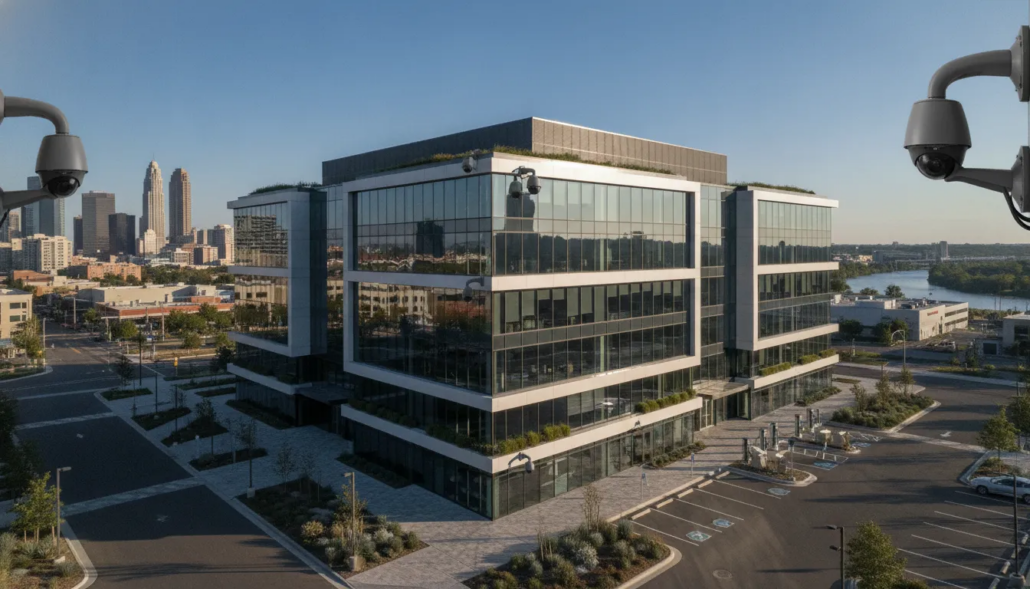
Commercial CCTV: What Atlanta Businesses Need
A blurry clip discovered after a break-in is evidence, but it is not a complete business security plan. Atlanta businesses need a system that helps authorized staff see what is happening, find useful footage quickly, and coordinate a response before a problem grows.
Commercial CCTV is a professionally designed video surveillance system that continuously monitors and records priority areas across a business property. Modern systems may use internet protocol technology, remote viewing, event alerts, and integrations with access control or alarm monitoring. The right choice depends less on a product label and more on the areas you need to cover. The details you need to capture, and the people responsible for acting on an event.
This guide explains the practical differences between commercial CCTV and the broader security-camera category. It also shows Atlanta business owners and facility managers how to plan a system that fits day-to-day operations, future growth, and real security priorities.
Commercial CCTV vs. security cameras: what is the difference?
The terms overlap, but they do not always describe the same scope. A security camera can refer to a single device that captures video. Commercial CCTV describes the complete closed-circuit system around that video, including connected devices, recorders or cloud storage, viewing permissions, network requirements, alerts, and ongoing service.
The word CCTV originally described an analog closed-circuit feed sent to a limited set of monitors. Today’s commercial CCTV is built on internet protocol (IP) and high-definition devices connected to a managed network, with many systems adding cloud recording and secure remote viewing. Some older facilities still rely on coaxial connections, but new and upgraded systems are overwhelmingly IP-based. Even with newer technology, the commercial CCTV label remains useful because it focuses attention on a coordinated business system rather than isolated equipment.
| Consideration | Basic standalone device | Commercial CCTV system |
|---|---|---|
| Coverage | Usually one limited view | Planned views across priority areas |
| Recording | May be limited or device-based | Centralized retention planned around business needs |
| Access | Simple viewing by one user | Role-based access for authorized users |
| Response | Often reviewed after an event | Can support alerts, verification, and coordinated action |
| Growth | May become difficult to manage | Designed to add locations, views, and integrations |
| Support | Product-level troubleshooting | Professional design, installation, and service |
A business does not need the most complicated system available. It needs a complete system designed around its property and operating procedures. That distinction is the starting point for every good commercial CCTV plan.
What does your business actually need from video surveillance?
Start with business outcomes, not technical specifications. A retailer may need clear views of entrances, sales areas, and inventory movement. An office may focus on lobbies, exterior doors, parking approaches, and restricted spaces. A warehouse may prioritize loading areas, high-value storage, after-hours movement, and wide interior spaces.
Identify the events you need to understand
List the events that create the greatest operational or security concern. Examples include unauthorized entry, after-hours activity, disputed deliveries, blocked exits, or access to restricted areas. Each event should connect to a question the system must answer, such as who entered, when they arrived, where they moved, and whether authorized staff received an alert.
Decide what useful footage means
A wide view can show that an event occurred, but it may not capture the detail needed to understand it. Good design balances overview views with focused views at decision points. Entrances, transaction areas, loading zones, and controlled doors often require different placement, angles, lighting plans, and image detail.
Define who will respond
A useful alert must reach someone who knows what to do next. Before selecting technology, decide who reviews events during business hours, who handles after-hours alerts, and when the response process should involve alarm monitoring or emergency services. Clear responsibilities prevent alerts from becoming noise.
Businesses evaluating broader options can also review American Alarm’s guide to advanced commercial video surveillance for large facilities. The main lesson is consistent: the property and response plan should shape the equipment, not the other way around.
How to plan a commercial CCTV system
A professional plan turns business concerns into specific coverage, retention, access, and response requirements. The following process helps decision-makers avoid blind spots and unnecessary complexity.
- Complete a property walkthrough. Review entrances, exits, customer areas, employee-only spaces, loading areas, exterior approaches, and locations that change after dark. Consider normal traffic as well as the path someone might take during an unauthorized event.
- Rank coverage priorities. Separate essential views from useful secondary views. Essential locations usually include points where people enter, assets move, or access decisions occur. Ranking priorities helps keep the design focused and makes budget tradeoffs more productive.
- Evaluate lighting and image conditions. Bright doors, dim interiors, reflective surfaces, weather, and changing daylight can affect image usefulness. A site visit should account for these conditions before placement is finalized.
- Set retention requirements. Decide how long recorded video should remain available based on operating needs, internal policies, and any applicable requirements. Longer retention and higher image quality both affect storage capacity, so these choices must be planned together.
- Plan network and power reliability. Networked systems depend on appropriate bandwidth, segmented access, reliable power, and secure configuration. The design should also address what happens during an outage or connection interruption.
- Assign user permissions. Not every employee needs access to live or recorded video. Define who can view footage, export clips, adjust settings, and manage users. Review those permissions when roles change.
- Document response procedures. Connect each important alert to a clear action. Staff should know how to verify an event, preserve relevant footage, escalate concerns, and request service when something is not working correctly.
The plan should be documented before installation begins. Documentation gives the installer, business owner, and future service team the same understanding of coverage goals and operational expectations.
Commercial CCTV features that matter most
Feature lists can make systems seem interchangeable. In practice, a feature is valuable only when it helps the business detect, understand, or respond to a relevant event.
Image quality in real conditions
Resolution matters, but it is only one part of image quality. Placement, distance, angle, lighting, movement, and lens selection can determine whether footage answers the business’s question. A professionally selected device with the right view often produces more useful evidence than a higher-resolution device installed in the wrong location.
Low-light and changing-light performance
Atlanta businesses often need exterior and after-hours coverage. Entrances can also shift rapidly between bright outdoor light and dim interior conditions. The design should be tested for the conditions that exist when an event is most likely, not only during a daytime walkthrough.
Search, alerts, and video analytics
Recorded video has limited value if staff cannot locate a relevant event. Search tools and carefully configured analytics can reduce review time by helping authorized users find motion, activity, or defined events. Alert rules should stay focused on actionable conditions. Too many low-value alerts can make staff less likely to respond to important ones.
Storage and retention
Businesses may use an on-site recorder, cloud-managed storage, or a hybrid approach. The best fit depends on retention needs, bandwidth, desired remote access, cybersecurity policies, and continuity requirements. Storage estimates should reflect the number of views, recording schedule, image settings, and expected activity.
Cybersecurity and access controls
Networked commercial CCTV should be treated as part of the business technology environment. Strong credentials, appropriate network segmentation, current firmware, controlled remote access, and role-based permissions help reduce avoidable risk. User access should be reviewed regularly and removed promptly when no longer needed.
Integration and scalability
Video becomes more useful when it supports a coordinated security process. Integration with commercial access control systems can help staff connect activity with door events and investigate concerns faster. A commercial video surveillance system ties cameras, recording, and monitoring into that same coordinated process. A scalable design also gives the business a practical way to add new views, controlled doors, or locations without rebuilding the entire system.
What should Atlanta businesses consider?
Atlanta businesses range from single-site professional offices to retail locations, warehouses, and multi-building facilities. No matter the size, a surveillance system designed for a growing business helps you scale coverage as you add locations. Each property has different operating rhythms, traffic patterns, and response needs. Local planning should focus on the conditions at the actual site rather than a generic equipment package.
Entrances, parking approaches, and loading areas
Exterior activity often matters before someone reaches a door. A thoughtful plan considers how vehicles and people approach the property, where deliveries occur, and which areas become less visible after hours. Wide overview views may need to be paired with focused views at entrances or access points.
After-hours visibility and remote oversight
Owners and managers may need to verify an alert without being on site. Remote access can support faster decisions, but it must be secure and easy for authorized users to operate. The response plan should specify who receives alerts and what action follows a verified concern.
Weather, power, and connectivity
Outdoor equipment must be selected and positioned for the environment. The complete design should also consider how power or connectivity interruptions affect recording, alerts, and access. Reliability planning can include appropriate backup power, local recording, health notifications, and routine system checks.
Coordination with the rest of the security system
Commercial CCTV works best as part of a coordinated approach. When video, intrusion alarms, monitoring, and access control support the same response procedure, staff can understand an event more quickly. American Alarm has served Atlanta businesses and homes since 1995, providing local experience for organizations that want one connected security plan.
Why professional installation and support matter
Commercial CCTV performance depends on more than the equipment chosen. Placement, configuration, network planning, user permissions, recording settings, and maintenance all influence whether the system works when the business needs it.
A professional site assessment helps uncover problems that are easy to miss in a product-only approach. An installer can evaluate sightlines, lighting changes, mounting positions, cable paths, network constraints, and future expansion. That planning reduces the chance of discovering an important blind spot after an incident.
Professional configuration also supports a cleaner handoff to the people who will use the system. Authorized staff should know how to review live activity, search recordings, export footage, respond to alerts, and request support. Written procedures and basic training make the technology more useful in day-to-day operations.
Ongoing service matters because business conditions change. Furniture moves, landscaping grows, lighting changes, users leave, and new operating areas open. Routine reviews can identify obstructed views, outdated permissions, recording problems, and new priorities. If your organization is preparing for an installation, review American Alarm’s overview of professional commercial surveillance installation before requesting a site assessment.
How much commercial CCTV does a business need?
There is no reliable one-size-fits-all device count. The right system covers important events with enough detail while avoiding redundant views and unnecessary complexity. A small office with two controlled entrances may need fewer views than a warehouse with several loading areas, exterior approaches, and high-value storage zones.
Budget discussions should include the complete lifecycle, not only equipment. Design, installation, network work, storage, monitoring, training, maintenance, and future expansion can all affect total cost. A focused site assessment allows a provider to explain the tradeoffs and build options around the most important priorities.
The most useful proposal should show what each part of the system is intended to accomplish. It should distinguish essential coverage from optional enhancements and explain assumptions about retention, remote access, integration, and support. That clarity makes it easier to compare solutions based on outcomes rather than a list of specifications.
Frequently asked questions about commercial CCTV
Is CCTV the same as video surveillance?
CCTV is a type of video surveillance. In a commercial context, the term usually describes a coordinated system used to monitor, record, and review activity across a business property. Modern systems may use networked technology while still being described as CCTV.
Can commercial CCTV connect with access control?
Yes. Integration can help authorized staff connect video with door activity and investigate an event more efficiently. The exact integration options depend on the selected systems and how they are configured.
How long should a business keep recorded video?
The right retention period depends on operating needs, internal policies, storage capacity, and any applicable requirements. A provider can estimate storage after confirming the number of views, recording schedule, image settings, and expected activity.
Can authorized managers view a system remotely?
Many modern commercial CCTV systems support secure remote viewing. Remote access should use strong credentials, controlled permissions, and an appropriate network configuration. Businesses should also define who is allowed to view or export footage.
How often should a commercial CCTV system be reviewed?
Review the system whenever the site layout, lighting, operating hours, staffing, or security priorities change. Regular checks should confirm that views remain clear, recordings are available, alerts work as intended, and user permissions are current.
Plan commercial CCTV around your Atlanta business
The best commercial CCTV system is not the one with the longest feature list. It is the one designed around your property, your priorities, and a response process your team can follow. American Alarm can assess your site and recommend a connected solution that supports clear coverage, reliable monitoring, and future growth.
Request a commercial security consultation with American Alarm.


Leave a Reply
Want to join the discussion?Feel free to contribute!