Commercial Security Camera Installation Costs Explained
If you think the cost of a security system is just the price of the surveillance devices, it’s time to look at the complete picture. The hardware is only the beginning. The real cost is shaped by the professional design, the complexity of the wiring, the readiness of your network, and the type of video storage you choose. The labor for a proper commercial security camera installation is a significant factor, ensuring every angle is covered and the system is reliable. This guide explores the total cost of ownership, moving beyond the equipment to give you a full view of the investment required for a truly effective and dependable security solution.
Key Takeaways
- Commercial security camera system costs vary significantly based on business needs, property specifics, and desired features.
- Key cost drivers include camera type, quantity, resolution, installation complexity, and storage solutions.
- Professional design and installation ensure optimal coverage, reliability, and integration with existing security systems.
- Considering ongoing costs like maintenance and monitoring is crucial for a complete understanding of your investment.
- American Alarm offers tailored solutions for businesses across Atlanta and North Georgia.
What’s the Real Cost of a Commercial Security System in Atlanta?
When securing a commercial property, one of the first questions decision-makers ask is, “How much will it cost?” The reality is that there’s no simple, one-size-fits-all price tag for a commercial security camera system installation. The cost is as unique as your business itself. A small retail shop in Roswell will have vastly different security requirements and therefore a different budget than a multi-story office building in Buckhead or an industrial warehouse in Kennesaw. The primary reason for this variation is that a truly effective security solution is never off-the-shelf. It must be custom-designed to address specific threats, property layouts, operational needs, and compliance requirements. Factors like the size of your facility, the value of your assets, the number of entry points, and your industry’s specific risks all play a crucial role in determining the final investment. This guide will break down the key components that influence commercial video surveillance pricing, helping you understand what drives the cost and why a professional approach is essential for protecting your Atlanta-based business.
A Look at Typical Investment Ranges for Commercial Systems
To give you a clearer picture, it helps to look at typical investment ranges based on business size. While a custom quote is the only way to get a precise figure, these general brackets can help you budget. The number of visual surveillance units is a primary factor, but the final cost also depends on the type of devices, storage needs, and installation complexity. For instance, a system for a small boutique will differ greatly from the needs of a sprawling industrial park. These estimates provide a solid starting point for understanding what to expect as you explore commercial video surveillance systems for your Atlanta business.
For Small Businesses
4-16 Visual Surveillance Units
For a small business, such as a local coffee shop or a small office, a system with 4 to 16 surveillance devices is often sufficient. The investment for a setup of this scale can start around $1,500 but more commonly falls between $5,000 and $25,000. This range accounts for professional-grade equipment and installation, which is a significant step up from off-the-shelf consumer products. The final price depends on factors like the need for high-resolution recording, nighttime visibility, and the amount of video storage required. A professional installer will ensure these devices are placed strategically to cover critical areas like entrances, cash registers, and stock rooms without any blind spots.
For Mid-Sized Operations
16-64 Visual Surveillance Units
Mid-sized operations, like a larger restaurant, a multi-suite professional building, or a small warehouse, require more extensive coverage. With 16 to 64 surveillance devices, the typical investment range is between $8,000 and $25,000. At this level, you’re not just adding more devices; you’re likely integrating a more sophisticated system with advanced features. This could include centralized monitoring capabilities, longer video retention periods, and integration with other security measures like access control. The complexity of wiring and network configuration also increases, making professional design and installation even more critical to ensure the system is reliable and effective.
For Large Enterprises
64+ Visual Surveillance Units
Large enterprises, such as manufacturing plants, corporate campuses, or major distribution centers, have complex security needs that demand a robust and scalable solution. For systems requiring 64 or more visual monitoring devices, the investment typically starts at $25,000 and can easily exceed $100,000. These enterprise-level systems involve intricate network design, significant data storage solutions (often on dedicated servers), and advanced analytics. Features might include license plate recognition, thermal imaging, and seamless integration with comprehensive building management systems. The goal is to provide total situational awareness across a large and dynamic environment, a task that requires expert planning and execution.
Why Professional Systems Are a Different League
When you’re protecting your business, the distinction between professional-grade and residential-grade equipment is crucial. It’s not just about the number of surveillance devices; it’s about building a reliable, durable, and secure ecosystem designed for commercial demands. A professional system is an investment in resilience and peace of mind, ensuring that your security solution works when you need it most. From the hardware itself to the expertise behind the installation, every component is designed to a higher standard to meet the unique challenges of a business environment.
Commercial-Grade vs. Residential-Grade Equipment
The hardware used in business systems is fundamentally different from what you’d find in a typical home. Commercial-grade equipment is built to be tougher and more resilient, capable of withstanding harsher conditions and operating 24/7 without failure. These systems offer significantly more video storage, stronger network security protocols to protect against cyber threats, and backup power sources to keep them running during an outage. Furthermore, they are installed using professional wiring standards that protect against damage and ensure stable, high-quality connections. Residential-grade products, while fine for their intended purpose, are simpler, less durable, and lack the robust features necessary to adequately protect a commercial asset.
The Risks of a Self-Installation Approach for Businesses
While a self-installation might seem like a way to cut costs, it often introduces significant risks for a business. Professional installation is about more than just mounting devices on a wall. Experts are trained to design a system that provides comprehensive coverage, eliminating the blind spots that a novice might miss. They ensure that all cabling is run securely and discreetly to prevent tampering and maintain a professional appearance. Most importantly, a professional setup guarantees that all components work together reliably. A poorly installed system can lead to frequent malfunctions, poor video quality, and critical gaps in your security, ultimately costing you far more than the initial savings. For a solution you can count on, it’s always best to consult with a professional.
Breaking Down Your System’s Biggest Hardware Costs
The most direct influence on the cost of your commercial camera system is the hardware itself, specifically the cameras. The number of cameras needed, their type, and their resolution are foundational elements that shape the initial investment. A larger facility with multiple blind spots will naturally require more cameras than a compact office space, directly scaling the equipment cost.
Matching the Device Type to Your Business Needs
Different areas of your property demand different types of surveillance. Choosing the right camera for each location is critical for effective security and cost management.
- Dome Cameras: Often used indoors, these are discreet and offer a wide viewing angle. Their protective casings make them somewhat vandal-resistant.
- Bullet Cameras: Highly visible and weather-resistant, these are ideal for outdoor perimeter monitoring. Their presence alone can act as a deterrent.
- PTZ (Pan-Tilt-Zoom) Cameras: These offer dynamic coverage, allowing a security operator to remotely control the camera’s view. They are perfect for monitoring large areas like parking lots or warehouses, but come at a higher price point.
- Thermal Cameras: Capable of detecting heat signatures, these are used for high-security applications, detecting intruders in complete darkness or through visual obstructions like smoke or fog.
Understanding Hardware Price Points
Now that you know the different types of surveillance devices available, let’s talk about the investment. The cost of hardware is a significant part of your initial budget, and prices can vary widely based on quality, features, and capabilities. Think of it like buying a car; a basic model will get you from point A to point B, but a premium model offers advanced performance, safety features, and durability. The same principle applies to your security equipment. Investing in the right hardware from the start ensures your system is reliable, effective, and built to last, which is why we focus on providing top-tier systems and products for our Atlanta clients.
Individual Surveillance Units
The price for individual surveillance units can range anywhere from $100 to over $1,500 each. The final cost depends heavily on the features you need. For instance, a high-resolution 4K device might fall in the $300 to $800 range, offering crystal-clear images that are crucial for identifying details. More specialized units, such as those with pan-tilt-zoom functions or license plate recognition technology, can cost between $800 and $1,500. Features like weatherproofing for outdoor use and advanced night vision also influence the price. Most small to mid-sized businesses in the Atlanta area typically require between four and 16 devices to achieve proper coverage, while larger commercial properties might need 20, 50, or even more.
Network Video Recorders (NVRs)
Your surveillance devices need a central hub to record and store their footage, and that’s the job of a Network Video Recorder (NVR). An NVR is essentially the brain of your system, and its cost can range from $400 to over $3,000, depending on its capacity and features. In addition to the NVR itself, you’ll need storage drives. A single 4TB hard drive typically costs between $150 and $400, and most businesses start with 4TB to 16TB of storage. The amount of storage you need depends on the number of devices you have, the resolution of the video, and how long you need to retain footage, which can be dictated by industry regulations or insurance requirements. A professional can help you calculate the right amount of storage for your specific commercial video surveillance needs.
Does Higher Resolution Justify the Higher Cost?
The clarity of your video footage is paramount. Higher resolution means more detailed images, which can be crucial for identifying faces, license plates, or specific actions. While 1080p (Full HD) is a common standard, 4K (Ultra HD) cameras provide superior detail at a higher cost. The decision often comes down to balancing the budget with necessity. For general surveillance, 1080p may suffice, but for critical areas like cash registers or entry points, the added investment in 4K can provide invaluable evidence if an incident occurs. Our team at American Alarm helps businesses find the right balance for their security goals.
How Property Size and Layout Affect Installation Costs
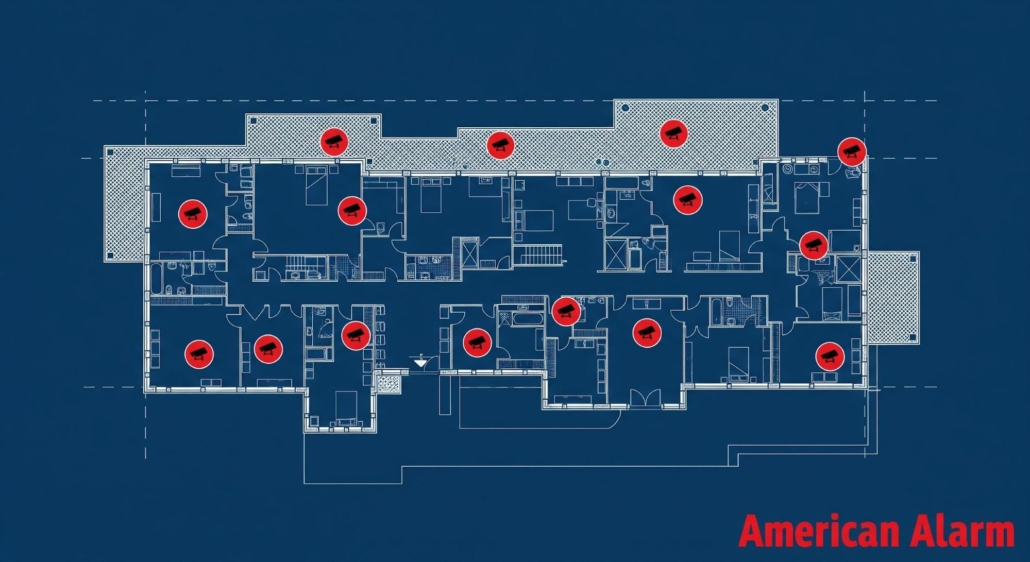
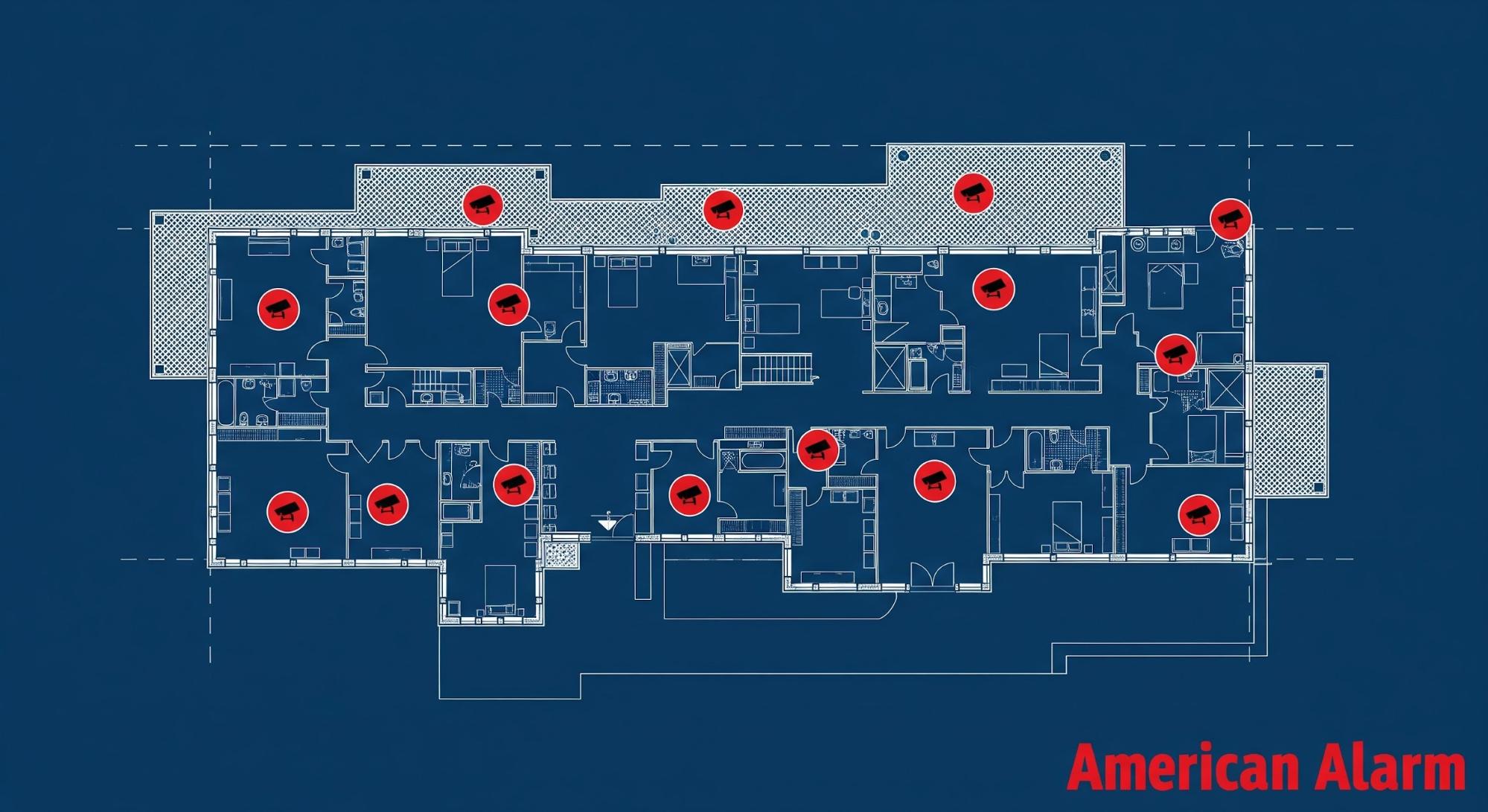
The physical characteristics of your commercial property in Atlanta are a major determinant of your security camera installation cost. A sprawling industrial complex in Marietta has fundamentally different needs than a boutique in Sandy Springs. The larger the square footage, the more cameras and cabling are required to eliminate blind spots and ensure comprehensive coverage. The layout is just as important as the size. A building with a simple, open-plan design is easier to secure than one with numerous hallways, individual offices, stairwells, and separate storage areas. Each distinct zone may require its own dedicated camera. Key areas that often drive up camera counts include entry and exit points, parking lots, loading docks, high-value inventory storage, and customer-facing areas. A professional site survey is the only way to accurately map these coverage zones and determine the optimal number and placement of cameras, ensuring your investment is both efficient and effective.
What Goes Into a Complex Commercial Installation?
The labor involved in a professional camera installation in Atlanta is a significant component of the overall cost. This is where the difference between a simple setup and a complex project becomes clear. Running wires through modern office buildings with drop ceilings and accessible wall cavities is relatively straightforward. However, installing cameras in older buildings with solid concrete walls, historic structures, or facilities with high ceilings requires more time, specialized tools, and expertise, increasing labor costs. Furthermore, protecting the cabling is essential for system reliability. In many commercial settings, especially outdoors or in industrial environments, wires must be run through conduit to protect them from weather, tampering, or accidental damage. The material and length of conduit needed add to the project’s material cost and installation time. The readiness of your existing network infrastructure also plays a role. A robust network can support modern IP cameras, but an outdated one may require upgrades, adding another layer to the project scope and budget.
Factoring in Labor and Network Needs
Beyond the cost of the surveillance devices themselves, the specifics of the installation process and your existing infrastructure are major cost drivers. The physical work of running cables and mounting equipment, known as installation labor, can vary dramatically from one property to another. Similarly, the health of your current computer network plays a huge role. A modern, IP-based surveillance system is only as reliable as the network it runs on. Understanding these two factors is key to creating a realistic budget and avoiding unexpected expenses down the line.
Professional Installation Labor
The labor involved in a professional installation is a significant part of the total investment, and it’s where expertise truly matters. Running wiring in a modern office with drop ceilings and accessible walls is one thing. It’s a completely different challenge to install a system in an older Atlanta building with solid concrete walls, a historic property with preservation rules, or a warehouse with 30-foot ceilings. These complex scenarios require more time, specialized tools, and a higher level of skill, which is reflected in the labor cost. This is why a professional site survey is so important—it allows technicians to plan the most efficient and secure way to install your system, accounting for the unique challenges of your building’s construction. This is the value of hiring an experienced team for your commercial security services.
Network Switches and Cabling
Your business’s existing network infrastructure is the backbone of a modern surveillance system. The readiness of this network directly impacts the project’s scope and cost. High-definition IP surveillance devices require a robust network to transmit large amounts of data reliably. If your current network switches are outdated or you lack sufficient cabling, upgrades will be necessary. This could involve installing new, more powerful network switches or running new Ethernet cables to each device location. While this adds to the initial cost, it’s a non-negotiable step to ensure your system performs as expected without lagging or dropping connections. A professional assessment will identify any network shortcomings upfront, so you can factor these upgrades into your budget.
Internet Speed Requirements for Clear Remote Access
One of the most powerful features of a modern commercial surveillance system is the ability to view live and recorded video remotely from anywhere. This capability, however, is entirely dependent on your business’s internet connection—specifically its upload speed. Each high-definition monitoring device can use between 1 to 5 Mbps of upload bandwidth to stream clear footage to the cloud or your smartphone. If you have a system with ten devices, you could need up to 50 Mbps of dedicated upload speed just for your surveillance system to function properly for remote viewing. It’s a critical detail that is often overlooked until it’s too late.
Without sufficient bandwidth, you’ll experience choppy, pixelated, or delayed video feeds, which defeats the purpose of having remote access in the first place. This is why a professional assessment of your internet service is a key part of the planning process. As part of our process at American Alarm, we evaluate your current internet service to ensure it can handle the demands of your new system. If an upgrade is needed, we can help you understand what to ask your internet service provider for. To get a complete picture of your needs and ensure your system performs flawlessly from day one, it’s best to schedule a consultation with a security professional.
Why Do Outdoor Surveillance Units Cost More?
There is a distinct cost difference between indoor and outdoor security cameras, driven by the need for durability and resilience against the elements. Outdoor cameras must withstand the heat and humidity of a Georgia summer, as well as rain, wind, and colder temperatures. This requires them to have weather-resistant ratings that certify their protection against dust and water ingress. Additionally, outdoor cameras are often equipped with vandal-resistant casings to protect them from tampering or direct impacts. They may also require more robust mounting hardware and specialized features, such as enhanced night vision, to be effective in low-light conditions. These necessary features for durability and performance mean that outdoor-rated cameras are inherently more expensive than their indoor counterparts.
Where Will Your Footage Live? A Guide to Storage Options
How you record and store your video footage is a critical cost consideration. For most commercial applications, a Network Video Recorder is the central hub of the system. An NVR is a dedicated device that records and stores footage from IP cameras on local hard drives. The cost of an NVR system depends on the number of camera channels it can support and the total storage capacity of its hard drives.
NVR or Cloud Storage: Which Is Right for You?
While NVRs represent a one-time hardware investment, cloud storage involves a recurring subscription fee. Cloud storage offers benefits like remote accessibility and off-site backup, protecting your data from on-site theft or damage. However, the monthly fees can become significant, especially for businesses requiring high-resolution video and long retention periods. An NVR system provides control over your data without ongoing fees, but requires physical space and maintenance. Many businesses opt for a hybrid approach for ultimate security.
Does the Law Dictate How Long You Store Footage?
Your industry may have specific legal or regulatory requirements for how long you must retain video footage. For example, some businesses may need to keep recordings for 30, 60, or even 90 days. The longer the retention period, the more storage capacity you’ll need, which directly impacts the cost of your NVR’s hard drives or your cloud storage subscription.
Industry Compliance and Data Retention Rules
Beyond simply deciding on a storage timeline, your business must adhere to specific industry regulations governing data retention and privacy. These aren’t just best practices; they are often legal mandates. For instance, businesses in finance, healthcare, or retail have strict rules about how long video footage must be kept and how it must be protected. Failing to comply can result in significant fines and legal trouble. This is why understanding your industry’s compliance landscape is a critical step in planning your security system. The right provider of security services will help you design a system that not only protects your property but also keeps you in line with all relevant regulations, ensuring your storage solution is both effective and compliant from day one.
HIPAA and PCI Considerations
Two of the most common compliance frameworks businesses encounter are HIPAA and PCI. If you operate in the healthcare space, the Health Insurance Portability and Accountability Act (HIPAA) governs how you protect patient information. This extends to video surveillance, requiring strict controls over who can view footage and ensuring patient privacy is maintained. For any business that accepts credit card payments, the Payment Card Industry (PCI) Data Security Standard applies. This means securing areas where cardholder data is present to prevent theft. Handling these rules requires a system with features like privacy settings and secure data storage. Getting it wrong isn’t an option, which is why it’s so important to consult with an expert who can tailor a solution to your specific compliance needs.
Are Smart Analytics Worth the Extra Cost?
Modern security cameras can do much more than just record video. Advanced features and video analytics can transform your surveillance system into a proactive business intelligence tool, though they add to the overall investment. For instance, analytic security cameras can be programmed to detect specific events, like a person entering a restricted area or a vehicle lingering too long. Other valuable features include license plate recognition for parking management and facial recognition for access control. Pan-Tilt-Zoom cameras provide active surveillance capabilities, allowing operators to track subjects in real-time. While these features increase the upfront cost, they can provide a significant return on investment through enhanced security, loss prevention, and operational efficiency. The right solution depends on a careful analysis of your business needs, a process where expert guidance is invaluable.
Using Analytics for Business Intelligence
Beyond just catching a shoplifter, intelligent video analytics give you a powerful lens into your daily operations. Imagine being able to see which areas of your retail floor attract the most foot traffic, allowing you to optimize product placement and marketing displays. Or picture using people-counting data to ensure you have the right number of staff on hand during your busiest hours, improving customer service and preventing burnout. These operational insights aren’t just ‘nice-to-haves’; they translate directly into smarter business decisions that can streamline workflows and enhance profitability. By transforming raw video into actionable data, your security system becomes a strategic asset that helps you understand customer behavior and refine your business processes for maximum efficiency.
How Professional Planning Prevents Costly Mistakes
Attempting to save money by skimping on professional design is a common but costly mistake. The true value of a security partner like American Alarm lies not just in the installation but in the expertise that precedes it. A professional site survey is the cornerstone of an effective security system. During this process, a trained technician assesses your property, identifies vulnerabilities, and understands your operational workflow. This expert planning ensures that every camera is placed for maximum coverage, avoiding blind spots and capturing clear, usable footage. It prevents common errors like placing cameras where they are easily obstructed or affected by glare. Ultimately, a professionally designed system ensures your investment works as intended, providing reliable protection and peace of mind. For customized commercial security camera systems designed for your unique business needs, explore our solutions.
Choosing the Right Security Partner in Atlanta
Selecting the right technology for your business is only half the battle; choosing the right partner to design and install it is just as critical. A state-of-the-art security system is only as good as its installation. A qualified partner does more than just mount surveillance units on a wall—they become a long-term ally in protecting your assets, employees, and customers. In a city like Atlanta, you have many options, but finding a provider with a proven track record, deep technical expertise, and a commitment to customer service is what separates a simple transaction from a genuine security partnership. This is about finding an expert who understands your unique challenges and can build a solution that not only meets today’s needs but can also adapt to tomorrow’s growth.
Key Questions to Ask Your Installer
Before you commit to a provider, it’s essential to conduct your own due diligence. Think of it as an interview for a critical role in your company. Asking pointed questions will help you gauge their expertise, professionalism, and whether they are the right fit for a long-term relationship. A reputable installer will welcome these questions and provide clear, confident answers. Their responses will reveal a lot about their process, the quality of their equipment, and the level of support you can expect after the installation is complete. This initial conversation sets the tone for your entire security experience, so it’s important to get it right from the start.
Warranties and Scalability
Two of the most important topics to cover are warranties and scalability. You need to know what happens if a device fails or if the installation itself causes issues. Ask specifically about the warranty on both the hardware and the labor. A confident installer will stand behind their work. Equally important is planning for the future. Your business isn’t static, and your security system shouldn’t be either. Ask, “Can I easily add more surveillance units later?” A forward-thinking partner will design a system that can grow with you, ensuring you can expand coverage without having to overhaul the entire setup.
Insurance and Licensing
This is a non-negotiable checkpoint. Any professional security installer operating in Georgia must be properly licensed and insured. Ask for proof of both. Licensing ensures they meet state standards for competency and ethics, while insurance protects your business from liability in the unlikely event of an accident or damage during installation. Working with an unlicensed or uninsured installer puts your business at significant risk. Furthermore, many insurance companies offer discounts for professionally installed security systems, but this often requires the work to be done by a licensed provider.
Verifying Installer Qualifications
A truly qualified installer brings more to the table than just technical skill. Their expertise ensures your system is not only functional but also strategically effective. Professional installers make sure surveillance devices are placed correctly for optimal viewing angles, the network can handle the data load without issues, and all recordings adhere to relevant regulations. They also ensure the system connects smoothly with other security features like access control. At American Alarm, we pride ourselves on this holistic approach, creating integrated security services that work together to provide comprehensive protection for your Atlanta business.
Smart Strategies for Evaluating Quotes
Once you start receiving proposals, it can be tempting to gravitate toward the lowest number. However, a smart evaluation goes beyond the initial price tag. The goal is to find the best value, not just the cheapest option. A thoughtfully prepared quote will be detailed and transparent, outlining all hardware, labor, and potential ongoing costs. Comparing these details, rather than just the final price, will give you a much clearer picture of what you’re actually getting for your money and help you avoid unpleasant surprises down the road. This careful review is a crucial step in making a wise investment in your business’s security.
Get Multiple Detailed Proposals
Don’t settle on the first quote you receive. It’s wise to get at least two or three detailed proposals from different providers. This allows you to compare not only the costs but also the proposed solutions. A good proposal will break down the costs for equipment, labor, and any recommended service plans. Pay close attention to the specifics of the hardware being recommended and the scope of the installation work. As you review, remember to consider long-term costs like maintenance and monitoring, not just the upfront investment. This comprehensive view will help you make a more informed decision.
Consider a Phased Installation
If the ideal security system feels out of reach for your current budget, don’t be discouraged. Ask potential installers about the possibility of a phased installation. This approach involves prioritizing the most critical areas of your business first—like entrances, exits, and high-value asset locations—and then expanding the system over time as your budget allows. A flexible security partner will be willing to work with you to develop a multi-stage plan that addresses your immediate needs while laying the groundwork for future enhancements. This makes comprehensive security more accessible and allows you to scale your protection as your business grows.
Why the Lowest Bid Can Be the Most Expensive
The old adage “you get what you pay for” is especially true in the security industry. A suspiciously low bid often comes with hidden costs. It could mean the installer is using inferior, unreliable equipment, cutting corners on the installation process, or planning to surprise you with additional fees later. An inadequate system that fails during a critical moment is far more costly than the initial savings. A well-designed, professionally installed system can reduce theft and inventory loss, often paying for itself over time and delivering a real return on investment.
Understanding the Financials: ROI and Long-Term Value
Viewing a commercial security system as a one-time expense is a limited perspective. Instead, it should be considered a long-term investment in the health and stability of your business. Like any significant investment, its true worth is measured not just by the initial price but by its total cost of ownership and the return it delivers over time. Understanding these financial concepts will help you justify the expenditure and choose a solution that provides lasting value. A robust security system is an operational asset that works around the clock to protect your property, mitigate risk, and contribute to a safer, more secure business environment, which ultimately benefits your bottom line.
Calculating the Total Cost of Ownership (TCO)
The price on your initial quote is just the starting point. To understand the true financial commitment, you need to calculate the Total Cost of Ownership (TCO). This includes the upfront cost of all hardware and installation, as well as ongoing expenses like monitoring services, cloud storage subscriptions, and potential maintenance or repair costs. The final price depends on many factors, including the number of surveillance units and how the system connects with other security tools. Being aware of all these components from the beginning allows for accurate budgeting and prevents future financial strain, ensuring your security system remains an asset, not a burden.
How a Security System Delivers Return on Investment (ROI)
A commercial security system delivers a return on investment in several ways. The most obvious is through loss prevention—deterring theft, vandalism, and internal fraud saves you money directly. But the ROI goes deeper. Clear video evidence can help resolve liability claims or workplace disputes, potentially saving you from costly legal battles. Furthermore, a visible security presence can increase employee safety and customer confidence. The true value of a security partner lies in the expertise they provide, designing a system that not only deters crime but also enhances your operational oversight and peace of mind.
Potential Insurance and Tax Benefits
One of the most immediate financial perks of installing a professional security system is the potential for a discount on your business insurance premiums. Many insurance carriers offer reductions of 5-20% because a monitored system reduces the risk of theft, fire, and other costly events. Be sure to speak with your insurance agent to see what discounts you may qualify for. Additionally, a security system is typically considered a business expense and may be eligible for tax deductions. It’s always a good idea to consult with your accountant to understand the specific tax benefits available to your business.
Leasing vs. Buying: What You Need to Know
When it comes to acquiring your security equipment, you generally have two options: buying it outright or leasing it. Buying involves a higher upfront cost, but you own the equipment. This gives you full control and the freedom to switch monitoring providers or upgrade components whenever you choose. Leasing, on the other hand, offers a lower barrier to entry with minimal upfront costs. However, this approach can be deceptive. Leasing often locks you into long contracts with steep penalties for early termination, and over the life of the lease, you may end up paying significantly more than the equipment is worth.
Beyond Video: Integrating Alarms, Access, and Monitoring
A video surveillance system is most powerful when it works as part of a cohesive security ecosystem. Integrating your cameras with other systems creates a layered defense that is far more effective than standalone components. For example, when your commercial alarm system is triggered, integrated cameras can automatically focus on the affected area, providing immediate visual verification. Similarly, integrating with access control systems allows you to link video footage to every door entry event, creating a clear audit trail. This level of integration adds to the initial project cost but delivers exponentially greater security and control. Adding 24/7 professional security system monitoring ensures that a trained team is ready to respond to any event, turning your passive recording system into an active deterrent.
Your System Is Installed. Now What About Ongoing Costs?
The initial installation cost is only part of the total cost of ownership. To ensure your system remains reliable and effective for years to come, you must account for ongoing expenses. A professional maintenance plan is crucial for performing regular system health checks, cleaning camera lenses, updating firmware, and ensuring everything is functioning correctly. If you opt for professional monitoring, this will be a recurring monthly fee. While it is an added expense, the value of having experts watching over your property around the clock is immeasurable for most businesses. Finally, technology evolves. Budgeting for future upgrades will allow you to incorporate new features and maintain a state-of-the-art security posture, protecting your initial investment long-term. Understanding these costs is why it pays to partner with a company that has a long history of serving Georgia businesses. To learn more, contact us for a quote.
Budgeting for Monitoring, Maintenance, and Permits
Thinking about your security system’s budget doesn’t stop once the installation is complete. To get a true picture of the total investment, it’s important to account for the ongoing costs that keep your system running effectively. These recurring expenses, from professional monitoring to routine maintenance and city permits, are essential for ensuring your property remains protected day in and day out. Planning for these costs from the beginning helps you avoid surprises and guarantees your system delivers the long-term value and peace of mind you expect.
Professional Monitoring Fees
While the hardware for your system, like a Network Video Recorder, is typically a one-time purchase, the services that provide active protection involve a recurring fee. The most important of these is professional monitoring. This service connects your system to a 24/7 command center where trained professionals are ready to respond to an alarm, verify the situation, and dispatch emergency services if needed. This monthly fee is a small price to pay for constant vigilance. Similarly, if you choose cloud storage for your video footage, that will also be a subscription-based cost. The benefit is off-site data protection and remote access, but it’s a recurring line item to factor into your operational budget. You can explore different security system monitoring options to find the right fit for your business.
Service Calls and Maintenance Plans
Just like the critical equipment that runs your business, your security system needs regular attention to perform at its best. A service and maintenance plan is a vital part of protecting your investment. These plans typically include regular system health checks, firmware updates to keep your devices secure and current, and cleaning of surveillance unit lenses to ensure clear footage. Proactive maintenance helps catch small issues before they become big problems, ensuring your system is reliable when you need it most. At American Alarm, we believe that ongoing support is just as important as the initial installation, which is why we offer comprehensive security services to keep your system in peak condition.
Alarm Permits and False Alarm Fines
Two often-overlooked costs are city-mandated alarm permits and the penalties for false alarms. Most municipalities in the Atlanta area require businesses to have an annual alarm permit, which can cost anywhere from $30 to $110 per location. This fee is rarely included in initial quotes but is a necessary operational expense. Furthermore, false alarms can be costly, with the average fine sitting around $150. Since two out of three system owners have experienced a false alarm, this is a very real possibility. The best way to minimize this risk is through a professionally installed system and video-verified monitoring, which helps confirm a real threat before dispatching authorities, saving you from unnecessary fines and fees.
Planning for Your System’s Effective Lifespan
Security technology is constantly evolving, with new features and capabilities emerging all the time. A smart security strategy includes planning for the future. While your system may be state-of-the-art today, it’s wise to budget for upgrades down the road. This allows you to incorporate new advancements, like more powerful analytics or higher-resolution imaging, without a massive, unexpected capital expense. Thinking about the effective lifespan of your system and planning for periodic enhancements ensures you can maintain a modern security posture. This forward-thinking approach protects your initial investment and ensures your system continues to meet your needs for years to come. You can always see the latest systems and products available to keep your business protected with the best technology.
Protect Your Atlanta Business with a Custom-Designed System
Ready to discuss the best security camera solution for your commercial property in Atlanta or North Georgia? Contact American Alarm today for a personalized quote tailored to your specific needs.
FAQs
How long does it take to install a commercial security camera system in Atlanta? Answer: The installation timeline for a commercial security camera system in Atlanta varies greatly depending on the property’s size, the number and type of cameras, and wiring complexity. A typical installation can range from a few days to several weeks after the initial site survey and design phase. Do commercial security camera systems require ongoing maintenance? Answer: Yes, ongoing maintenance is crucial for optimal performance. This includes regular checks of camera functionality, lens cleaning, software updates, and ensuring recording equipment is working correctly. Professional maintenance plans can help prolong system lifespan and ensure reliability. Can a commercial camera system integrate with my existing alarm system? Answer: Many modern commercial security camera systems are designed for seamless integration with existing alarm systems, access control solutions, and professional monitoring services. This creates a unified security platform, enhancing responsiveness and overall protection for your business. What’s the difference in cost for NVR vs. cloud storage for commercial cameras? Answer: NVR (Network Video Recorder) systems typically involve a higher upfront hardware cost but often lower recurring fees. Cloud storage may have lower initial hardware costs but involves ongoing subscription fees, which can accumulate over time depending on retention length and storage capacity. Why is professional installation recommended for commercial security cameras? Answer: Professional installation ensures optimal camera placement, proper wiring, system integration, and adherence to local codes. Experts provide tailored design, minimize vulnerabilities, and offer ongoing support, leading to a more reliable and effective security solution for your commercial property.


Leave a Reply
Want to join the discussion?Feel free to contribute!