

Office Access Control Atlanta: Entry Options for Businesses
Choosing office access control Atlanta businesses can rely on starts with a simple question: who needs to enter each door, and when? A thoughtful plan combines the right credential, door hardware, entry rules, and process for managing staff and visitors. This guide walks through those decisions for offices in the greater Atlanta area.
Plan office entry access with American Alarm.
What is the right office access control approach?
Short answer: Choose the simplest method that fits each doorway and user group. A keypad can suit a low-traffic staff door, while credential readers may work better where access must be assigned by person, schedule, or area. Start by mapping doors and routines, then confirm hardware and system compatibility with a qualified provider.
Office entry control is not just a reader mounted beside a door. It is the full path from an access rule to a door opening, including the locking hardware, credential, power, system configuration, and staff procedure. The federal Physical Access Control Systems 101 guide describes how a system can authenticate employees, contractors, and visitors. That is a useful starting point for thinking about who should be able to enter a business space.
For Atlanta businesses, the practical goal is to make routine entry convenient while limiting access to areas that need tighter control. A reception entrance, a supply room, and a records area may call for distinct rules. A single system can sometimes manage several entry points, but the site layout and door hardware determine what is workable.
Which entry options work well in an office?
Entry methods vary in convenience and administration. Compare how each credential is issued, changed, and removed, not just how a person opens the door on an ordinary day.
| Entry option | How it works | Useful fit | Planning point |
|---|---|---|---|
| Keypad code | User enters a code at the door | Small user groups or a shared staff entrance | Plan how codes are shared, changed, and removed |
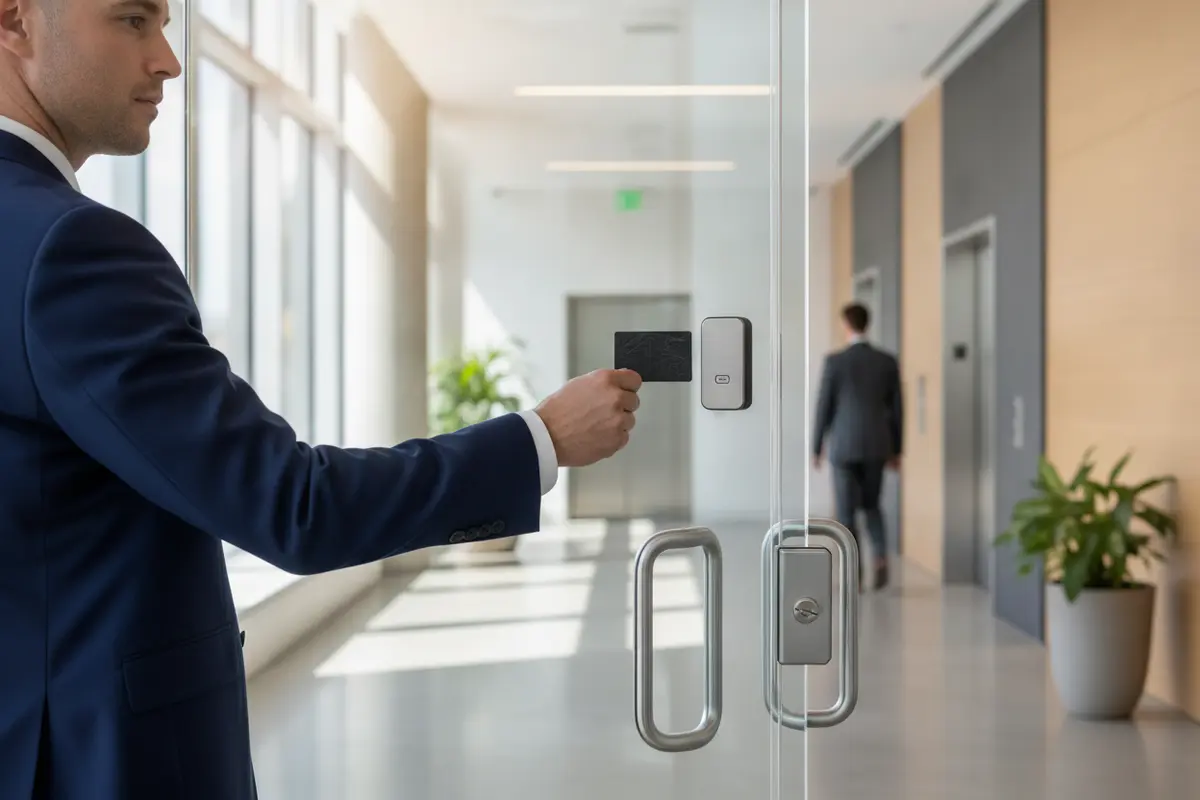
| Card or fob | User presents an assigned credential to a reader | Workplaces with individual staff access needs | Set a clear process for issuing and disabling credentials |
| Mobile credential | An approved phone credential is presented to a reader | Organizations that prefer phone-based entry | Confirm device, reader, network, and user support needs |
| Intercom release | Staff verify a visitor and release an entry point | Reception or a door that is not open to walk-in traffic | Define who answers and what verification is expected |
| Mechanical key | A key operates the lock without an electronic credential | Some interior doors or a planned backup method | Track key holders and decide how to respond to a lost key |
The best option may vary from door to door. A keypad can be easy to use, but a shared code may not tell an administrator which person entered. Individually assigned cards or fobs can support more specific access management, but they require a dependable issue-and-return process. A phone credential can be convenient for users who have compatible devices, but a business should decide how to handle a lost or unavailable phone.
Intercom release adds a human decision at visitor entry. That can suit a reception workflow, but staff need a consistent way to identify the visitor and determine whether to release the door. Mechanical keys can remain useful for selected doors or contingency planning, although key control still depends on a reliable record of who holds each key.
American Alarm describes its business door access control service for organizations planning controlled entry. Ask a provider which credential types, door hardware, and management functions are supported by the proposed equipment rather than assuming every feature works with every system.
How should you map doors and access levels?
A door-by-door review turns a general security goal into practical entry rules. List each exterior and interior door, its purpose, who uses it, and the hours when entry is needed. This inventory helps expose overlooked details before selecting equipment.
- Mark each entry point. Include the main entrance, staff doors, conference areas, storage, and any restricted rooms that need separate rules.
- Identify user groups. Consider employees, managers, service providers, and visitors. Give each group only the access needed for its role.
- Note operating hours. Decide whether a door should respond differently during business hours, after hours, weekends, or holidays.
- Check how people move. Observe busy arrival periods, deliveries, reception duties, and accessible routes so the proposed entry method does not obstruct normal work.
- Record door conditions. Note the lock, frame, closer, power availability, and any door that does not close or latch consistently.
- Set an exception process. Decide who can approve temporary access, escort a visitor, and respond when a credential is unavailable.
Then group doors by the level of control they need. An entrance used by all employees may have one schedule, while an office with records or equipment may require a smaller user group. A well-defined access plan avoids granting broad entry simply because it is convenient to configure.
Make the plan understandable to the people who will administer it. Give each access group a plain name, document the doors it can open, and assign a responsible administrator. If a business has several offices or departments, use a consistent naming approach so a change can be reviewed without guesswork.
What door hardware and site conditions matter?
The credential is only one part of the opening. The door, frame, lock, closer, and release method must work together. A door that binds or fails to latch can undermine an otherwise well-designed access plan, so note those conditions during the initial survey.
Common hardware choices include electric strikes and electromagnetic locks, but neither should be selected by name alone. Door type, frame construction, intended use, existing hardware, power, and life-safety requirements affect suitability. A qualified professional should assess the opening and applicable requirements before specifying hardware. Avoid assuming that a lock can be added without reviewing how occupants exit and how the door behaves during a power interruption.
Consider the whole arrival path, too. Is there a reception point? Will visitors need to call an employee? Does a delivery entrance need separate hours? Can a person reach and use the reader comfortably? Access control should support the intended flow into and through the workplace rather than creating a bottleneck at a busy entrance.
For doors using magnetic locking hardware, review the details in this guide to magnetic locks for door access. The article can help frame questions about where this type of hardware fits, but an on-site review is needed to determine the right choice for a specific opening.
How do you plan credentials, visitors, and staff changes?
Access rules need an owner and a repeatable process. Before installation, decide who approves new access, who issues credentials, and who removes access when a person no longer needs it. Write down the steps so a staff change does not depend on one administrator remembering an informal routine.
- Issue individually when practical. Assigning a credential to one person makes it easier to update access when a role changes.
- Set approval limits. Define who can authorize entry to general work areas and who approves restricted areas.
- Set visitor expectations. Decide whether visitors sign in, meet an employee, use an intercom, or follow another defined process.
- Act on lost credentials. Name the person who can disable a lost card, fob, or phone credential, and provide a way to report it promptly.
- Close the loop on departures. Include access removal in the staff offboarding checklist and collect any issued credential or key.
- Review temporary access. Put an end date on temporary permissions and confirm that they are removed when no longer needed.
For a small workplace, one administrator may handle these tasks. In a larger office, responsibility may be shared among management and operations staff. In either case, keep an up-to-date access roster and review it on a regular schedule. The roster should record the user, assigned access group, credential status, and the person who approved the access.
Think about entry during disruptions as well. Identify an administrator who can respond if the network, power, or a reader has an issue. Discuss what the door should do in the conditions relevant to that opening, and document any backup procedure. Do not improvise a workaround that leaves a door unsecured or prevents people from exiting safely.
What should you compare in an office access proposal?
A useful proposal explains the outcome for each opening, not just a list of equipment. Ask the provider to describe the credential method, door hardware, access groups, schedules, visitor handling, and administrator responsibilities. A clear scope makes it easier to compare proposals on the same basis.
- Door-by-door scope. Confirm each opening, the hardware being retained or changed, and any work needed at the frame or power source.
- Credentials and enrollment. Ask what credentials are available, how new users are added, and how lost or returned credentials are handled.
- Access rules. Review how schedules and user groups will be set up, and who can approve changes.
- System integration. Ask whether the proposed equipment can work with existing systems and what assumptions or limits apply.
- Installation and testing. Confirm how the provider will check reader operation, door latching, release behavior, and user permissions.
- Training and handoff. Identify who will receive administrator instruction and what records or instructions will be provided.
- Ongoing service. Ask how to request help, who handles a fault, and what service terms apply.
Price is one factor, but a low equipment figure may not represent a complete solution if it omits required door work, configuration, training, or follow-up. Request a written scope and ask the provider to call out assumptions. Compare proposals by opening and by task so you can see what is included and what remains for your business to arrange.
American Alarm serves homes and businesses in Metro Atlanta. Read about its approach to serving customers, then ask direct questions about the proposed system, installation scope, and support process. You can also review its security and alarm services to understand the broader service areas it offers.
What happens during installation and handoff?
Installation generally begins with confirmation of the approved scope and a review of each opening. The installer then fits or connects the specified hardware, configures the access rules, and tests the operation. The exact work varies with the doors and equipment, so agree on site access, work hours, and any business interruptions before the appointment.
Before considering the project complete, ask for a walkthrough. Test normal entry with each credential type, confirm that the correct users can reach the intended areas, and verify that permissions match the approved plan. Check that doors close and latch as expected. Confirm visitor procedures and any backup steps with the staff who will use them.
The administrator should receive an explanation of routine tasks: adding a user, changing access, disabling a credential, and reviewing the access roster. Save the system and door information with other building records. A clean handoff is valuable because future administrators may not have been part of the original planning.
Businesses comparing a broader security layout can also review this overview of American Alarm security systems and products. For a general overview of alarm options for a business, see business alarm systems in Atlanta. These resources address related planning questions; the specific entry system still needs to match each door and user policy.
How can an office keep access control useful over time?
Access rules should change when the workplace changes. New roles, altered business hours, office renovations, and staff departures can all affect who needs entry. A periodic review helps keep permissions aligned with actual duties without waiting for a problem to reveal an outdated rule.
- Review users and groups. Remove inactive users and check that each person still needs the assigned doors and hours.
- Check doors and readers. Note damage, unreliable latching, loose hardware, or inconsistent reader response and arrange appropriate service.
- Revisit visitor routines. Make sure the person assigned to receive visitors is available during the stated hours.
- Test documented procedures. Confirm staff know whom to contact if a credential fails or a door does not operate normally.
- Update records after changes. Record the reason for a permission change and keep the access roster aligned with the system.
Keep a simple log of changes and service visits. It can help an administrator see whether a recurring issue relates to a particular opening, schedule, or user process. When a change is needed, review its effect on the entire route through the office, not only the door being altered.
Call American Alarm at (770) 645-0061 to discuss your office entry plan.
Frequently asked questions
These answers address common early planning questions. The right design depends on the building, doors, users, and operating procedures.
Is a keypad or individual card credential better for an office?
It depends on how access is managed. A keypad can be straightforward for a limited group, while individually assigned credentials make it easier to change one person’s access without changing everyone’s. Compare administration needs and user habits before choosing.
Can one system control several office doors?
Many access systems are designed to manage multiple openings, but the appropriate configuration depends on system capacity, door hardware, site layout, and desired rules. Ask for a door-by-door plan that identifies what is included and how each opening will be administered.
What should happen when an employee loses a credential?
Give staff a clear way to report a missing credential and identify an administrator who can disable it. The business can then issue a replacement under its normal approval process and update its access roster.
Does access control replace visitor procedures?
No. Electronic entry can regulate a door, but the business still needs a visitor process. Decide how visitors identify themselves, whom they contact, and whether an employee must meet or escort them.
How often should access permissions be reviewed?
Set a recurring review that fits the pace of staff and role changes, and review access whenever a relevant change occurs. The important point is to assign an owner and make sure permissions reflect each person’s actual responsibilities.
Request an office access control consultation with American Alarm.
A clear door plan, well-managed credentials, and a consistent visitor process can make office entry easier to administer while supporting the way your Atlanta business works each day.

Leave a Reply
Want to join the discussion?Feel free to contribute!