
Commercial Alarm User Training in Atlanta: Buyer Guide
Choosing commercial alarm user training Atlanta businesses can rely on is about more than showing staff which buttons to press. Useful instruction helps the right people operate the system consistently, respond appropriately to alerts, and know whom to contact when something changes.
Call American Alarm to discuss your business alarm needs.
How do you evaluate commercial alarm user training in Atlanta?
Answer: Choose instruction that fits your installed system and workplace. Users should practice assigned tasks, understand common alarm and trouble messages, know the escalation steps, and have a clear way to get help. Ask the provider to define what instruction is included and what your business must maintain.
Start with daily tasks and likely situations. Then compare providers on hands-on instruction, role-based access, written procedures, follow-up support, and how the lesson adapts when your site or staff changes. Alarm systems differ by panel, sensors, permissions, and monitoring arrangement, so a generic demonstration may leave important questions unanswered.
Before scheduling, identify the system areas that staff use and any recurring points of confusion. If the business has several entry points, opening and closing duties, deliveries, or cleaning shifts, include those details in the training plan. An instructor can then address realistic transitions rather than demonstrating only a normal weekday routine.
What should staff learn to do?
Training should match responsibilities rather than assume every person needs identical access. A receptionist, closing supervisor, owner, and maintenance contact may use different parts of the system. Define roles before the session so the instructor can focus on actions each person is permitted to take.
- Operate assigned controls: Practice approved steps for arming, disarming, and checking system status, including what to do if a normal step does not work.
- Recognize common signals: Learn how the panel reports an alarm, trouble condition, low battery, or communication issue, and which messages require prompt contact with the provider.
- Follow the response plan: Know who receives a call, who is authorized to verify an event, and when staff should leave an area and contact emergency services under the business plan.
- Protect access credentials: Keep codes and credentials private, do not share them casually, and report a lost credential or staff change through the approved process.
- Know the limits: Staff should not open equipment, silence life-safety signals, or change programming unless specifically authorized and trained to do so.
For a business with multiple schedules, walk through opening, closing, delivery, cleaning, and after-hours access as distinct scenarios. Explain who may approve an exception and how it should be recorded. If someone cannot tell whether the system is set, the written procedure should identify whom to call instead of inviting guesswork.
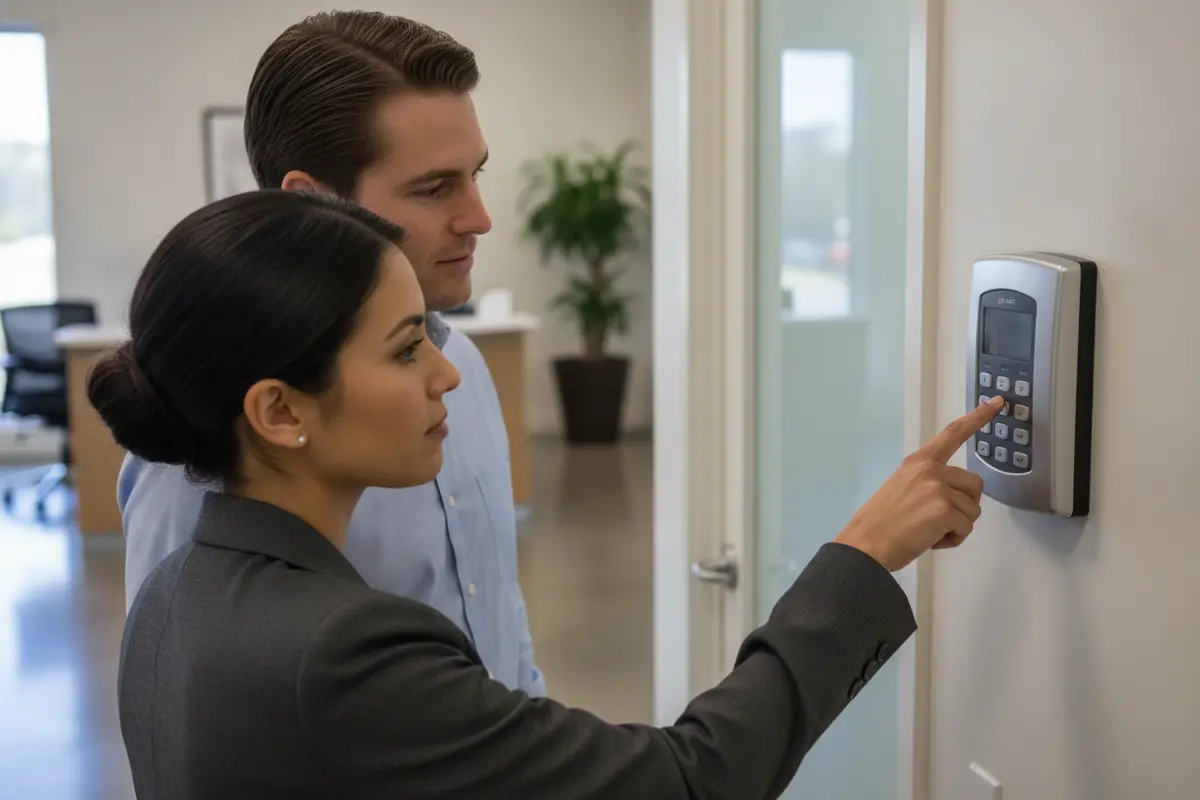
Use a simple practice sequence: the instructor explains a task, demonstrates it, then asks an authorized user to repeat it and describe what they would do if the expected result did not appear. This reveals whether a person can follow the process, not merely recognize a demonstration. Avoid sharing live credentials with people who do not need them.
How should you compare training options?
Providers may offer an on-site walkthrough, remote session, written instructions, or a combination. The format matters less than whether the lesson reflects the installed system and gives users a safe opportunity to ask questions and demonstrate the steps. Compare what is included rather than relying on a label such as orientation.
| Training approach | Useful for | What to confirm |
|---|---|---|
| On-site, hands-on session | Initial setup, several roles, or unfamiliar controls | Who attends, which devices are covered, and how practice is supervised |
| Remote walkthrough | Refresher questions when users know the basics | Whether the instructor can see relevant controls and verify understanding |
| Written quick guide | Reinforcing routine steps and contact paths | Whether it matches the system and protects credentials |
| Internal orientation | Introducing new staff to site procedures | Who is authorized to teach and when to refer technical questions |
Ask whether training is part of installation or service, whether additional instruction can be arranged, and what follow-up support is available. Get a clear description; do not assume a particular format, schedule, or fee. Match the approach to the number of users, work shifts, system complexity, and the ability to gather people together.
For example, a small office with a single opening supervisor may benefit from a focused walkthrough plus a controlled quick guide. A business with several shifts may need separate practice windows so evening staff are not left to learn secondhand. Where remote instruction is proposed, ask how the instructor will confirm that users can locate the correct controls and understand the procedure at the actual site.
American Alarm provides security system design, installation, monitoring, and maintenance. A business considering service can review its security services and ask what user instruction is available for its specific system and scope. The answer should be tied to proposed equipment and service, not a broad promise that leaves details unclear.
Which questions reveal whether a provider is a good fit?
Ask for specific, verifiable answers. A provider should explain how users will learn routine procedures and what happens when someone reports a problem. This conversation also helps define which tasks belong to staff and which require qualified technical service.
- Scope: Which controls and user actions will the session cover, and which topics are outside its scope?
- Audience: Can instruction reflect distinct roles, shifts, and levels of system access?
- Practice: Will users carry out the steps using installed equipment and ask questions?
- Reference material: Is a system-specific quick guide available, and how are revisions handled?
- Support path: Who should staff contact for an operating question, equipment fault, or alarm event outside normal hours?
- Change process: How should the business request an access change or report a user who no longer needs access?
Look for answers that separate instruction from monitoring and repair. Monitoring describes how alarm signals are handled by the service arrangement; staff still need to understand their own response duties. Training is not a substitute for a written emergency plan, and a written guide does not replace system-specific technical instruction.
Before comparing proposals, review basic system components and functions. American Alarm’s guide to commercial alarm system components can help frame questions about the panel, detection devices, communications, and monitoring. You can also compare business alarm system options available for Atlanta organizations.
How do you make procedures clear and safe?
Keep procedures short enough to use under pressure. Put routine operating steps, contact information, and escalation instructions in a controlled location authorized staff can reach. Do not place access codes in an openly shared guide. Use the organization’s secure process for storing and changing credentials.
For an alarm event, the written plan should identify who receives notifications and what staff should do next. Distinguish an alarm from a trouble message and explain when to contact the monitoring provider, a designated manager, or emergency services. Do not tell staff to investigate a potentially unsafe area. Follow the business emergency plan and instructions from emergency responders.
Fire alarm instruction needs particular care. Staff should know site evacuation and notification procedures, but should not silence, reset, or alter life-safety equipment unless their role and applicable procedures explicitly authorize that action. Confirm site-specific instructions with the system provider and the authority responsible for the building. The National Fire Protection Association is a standards organization and a starting point for fire and life-safety information; confirm applicable requirements with the relevant authority.
Build in a way to report trouble without encouraging unauthorized repairs. A user can note the displayed message and time, keep people clear of restricted equipment, and contact the designated service channel. A qualified technician can assess the issue. If your business is comparing repair support, see American Alarm’s information on commercial fire alarm repair and its guide to NFPA 72 compliance in Atlanta.

How do you keep training useful as the business changes?
Training should be revisited when the system, site, or assigned users change. A one-time handoff can become outdated after an access schedule changes, a keypad is moved, a manager takes over, or a system is upgraded. Assign a specific role to maintain the authorized user list and direct technical changes to the provider.
- Record the essentials: Note the date, system areas covered, roles represented, and open questions. Keep the record in controlled business documentation.
- Check understanding: Ask users to explain steps in their own words or demonstrate routine tasks with an authorized instructor present.
- Refresh after changes: Arrange a review when procedures or equipment change, or when staff report confusion about normal operation.
- Review contacts: Confirm people listed for alarms, technical issues, and decisions remain appropriate.
- Remove stale access: Use the provider’s approved process to update credentials when a user’s responsibilities change.
For businesses operating across several locations, establish a common core procedure and document site-specific differences separately. A consistent framework can cover who opens, who closes, how staff report a message, and where help is available. Each site’s actual equipment, entry points, and escalation contacts still need to be recorded separately; a shared document should not imply that every location works identically.
American Alarm lists its Metro Atlanta service areas online. Its company background describes a local provider serving homes and businesses since 1995. Ask how the company would handle equipment and instruction needs for your particular site rather than assuming every property follows the same setup.
What should you do before selecting a provider?
Make a short list of users, duties, operating hours, and system tasks. Identify known confusion, recurring errors, or equipment messages. Then ask each provider to explain the training format, scope, support path, and responsibilities in writing. That makes it easier to compare what each proposal covers.
A practical preparation worksheet can have four columns: staff role, routine action, question or exception, and person to contact. For example, a closing supervisor may need to arm the assigned area, check status, and report a trouble message to a manager or service provider. A new employee who only enters during business hours may need different access and less operational detail. Keeping the worksheet role-based makes gaps visible before the session.
Consider how instruction fits into installation and ongoing service. Ask who will coordinate the session, how questions are handled afterward, and how your business can arrange a refresher. If you are reviewing system options too, use the systems and products overview as a starting point for discussing business needs, not as a substitute for a site-specific assessment.
Before signing off on a session, check that each attendee knows three things: the routine action they are permitted to perform, the condition that means they should stop and seek help, and the right contact for that situation. Keep unresolved technical questions in a follow-up list with an owner and next step. This turns a useful conversation into a practical handoff instead of a one-time demonstration.
American Alarm serves the greater Atlanta area with security and life-safety systems. To discuss a commercial system and ask what user training is available, use the company’s service information or call the number below.
Call (770) 645-0061 to discuss your system and training questions.
Frequently asked questions
These answers cover common questions about who should attend, when to refresh instruction, and what users should do around fire alarms.
Who should attend alarm user training?
Include people who perform routine alarm tasks, those responsible for opening or closing, and the manager who coordinates access and service requests. Add other users when their duties require system access. Limit credentials and instruction to each person’s role.
How often should a business repeat training?
There is no single interval that fits every system and workplace. Review instruction after changes to equipment, procedures, user roles, or site operations, and whenever staff cannot confidently follow approved steps. Ask the provider whether a refresher is appropriate for your system.
Can written instructions replace a provider session?
Written instructions can reinforce routine tasks, but may not show how a particular system behaves or answer technical questions. Use material that matches your equipment, protect sensitive credentials, and arrange system-specific instruction when users need it.
Should staff reset a fire alarm after an event?
Only if the site’s authorized procedure permits it and the person has the required training. Staff should follow the site emergency plan, avoid unauthorized changes, and contact emergency responders or the system provider as directed.
A well-planned training process gives authorized users clear responsibilities, practical steps, and a reliable path to help when the system or workplace changes.
Call American Alarm at (770) 645-0061 to talk through your business alarm needs.

Leave a Reply
Want to join the discussion?Feel free to contribute!