How to Choose the Best 4K Security Camera System for Business
Dealing with a security incident is stressful enough without discovering your video footage is too blurry to be useful. Many business owners face this frustration, unable to identify a suspect or provide clear evidence for an insurance claim. This is the exact problem a 4K security camera system for business solves. It captures the critical details that lower-resolution systems miss, from facial features to license plate numbers. If you’re tired of useless recordings and want a system that provides undeniable proof, it’s time to explore the best 4k security camera system for business.
Key Takeaways
- Prioritize High-Resolution Video for Usable Evidence: A 4K system captures incredibly sharp video, allowing you to see crucial details like faces and license plates. This clarity means you can digitally zoom in on recorded footage without the image becoming distorted, providing you with actionable information.
- Leverage AI for Smarter Security: Modern systems use artificial intelligence to tell the difference between people, vehicles, and harmless motion like swaying trees. This intelligent detection significantly reduces false alarms, ensuring you are only notified of events that genuinely require your attention.
- Plan for Infrastructure and Maintenance: The effectiveness of your system depends on more than just the equipment. You need to account for network bandwidth and video storage requirements from the start, and professional installation followed by regular upkeep ensures your system performs reliably for years.
Is a 4K Security Video System Right for Your Business?
When you’re protecting your business, clarity is everything. Grainy, unclear footage from older systems can leave you with more questions than answers. This is where a 4K security video system makes a significant difference. It’s about more than just a clearer picture; it’s about giving you detailed, actionable information that helps you protect your property, your team, and your bottom line. Investing in 4K technology provides the sharp detail you need for effective monitoring and gives you a reliable tool that will serve your business for years to come.
See Every Detail with Superior Image Quality
The biggest advantage of 4K is the incredible image quality. A 4K video device records footage that is four times clearer than standard 1080p HD. For your business, this means you can zoom in on crucial details without the image becoming a pixelated blur. You can clearly see merchandise on a shelf, text on a box, or the design on a piece of clothing. This level of detail is essential for understanding exactly what’s happening on your property. With our advanced 4K video devices, you get a crisp, clear view of your operations, leaving no room for doubt.
Clearly Identify People and Objects
In the event of a theft or incident, clear video evidence is your strongest asset. 4K footage is so detailed that it can be used as compelling evidence for police reports and insurance claims. The ability to clearly identify faces, clothing, and vehicle license plates can make all the difference in resolving a case. This high-resolution video also helps keep your employees safe and can be used to settle workplace disputes or verify events. It provides an indisputable record, ensuring that your business is covered from multiple angles with a comprehensive security plan.
Make a Smart, Long-Term Investment
Choosing a 4K system is a smart move for the long-term health of your business. Technology evolves quickly, and investing in the latest standard ensures your security solution won’t become obsolete in just a few years. Modern security systems are designed to be scalable, growing with your business as your needs change. By adopting 4K now, you are setting up a foundation that can integrate with future technologies and expansions. It’s a forward-thinking decision that protects your investment and ensures your property remains secure. Let us help you plan for the future with a system built to last.
What Are the Top 4K Video Systems for Businesses?
When you start looking for a new video system for your business, the number of options can feel overwhelming. You’ll see names like Lorex and Reolink come up often, and for good reason. They build reliable, high-end systems with incredible 4K resolution and often no required monthly fees, which is a huge plus for managing long-term costs. These professional security systems are packed with features that were once only available in much more expensive, enterprise-level setups.
The best systems today use artificial intelligence to tell the difference between a person, a vehicle, or a stray animal, which significantly cuts down on false alarms that can waste your time. Many also include smart deterrence features, like automated warning lights or sirens, to actively discourage potential intruders before they even attempt a break-in. While you can certainly purchase this equipment directly, the real challenge is designing a setup that covers all your vulnerable spots and integrating it correctly for maximum effectiveness. That’s where working with a local expert makes all the difference. A professional can help you select the right equipment and ensure it’s placed and configured to give you the clear, reliable footage you need to protect your property.
Comparing Professional-Grade Brands
Different brands are known for excelling in specific areas, so the “best” system really depends on your business’s top priorities. Are you looking for a completely hands-off solution with 24/7 oversight, or do you prefer to manage your own footage to avoid monthly fees? Understanding these key differences will help you narrow down the options and find the perfect fit. Let’s look at a few top contenders and what they do best, keeping in mind that professional installation is key to getting the most out of any high-end equipment. A well-designed system ensures every angle is covered, giving you reliable protection where you need it most.
Systems Best for Professional Monitoring
If your main goal is a rapid, professional response to any incident, a system backed by 24/7 monitoring is essential. Brands like ADT are leaders in this space, offering around-the-clock oversight from trained professionals who can dispatch emergency services when needed. They often use high-quality equipment, such as Google Nest devices, which include smart features like facial recognition and custom ‘Activity Zones.’ This technology helps filter out unimportant motion, like a passing car, ensuring you only get alerts that matter. For Atlanta businesses seeking that same level of protection, we provide comprehensive security system monitoring to give you complete peace of mind.
Systems with Advanced Features
For business owners who want the latest technology without being tied to a subscription, brands like Lorex are an excellent choice. They are known for packing their systems with advanced features, including stunning 4K video quality and powerful night vision that can see clearly in color or infrared. This level of detail can be crucial for identifying specific details after an event. A major advantage of these systems is that you typically don’t have to pay monthly fees for their core features. You get top-tier performance and cutting-edge technology right out of the box, making them a powerful addition to your business security setup.
Systems That Use Local Storage
If you want to maintain full control over your video footage and avoid recurring cloud storage fees, a system with local storage is the way to go. Lorex is also a strong performer here, offering free local storage on a hard drive installed at your business. This means you own your data, and there are no monthly costs to save your recordings. These systems are built to be durable and reliable, making them ideal for demanding commercial environments. Choosing a system with local storage is a smart financial decision that also gives you greater control over your business’s sensitive information and security services.
A Look at American Alarm’s Commercial Solutions
At American Alarm, we take the guesswork out of securing your business. We provide comprehensive commercial video solutions that are tailored specifically to your property’s layout and security needs. Instead of just selling you a box of equipment, we partner with you to design a system that provides complete coverage, from your entryway to your stockroom. Our experienced technicians handle the entire installation process, ensuring every device is positioned for optimal viewing angles and performance. We make sure your system works seamlessly from day one, giving you the peace of mind that your business is protected around the clock. Let us help you build the right solution for your Atlanta business.
What Difference Does 4K Resolution Really Make?
When you upgrade your business’s video system, you’re not just getting a new gadget; you’re investing in clarity and peace of mind. A 4K security system provides incredibly sharp video, which makes a real difference when you need to see exactly what’s happening on your property. This high resolution captures the small but crucial details that lower-quality systems miss, giving you a more complete and accurate picture of your business’s environment. From identifying a vehicle in the parking lot to monitoring daily operations, the enhanced detail from a 4K system gives you the information you need to protect your assets and your team effectively.
See the Difference: 4K vs. Lower Resolutions
Think about the difference between standard television and high definition. It’s a huge leap in quality, and the same is true for security video. Standard systems often produce grainy or blurry footage, making it difficult to make out important details. A 4K system, on the other hand, records video that is four times clearer than standard 1080p HD. This means you get crisp, clear images that show you exactly what’s going on. With our commercial video solutions, you can say goodbye to fuzzy, unhelpful footage and hello to a level of detail that truly enhances your business’s protection.
Capture Clearer Faces and License Plates
In a security situation, details matter. Being able to clearly identify a person’s face or read a license plate number can be critical. With lower-resolution video, these details are often lost, leaving you with unusable footage. 4K resolution captures these fine points with precision, providing you with clear evidence if you ever need it for an insurance claim or a police report. This level of clarity not only helps in resolving incidents but also acts as a powerful deterrent. Knowing your property is monitored by a high-definition system gives you confidence that you can identify and address any issues that arise.
Zoom In Without Losing Detail
One of the biggest advantages of 4K resolution is the ability to zoom in on a specific area without the image turning into a pixelated mess. This is called digital zoom, and it allows you to get a closer look at activity in the background or across a large space. Because the original image is so detailed, you can magnify a portion of it and still see things clearly. This means you can often cover wider areas with fewer devices, which is both efficient and cost-effective. It’s a key part of a comprehensive security plan that ensures no corner of your property is left unmonitored.
Understanding the Technical Specifications
Diving into the technical details of a security system can feel a bit like learning a new language. But you don’t need to be an expert to make a great choice. Understanding just a few key specifications will help you appreciate what makes 4K systems so effective and why they are the superior choice for protecting your business. It’s all about how the technology translates into clearer, more useful video that you can rely on when it matters most. Let’s break down the features that deliver that exceptional performance.
Image Sensors and Low-Light Performance
At the heart of any video device is an image sensor, which acts like its eye. The quality of this sensor directly impacts the quality of the video. 4K systems use advanced 8-megapixel sensors that are significantly more powerful than those in older HD systems. These sensors are designed to capture more light, which is the secret to producing a crisp, detailed picture. This capability is especially important in low-light situations, like early mornings, overcast days, or inside a dimly lit warehouse. With better systems and products, you get reliable clarity no matter the lighting conditions.
Identification and Night Vision Range
A security system is only useful if it can help you identify what’s happening. 4K systems excel at this, capturing clear facial details from as far as 80 feet away during the day. At night, they use powerful infrared technology to provide clear vision up to 200 feet in the dark, allowing you to see general details across a large area like a parking lot or loading dock. This extended range means you can identify people and vehicles with confidence, providing you with actionable information instead of just a vague shape in the distance. It’s this level of detail that makes 4K a truly effective security tool.
Field of View and Coverage Area
Field of view simply refers to how wide of an area a single device can see. High-quality 4K devices typically offer a wide field of view, often around 87 degrees, which allows them to monitor a large space without needing to pan or tilt. This means you can cover more ground with fewer devices, making your system more efficient and cost-effective. Proper placement is key to maximizing this advantage, ensuring there are no blind spots in your coverage. A professional can help you design a layout that uses each device’s field of view to its full potential, giving you comprehensive protection.
What Features Should Your System Have?
A 4K security video system offers incredible detail, but its true power comes from the features that work alongside that high resolution. The right combination of hardware and software turns your system from a simple recording device into an active part of your business’s protection plan. When you’re exploring your options, think beyond just the pixel count. Look for intelligent features that save you time, reduce false alarms, and give you a clear picture of what’s happening at your property, day or night. These are the capabilities that provide real peace of mind and make your investment work harder for you.
Get Clear Footage, Day or Night
Your business needs protection around the clock, not just from 9 to 5. That’s why it’s crucial to choose a system that performs well in all lighting conditions. Look for features like infrared (IR) night vision, which allows the system to capture clear, detailed footage even in complete darkness. Another key feature is a wide dynamic range (WDR). This technology balances the light in scenes with both very bright and very dark areas, like a sunlit doorway leading into a dimmer interior. Without it, you could lose important details in shadows or bright spots. These advanced system features ensure you get usable video evidence no matter the time of day or the lighting challenges on your property.
The Advantage of Color Night Vision
While traditional infrared night vision is effective at seeing in the dark, it only provides a black-and-white image. Advanced systems now offer color night vision, which makes a huge difference when you need to identify specific details. This technology uses ambient light from sources like streetlights or porch lights to produce a full-color picture, even after sunset. Imagine being able to tell law enforcement the exact color of a vehicle or a person’s clothing. This technology captures the critical details that are completely lost in standard black-and-white footage, giving you a much more complete and useful record of any event that occurs on your property during low-light hours.
Use AI for Smarter Detection
Modern security systems are much smarter than their predecessors, thanks to artificial intelligence (AI). Instead of just recording everything, AI-powered systems can analyze what they see. Integrating your video footage with smart analytics makes your entire security setup more efficient and effective. This intelligence allows the system to differentiate between people, animals, and vehicles, which dramatically cuts down on false alarms from things like swaying trees or passing wildlife. It means you’re only alerted to the events that actually matter. This level of detection helps you focus on genuine security concerns, turning your system into a proactive tool that actively helps protect your business.
Monitor from Anywhere on Your Phone
As a business owner, you can’t be on-site 24/7, but your security system can. One of the most valuable features of a modern system is the ability to monitor your property remotely. Most high-quality business security systems give you secure access from your smartphone, tablet, or computer. This means you can view live video feeds, review recorded footage, and manage system settings from anywhere with an internet connection. Whether you’re traveling, at home, or just in a different part of the building, you have instant access to what’s happening. This remote capability provides not just convenience, but also the confidence that you’re always connected to your business’s safety.
Receive Meaningful Motion Alerts
Constant motion alerts can quickly become overwhelming, leading you to ignore them altogether. That’s where smart alerts make a huge difference. Instead of notifying you about every leaf that blows by, you can customize notifications for specific types of activity that you define as important. For example, you could set an alert for when a person enters a restricted area after hours or when a vehicle approaches a delivery bay outside of normal operating times. This targeted approach makes monitoring your system much more manageable. You can contact our team to learn how a system with intelligent alerts can help you stay informed about critical events without the noise of constant, irrelevant notifications.
Choosing the Right Equipment Type
Once you’ve decided on 4K resolution, the next step is to select the right hardware for your property. The physical devices you choose are just as important as the technology inside them. Different business environments have unique needs, and the style, power source, and connectivity of your equipment will all impact its effectiveness. Thinking through whether a wired or wireless system makes more sense, which device style fits each location, and how they will be powered is crucial for creating a reliable and comprehensive security plan. These choices ensure your system not only captures clear video but also functions seamlessly within your specific operational setting.
Wired vs. Wireless Systems
One of the first decisions you’ll make is whether to go with a wired or wireless system. Wired systems, which connect directly to your network, are known for their exceptional reliability. Because they aren’t dependent on a Wi-Fi signal, you get a stable, uninterrupted video feed, which is critical for business security. They are especially well-suited for new construction projects where cables can be run easily. Wireless systems offer more flexibility in placement since they don’t require a data cable, making them a good option for existing buildings where running wires would be difficult. However, their performance can be affected by signal strength. For most commercial applications, a wired setup is the preferred choice for consistent, high-quality coverage.
Dome, Bullet, and Turret Styles
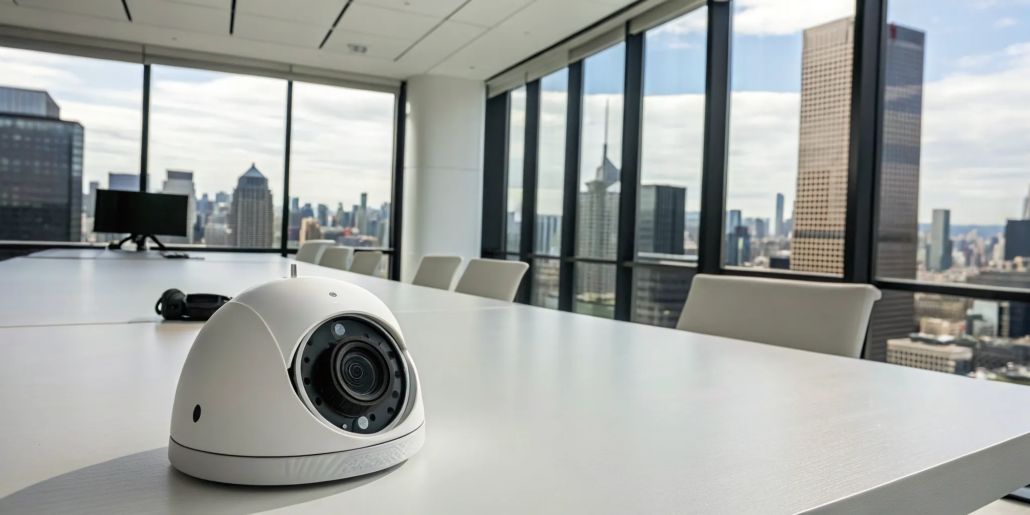
Security video devices come in several shapes, each with distinct advantages. Dome-style devices are discreet and often used indoors. Their enclosed design makes them tamper-resistant and protects the lens from the elements. Bullet-style devices are more prominent and act as a visible deterrent to potential intruders. Their obvious presence sends a clear message that your property is being monitored. Turret-style devices offer a versatile middle ground, combining the flexible positioning of a bullet device with a protected, ball-and-socket design. Choosing the right style from our range of systems and products depends on whether you want your security to be subtle or serve as an upfront warning.
Alternative Power Options
How your devices receive power is another key consideration. Many modern wired systems use Power over Ethernet (PoE) technology. This is incredibly efficient because a single Ethernet cable provides both the network connection and electrical power, simplifying the installation process and reducing cable clutter. For wireless devices or locations where running a cable is impractical, battery-powered options provide maximum flexibility. While convenient, they do require regular maintenance to ensure the batteries are charged and functioning correctly. Understanding these power sources is an important part of planning a system that is both effective and easy to maintain over the long term.
How AI Makes Your System Smarter
A 4K security video system gives you a sharp picture, but adding Artificial Intelligence (AI) makes that picture much smarter. Think of AI as a brain for your security setup. It doesn’t just see what’s happening; it understands it. This intelligence transforms your system from a simple recording device into a proactive security partner that can analyze events in real time. Instead of getting a flood of notifications for every little movement, like shadows shifting or leaves blowing, you get meaningful alerts about the things that actually matter to your business’s safety.
AI-powered systems learn over time, becoming more accurate and efficient at protecting your property. They can differentiate between a potential threat and a harmless event, like a tree branch swaying in the wind. This level of analysis means you spend less time sifting through false alarms and more time focusing on running your business. Integrating AI is one of the most effective ways to enhance your commercial video solutions and get the most value from your investment. It’s about working smarter, not harder, to keep your business safe and secure around the clock, giving you peace of mind whether you’re on-site or away.
Tell the Difference Between People and Vehicles
One of the biggest frustrations with older motion detection systems is the constant stream of false alerts. A car driving past or a flag waving in the wind could trigger a notification, leaving you to check the feed for no reason. Modern systems with AI analytics solve this problem by using person and vehicle detection. The system’s AI is trained to recognize the specific shapes and movement patterns of humans and cars. This means it can tell the difference between a delivery truck pulling into your lot and a plastic bag blowing across it. You get alerts that are genuinely important, which helps you respond faster when it counts.
Recognize Familiar Faces
Imagine a security system that knows who your employees are. That’s exactly what AI-powered facial recognition can do. These advanced systems can learn and store the faces of authorized personnel. When a familiar face is detected, the system can log their entry without sending an unnecessary alert. Conversely, when an unrecognized person enters a restricted area, the system can immediately notify you. This feature adds a powerful layer of personalized security, helping you quickly identify who belongs on your property and who might be a potential risk. It’s a streamlined way to manage access and monitor your premises.
Detect Intruders Instantly
When it comes to security, every second matters. AI significantly speeds up the process of identifying a genuine threat. Instead of just registering motion, the system analyzes the motion to determine its source. Because AI detection can tell the difference between a person and other moving objects, it can instantly flag suspicious human activity, like someone loitering after hours or attempting to access a secure area. This immediate and accurate detection allows you to take action right away, whether that means contacting the authorities or activating other security measures. It’s a proactive approach that helps stop incidents before they escalate.
Ignore Pets and Reduce False Alarms
For businesses that are pet-friendly or located near areas with lots of wildlife, animals can be a major source of false alarms. AI-equipped systems are smart enough to distinguish between people and animals. Whether it’s a stray cat wandering through your parking lot or an employee’s dog in the office, the system recognizes it’s not a human threat and won’t send you an alert. Some systems are so advanced they can even tell the difference between a person and a falling leaf. This intelligent filtering is key to reducing notification fatigue and ensuring that when you do get an alert, it’s something that truly requires your attention.
Advanced Video Analytics
Using Tripwire and Intrusion Box Features
Beyond simply detecting motion, advanced video analytics give you precise control over what your system pays attention to. Think of these features as setting smart rules for your video devices, telling them exactly what kind of activity warrants an alert. This intelligence helps you focus on real events, filtering out the background noise of everyday movements. By defining specific boundaries and zones, you can create a highly customized monitoring plan that aligns perfectly with your business’s unique layout and security priorities, ensuring you only get notified about the events that truly matter.
The Tripwire feature is a perfect example of this precision. It allows you to draw a virtual line across any point in your video feed—a restricted hallway, a loading dock entrance, or the edge of your property line. If a person or vehicle crosses that line, the system instantly triggers an alert. This is incredibly useful for monitoring specific boundaries without getting constant notifications from general activity nearby. It’s a simple but powerful way to enforce rules and secure perimeters, giving you immediate awareness of any unauthorized crossings on your property.
Similarly, the Intrusion Box feature lets you define a specific zone within the video feed. You can draw a virtual box around a high-value asset, a sensitive file cabinet, or a private office. If the system detects a person entering or lingering in that designated area, it sends an alert. This is far more effective than generic motion detection, which can be triggered by harmless movements outside the critical zone. By integrating these smart features into your commercial security plan, you create a system that understands the context of your space and actively protects your most important assets.
What Does a 4K Security System Cost?
When you’re thinking about a 4K security video system, it’s natural to focus on the price tag. But the total cost is more than just the initial purchase. It’s an investment that includes the equipment, installation, and the long-term value it brings to your business. Understanding the full picture helps you see how a top-tier system not only protects your property but also pays for itself over time through savings and added peace of mind. Let’s break down what you can expect.
Breaking Down the Initial Investment
The upfront cost of a 4K security video system can vary quite a bit. The final price depends on several factors, including the number of video units you need, the specific features you choose, and the size of your property. For example, a small retail shop will have different needs than a large warehouse. Advanced features like AI-powered analytics and color night vision also play a role in the total cost. While some commercial-grade systems can range from a few thousand dollars upwards, it’s best to get a custom quote. You can explore different systems and products to get a better idea of what’s available.
Understanding Ongoing Fees
The initial price of your equipment is just one part of the equation. To get the most out of your 4K security video system, you’ll also want to consider the ongoing services that keep it effective and reliable. These monthly fees aren’t just extra charges; they are an investment in the active protection of your business. They cover services like professional monitoring and secure video storage, which ensure that your system is always ready to perform when you need it most. Factoring these costs into your budget from the start gives you a clear understanding of the total investment in your business’s long-term safety.
Monthly Professional Monitoring Costs
Professional monitoring is like having a dedicated security team watching over your business 24/7. When a sensor is tripped or an alarm is triggered, a signal is sent to a central monitoring station where trained professionals are ready to respond immediately. They can verify the alarm, dispatch emergency services if needed, and notify you of the situation. This service provides incredible peace of mind, knowing that there’s always someone ready to act, even when you’re not there. Generally, you can expect professional monitoring services to fall somewhere between $29 and $60 per month, a small price for constant vigilance.
Cloud Storage Subscription Plans
Your high-resolution video footage is only useful if it’s stored safely and is easily accessible. While some systems store recordings on a local device, cloud storage offers a more secure solution. With a cloud subscription, your video files are uploaded to a secure remote server, protecting them from being damaged or stolen during an incident on-site. This also allows you to access your footage from anywhere, at any time. The total cost of ownership for your system should include these ongoing expenses, as they are crucial for ensuring your video evidence is always available when you need it. We can help you design a comprehensive security plan that includes the right storage solution for your needs.
How Your System Pays for Itself Over Time
A high-quality 4K system is built to last, which means you won’t have to worry about frequent replacements or expensive repairs. This durability translates into significant long-term savings. Plus, a visible and effective security setup is one of the best deterrents against theft, vandalism, and other costly incidents. By preventing even a single break-in, the system can easily pay for itself. Regular maintenance ensures your system stays reliable, helping you avoid unexpected issues. Our professional services are designed to keep your system in top shape, protecting your investment.
Lower Your Insurance Premiums
Did you know that your security system can help you save money on insurance? Many insurance providers offer discounts to businesses with professionally installed and monitored security systems. A 4K video system provides crystal-clear evidence if an incident occurs, which can help streamline claims and protect you from liability. When your video surveillance is integrated with a monitored alarm system, the potential for savings increases even more. We recommend talking to your insurance agent to see what discounts you qualify for. When you’re ready, you can contact us for a personalized quote to share with your provider.
What Storage and Network Do You Need?
All that crystal-clear 4K video footage has to go somewhere, and those high-resolution files are much larger than standard video. Before you invest in a new system, you need a solid plan for how you’ll store your recordings and ensure your network can handle the data load. Thinking through this ahead of time prevents surprise costs and performance issues down the road. Key considerations include where to store your video, whether your internet connection is up to the task, how to make files more manageable, and how long you need to keep your recordings. Let’s walk through what you need to know to make the right choices for your business.
Cloud vs. Local Storage: Which is Right for You?
When it comes to storing your footage, you have two main paths: the cloud or a local device. Cloud storage sends your video files to a secure remote server, giving you the flexibility to access them from anywhere with an internet connection. This is a great option if you manage multiple locations or need to check in while you’re away. Local storage, on the other hand, uses an on-site device like a Network Video Recorder (NVR). With local storage, you have direct physical control over your data and can access footage quickly without relying on your internet speed. The best choice depends on your business’s needs for access, security, and budget. We can help you weigh the pros and cons of different commercial video solutions to find the perfect fit.
Does Your Network Have Enough Bandwidth?
Think of your network as the highway for your video data. Because 4K video files are so large, they need a wide, clear highway to travel smoothly from your security system to your storage location. A slow or unreliable network can cause frustrating issues like choppy playback, lag time, or even missed recordings. Before installing a 4K system, it’s crucial to confirm that your network’s bandwidth can handle the increased load, especially if you plan on running multiple video streams at once. A quick network assessment can tell you if your current setup is ready or if an upgrade is needed to support the system’s performance.
How H.265 Compression Saves Storage Space
Here’s a bit of tech that works like magic for your storage: H.265 compression. H.265, also known as High Efficiency Video Coding (HEVC), is a video compression standard that significantly shrinks the size of your 4K video files without sacrificing that crisp, clear detail you invested in. This is a game-changer for storage. By making the files smaller, you can store much more footage on the same hard drive or reduce your cloud storage costs. When comparing systems, make sure to look for one that uses modern compression technology like H.265. It’s a key feature that will save you money and headaches in the long run.
How Long Should You Keep Your Footage?
Before you hit “record,” it’s smart to decide how long you’ll keep your footage. This is known as your video retention period. How long you store recordings can depend on your industry’s compliance rules or simply your business’s operational needs. For example, a retail store might want to keep footage for 30 to 90 days to review any incidents, while an office building may have different requirements. Establishing a clear video retention policy is essential for managing your storage effectively. Knowing your retention period helps you calculate exactly how much storage capacity you’ll need, ensuring you don’t run out of space when you need it most.
Getting Your System Set Up and Keeping It Running
Choosing the right 4K security video system is a huge step, but the process doesn’t end there. Proper installation and ongoing maintenance are what turn great equipment into a reliable security solution. A system that’s poorly placed or neglected won’t deliver the clear, detailed footage you need when it matters most. Thinking through the setup and long-term care from the beginning will ensure you get the full value and protection from your investment. Let’s walk through the key steps to get your system running smoothly and keep it that way for years to come.
Why Professional Installation Matters
While it might be tempting to set up your new system yourself, professional installation is one of the smartest choices you can make for your business’s security. A trained technician does more than just mount devices on a wall. They understand the nuances of viewing angles, lighting conditions, and how to position each unit for optimal coverage without blind spots. Professionals ensure all wiring is handled correctly and safely, preventing technical glitches down the line. They also configure the system for peak performance, making sure you get the crisp, clear 4K quality you paid for. This expertise guarantees your system works flawlessly from day one, giving you immediate and reliable protection.
Planning for Future Growth and Scalability
Your business isn’t static, and your security needs won’t be either. As you expand your operations, add new locations, or bring on more team members, your security system should adapt without requiring a complete and costly overhaul. This is why planning for scalability from the start is so important. Investing in a modern 4K system creates a flexible foundation that can grow with you. These advanced commercial video solutions are designed to integrate seamlessly with future technologies and expansions, protecting your initial investment. It’s a forward-thinking approach that ensures your security setup remains effective and relevant for years to come, supporting your business at every stage of its growth.
Making It Work with Your Existing Security
Your 4K video system becomes even more powerful when it works in concert with your other security measures. Instead of operating in a silo, it should be a connected part of your overall strategy. For example, integrating your video feed with an access control system allows you to visually verify who is entering and exiting your property. When connected to your main alarm system, a triggered sensor can automatically direct the nearest video unit to the event. This creates a smarter, more responsive security network that provides a complete picture of what’s happening. By linking these tools, you build a layered defense that is much more effective than any single component on its own.
Where to Place Equipment for the Best Coverage
Effective surveillance starts with a solid plan. Before installing any hardware, take the time to map out your property and identify the most critical areas to monitor. Think about entry and exit points, parking lots, cash registers, and storage areas for valuable inventory. The goal is to create overlapping fields of view that eliminate blind spots. Consider the purpose of each device: is it for a wide overview of a large area or a focused view of a specific doorway? Answering these questions helps you create a strategic layout. Our experts can help you develop a comprehensive coverage plan tailored to your business’s unique layout and security needs.
Strategic Placement for Businesses
The effectiveness of your system hinges on where you place each video device. Start by walking through your property and identifying the most vulnerable spots. Key areas to focus on include all entry and exit points, point-of-sale stations where transactions occur, and stockrooms or storage areas where valuable inventory is kept. Don’t forget exterior locations like parking lots and loading docks, which are often prime targets for theft or vandalism. The objective is to create overlapping fields of view that cover these critical zones completely, leaving no blind spots. A well-designed layout ensures you capture a clear, continuous record of activity, giving you a full picture of what happens on your property.
Considering Local Privacy Laws
While securing your business is a top priority, it’s essential to do so in a way that respects privacy and complies with the law. In Georgia, as in most places, there are rules about where you can install video surveillance. You generally cannot place video devices in areas where people have a reasonable expectation of privacy, such as restrooms, locker rooms, or employee break areas. It’s also a good practice to post clear and visible signs letting employees and customers know that the premises are being monitored. Audio recording is often subject to even stricter regulations, so it’s crucial to understand the rules before enabling that feature. Navigating these workplace monitoring laws ensures your security measures are both effective and legally sound.
Simple Tips for Ongoing Maintenance
A security video system requires regular attention to perform at its best. Just like any other technology, its software needs to be updated to protect against vulnerabilities and add new features. The physical devices also need care. Lenses should be cleaned periodically to ensure the image remains sharp, and connections should be checked for wear and tear. Setting up a regular maintenance schedule is key. This includes testing your recording equipment and verifying that all your devices are functioning correctly. If you ever run into issues, our team offers professional alarm repair services to get your system back online quickly, ensuring your business is never left unprotected.
Buyer Beware: Common Pitfalls to Avoid
The market for security video systems is crowded, and it’s easy to get lost in a sea of technical specs and marketing promises. When you’re making a significant investment to protect your business, the last thing you want is to end up with a system that doesn’t deliver on its claims. Unfortunately, not all equipment labeled “4K” performs the same way, and some common pitfalls can leave you with buyer’s remorse. Understanding what to look for and which claims to question is the best way to ensure you get a system that provides the clarity and reliability your business deserves.
Misleading “4K” Marketing Claims
One of the most common issues you’ll encounter is the term “4K” being used more for marketing than for describing actual performance. Some companies advertise their systems as “4K” even if the video devices themselves don’t record in true 4K resolution. The system might be capable of displaying a 4K image on a monitor, but the footage it captures is of a lower quality. This is a critical distinction that can be easily missed if you’re not looking closely. Always check the product details for the recording resolution to be sure you’re getting what you pay for. Don’t let a flashy label on the box mislead you; the real value is in the quality of the recorded video.
How to Confirm True 4K Recording Quality
So, what should you be looking for? True 4K resolution means the system records images with 3,840 x 2160 pixels, providing an incredible level of detail. While you might not notice the difference on a small phone screen, that clarity becomes essential when you need to digitally zoom in on recorded footage. If an incident occurs, you need to be able to see a license plate number from across the parking lot or clearly identify a person’s face. Lower-resolution video becomes a pixelated blur when magnified, rendering it useless for an investigation. A true 4K system captures these crucial details, providing you with undeniable proof and a more complete picture of your business’s environment. This is a core component of our commercial video solutions.
Common Setup Challenges (and How to Solve Them)
A little preparation goes a long way in making sure your new 4K security system works perfectly from day one. Thinking through these common setup considerations ahead of time will help you avoid surprises and ensure your investment provides the clear, reliable protection your business deserves. It’s all about creating a smooth transition to a more secure environment.
Managing High Bandwidth Requirements
The incredible detail of 4K video means it sends a lot more data across your network compared to lower-resolution systems. Think of it like streaming a high-definition movie versus a standard one; the better quality requires a stronger connection. If your network’s bandwidth can’t keep up, you might experience frustrating lag or even dropped video frames, leaving you with gaps in your surveillance. Planning for these high bandwidth demands is key. A professional can assess your current network to ensure your commercial video solutions transmit crisp, uninterrupted footage around the clock, so you never miss a critical moment.
Ensuring You Have Enough Storage Space
Just as high-resolution photos take up more room on your phone, 4K video files are much larger than standard-definition ones. This means you’ll need significantly more storage space to save your recordings. Running out of space can lead to older footage being overwritten before you need it, creating potential blind spots in your security records. It’s crucial to calculate your storage needs based on how many surveillance units you have, their resolution, and how long you need to keep the footage. By planning for adequate storage from the start, you can be confident that your complete video history is always accessible when you need it.
Is It Time to Upgrade Your Network?
Your existing network infrastructure might not be ready for the demands of a 4K video system. If your current setup can’t handle the increased data load, you may need to invest in better routers or switches to prevent bottlenecks. In some cases, a more comprehensive network overhaul might be necessary. It’s better to find this out before installation day. An expert assessment can determine if your network is up to the task or if an upgrade is needed. Getting a clear picture of your network’s capabilities helps you budget properly and ensures your new system performs at its best from the moment it’s turned on.
Keeping Your System Secure from Cyber Threats
Because your security system is connected to your network, it needs to be protected from online threats just like any other business device. As surveillance systems become more advanced and interconnected, they can become targets for hackers. Protecting your system is not just about preventing unauthorized access to your video feeds; it’s also about safeguarding your entire business network. Implementing strong cybersecurity measures, like firewalls and ensuring all software is regularly updated, is essential. Working with a trusted provider ensures your system is installed with security best practices in mind, giving you peace of mind that your property and your data are secure.
Long-Term Tips for Peak Performance
Installing a 4K security video system is a fantastic step toward protecting your business, but the work doesn’t stop there. To ensure your investment continues to pay off for years to come, you’ll want to focus on proper upkeep and usage. A well-maintained system not only performs better but also gives you consistent peace of mind. Think of it as routine care for any other essential piece of business equipment. By following a few key practices, you can keep your system operating at its best, protect your hardware from wear and tear, and make sure your team knows how to use it effectively.
Simple Habits for Optimal Performance
Once your system is up and running, regular check-ups are essential for reliability. Periodically walk through your property to ensure all units have a clear, unobstructed view and are recording as expected. It’s also a good idea to test the remote viewing features to confirm you can always access your live feed. For businesses, staying on top of maintenance ensures your system continues to meet industry standards. Integrating your video footage with smart analytics can also make your system more efficient, helping you quickly find important events without sifting through hours of recordings. A professional maintenance plan can handle these checks for you, keeping your system in top shape.
Protecting Your Outdoor Equipment from the Elements
Your surveillance equipment is built to be durable, but it still needs protection from the environment. For outdoor units, make sure they are properly shielded from direct rain, intense sun, and high winds, which can degrade performance over time. In Atlanta, high humidity and summer heat can be tough on electronics, so choosing hardware designed for the local climate is key. Indoor units should be kept free of dust and positioned away from areas where they could be accidentally bumped or tampered with. A well-designed system from American Alarm accounts for these environmental factors from the start, ensuring longevity and reliable operation no matter the weather.
Train Your Staff to Use the System
Your security video system is most effective when your team knows how to use it properly. Providing clear training is a critical step that empowers your staff to be proactive. Key employees should know how to review footage, save important clips, and understand what to do if they see something unusual. This ensures that the system is used to its full potential and becomes an integral part of your daily operations. When everyone is on the same page, you can respond to incidents more quickly and effectively. As part of our professional installation, we can help ensure your team feels confident using your new system from day one.
What Does Your Warranty and Support Cover?
Before you need it, take the time to understand the details of your system’s warranty and any available support plans. Know what’s covered, how long the coverage lasts, and who to call if an issue arises. A good support plan is your safety net, providing technical assistance and repair services to minimize any downtime. This is especially important for integrated systems that connect with your access control or alarm systems. Having a clear plan in place means you can get professional help quickly, ensuring your property remains protected. If you have questions about long-term support, don’t hesitate to contact us to discuss your options.
Related Articles
- 5 Best Commercial Security Camera Systems (2026 Guide)
- 6 Best Wireless Security Cameras for Business (2026)
- Commercial Alarm & Camera Systems in Atlanta | American Alarm Corp, Inc
Frequently Asked Questions
Is a 4K system really that much better than the 1080p HD system I already have? Yes, the difference is significant. Think of it as the jump from standard definition to high definition television. A 4K system captures four times the amount of detail as a 1080p system. This means you can digitally zoom in on recorded footage to clearly identify faces, read license plates, or see other crucial details without the image becoming a blurry, pixelated mess. This level of clarity can be essential for police reports or insurance claims.
I’m worried about the cost. Is a 4K system a worthwhile investment for a small business? It’s a very practical investment. While the initial cost is higher than older systems, the long-term value is substantial. The clear footage acts as a powerful deterrent and provides indisputable evidence, which can save you money on losses from theft or vandalism. Many insurance companies also offer lower premiums for businesses with professionally installed, high-quality surveillance. It’s a forward-thinking choice that protects your business for years to come.
What does AI actually do for my security system? Artificial intelligence (AI) makes your system much smarter and more efficient. Instead of getting an alert every time a tree branch sways, AI can tell the difference between people, vehicles, and other moving objects. This drastically reduces false alarms, so you only get notified about events that truly matter. It turns your system from a passive recorder into a proactive tool that helps you focus on real security concerns.
Will a 4K system slow down my business’s internet connection? This is a valid concern because 4K video files are quite large. A 4K system does require more network bandwidth than a standard system, especially if you are streaming multiple video feeds. Before installation, it’s important to have a professional assess your current network to see if it can handle the load. Sometimes a simple equipment upgrade is all that’s needed to ensure your system runs smoothly without disrupting your other business operations.
Why should I hire a professional for installation instead of just buying a system myself? Professional installation ensures your system works correctly and effectively from the start. An expert knows how to strategically place each unit to eliminate blind spots and get the best possible viewing angles. They also handle all the complex wiring and network configuration to ensure reliable performance. This expertise saves you from the frustration of technical issues and gives you peace of mind that your property is truly covered.


Leave a Reply
Want to join the discussion?Feel free to contribute!