Access Control Systems for Small Business Guide
Lost keys should not decide who can enter your business after hours. Access control systems for small business replace that uncertainty with credentials you can assign, change, and revoke as your team evolves.
A practical system controls who can open each protected door, when entry is allowed, and which credential the person uses. Cards, keypad codes, and mobile credentials each solve the same basic problem in different ways. The right choice depends on your doors, staff turnover, daily workflows, and plans for growth.
This guide explains how the pieces work, which doors to prioritize, how credential options compare, and what to discuss with a professional installer before moving forward.
How access control systems for small business work
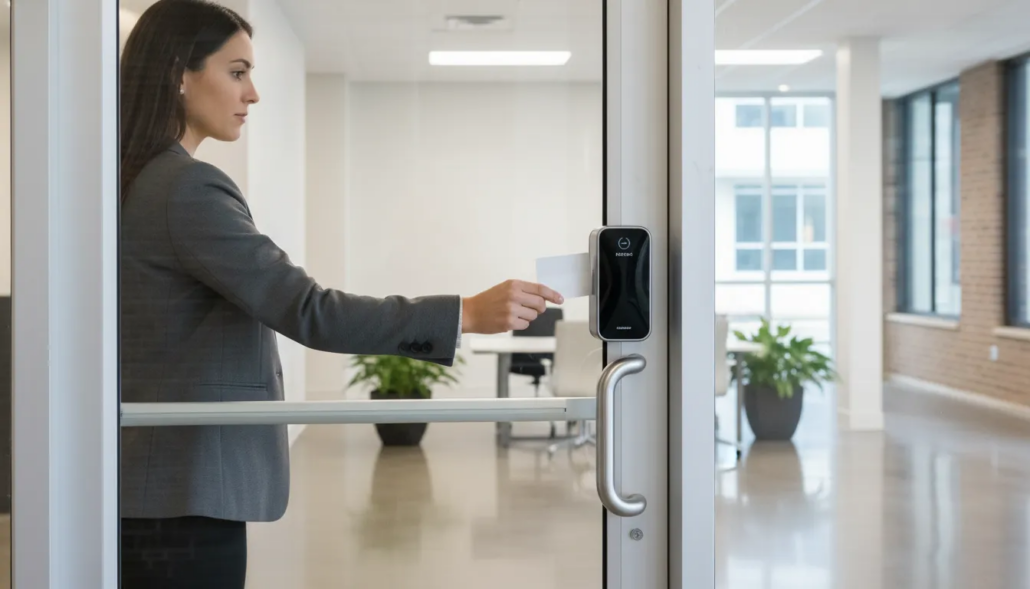
An access control system replaces a shared mechanical key with a managed entry decision. A person presents a credential at a reader. The system checks the credential against current permissions, then signals the electronic lock to release or remain locked.
In short: A small business access control system verifies a credential at each reader, checks it against current permissions, and signals the electronic lock to open or stay locked, logging every attempt.
The parts at each protected door
Most controlled openings include a reader, locking hardware, a door-position device, and a request-to-exit device. A controller connects those components to the management platform. The exact hardware depends on the door construction, traffic, and required operation.
That is why the door itself should be evaluated before equipment is selected. A professional assessment can identify whether an existing opening is suitable and what hardware is needed for reliable operation.
Permissions, schedules, and records
The management platform determines which credentials work at which doors. It can also limit access by day or time. A manager may receive after-hours access, while a service provider receives a narrower scheduled window.
Entry activity creates a useful record for business owners. If a credential is lost or an employee leaves, an administrator can deactivate it without changing every lock or collecting keys from the entire team.
American Alarm provides door access control system installation for Metro Atlanta businesses that want a professionally planned setup.
Cards, codes, or mobile credentials: which fits your team?
There is no universal best credential. The strongest choice is the one employees can use consistently and administrators can manage without needless friction. Some businesses combine credential types for different doors or user groups.
| Credential | Best fit | Main advantage | Planning consideration |
|---|---|---|---|
| Cards or fobs | Teams that want a familiar, individually assigned credential | Easy to issue and deactivate | Physical credentials can be lost and must be replaced |
| Keypad codes | Selected low-complexity entries or temporary access needs | No card or phone is required | Shared codes reduce individual accountability and should be changed |
| Mobile credentials | Teams that already rely on smartphones for daily work | Credentials can be managed digitally | Compatibility and employee workflows must be evaluated |
Cards and fobs
Cards and fobs are straightforward for many employees. Each person can receive an individual credential with permissions tied to a role. If one is lost, only that credential needs to be disabled.
These credentials also make it easier to tell users apart in activity records. Give each card or fob a clear owner. Avoid passing one credential between several people, because that makes records less useful.
Keypad codes
A keypad can be convenient when carrying a separate credential is impractical. Individual codes offer more accountability than a single shared code. Administrators still need a clear process for issuing, changing, and removing codes.
Think carefully before using one code for an entire group. A widely shared code can remain known after a person’s access should end. Individual codes are usually easier to remove without affecting everyone else.
Mobile credentials
Mobile credentials allow an authorized phone to interact with a compatible reader. They can reduce the need to distribute physical cards. Reader compatibility, phone policies, battery availability, and staff preferences should all be considered.
Ask how credentials are issued to a new phone and removed from an old one. Also decide what happens when an employee arrives without a working phone. A practical backup process keeps the workday moving.
Which doors should a small business control first?
Start with doors where managed access creates the clearest operational benefit. The goal is not to add technology everywhere. It is to give the right people dependable entry while reducing uncontrolled key distribution.
Main employee entrances
An employee entrance is often the first priority because many people use it on a predictable schedule. Access permissions can match working hours while managers retain broader access when appropriate.
Observe the door during the busiest arrival and departure periods. This can reveal traffic needs that may affect reader placement, locking hardware, and training.
Stockrooms, records areas, and technology spaces
Interior doors may deserve priority when they protect inventory, sensitive records, equipment, or systems. Limiting these areas by role can keep general access convenient while reserving specific rooms for approved employees.
Review each room with the person who manages it. Ask who needs regular entry, who needs occasional entry, and when those needs occur. This creates clearer permission groups.
Secondary and service entrances
Service doors may need different schedules and user groups than the main entrance. Mapping how vendors, deliveries, and staff move through the property helps define those permissions before installation.
Also review doors that are rarely used. A low-traffic opening may still matter if it is used after hours or provides access to an important area.
How to choose an access control system for your business
A useful selection process begins with operations, not a product list.
In short: Choose a system by defining how your business uses its doors and users today, then matching credentials, permission groups, and administration to those needs with room to grow.
Define how the business uses its doors today and how those needs may change. Then an installer can recommend compatible components and a management approach.
- List the doors and users. Identify every proposed opening, who uses it, and when access is needed.
- Define permission groups. Group employees, managers, vendors, and other authorized users by the doors and schedules they need.
- Select credential preferences. Compare cards, codes, and mobile credentials against actual staff workflows.
- Plan administration. Decide who will issue credentials, change permissions, review activity, and handle departures.
- Consider expansion. Discuss additional doors, locations, and future staffing so the initial design can grow.
- Evaluate local support. Confirm who will install, commission, explain, and service the system after launch.
Cloud-managed and locally managed options
A cloud-managed platform can make credential changes and activity review available to authorized administrators from supported devices. A locally managed system may fit other operational or infrastructure needs. The decision should reflect connectivity, administration preferences, and the selected equipment.
Ask to see the common tasks an administrator will perform. Adding a new employee, removing a former employee, changing a schedule, and reviewing recent activity should all be clear before the system is selected.
Professional design matters
Credential technology is only part of the system. Door hardware, safe egress, power, wiring, network requirements, and reliable operation must work together. A professional installer can coordinate those details around the property and the owner’s goals.
Discuss what should happen during a power or network interruption. The answer depends on system design and the opening. Planning for these conditions helps set expectations before work begins.
Can you manage business access remotely?
Many modern platforms allow authorized managers to administer access remotely. Depending on the selected system, they may add or disable credentials, adjust schedules, and review activity without being physically present at the property.
Remote management supports faster changes
Remote administration can be useful when employee roles change, a credential is lost, or a vendor needs a defined service window. The manager can update permission rather than distributing another physical key.
This can also help an owner who oversees more than one location. A compatible platform may give that owner one place to manage users. System design should account for each property’s doors and connectivity.
Convenience still requires clear processes
A remote interface does not replace sound administration. Businesses should decide who can make changes, how departures are handled, and how often user lists are reviewed. Those habits help keep the system aligned with the current team.
Assign at least one trained backup administrator. Document the steps for common changes. A simple process reduces delays when the primary administrator is away.
Can an older access control system add mobile credentials?
Sometimes, but compatibility must be assessed. Existing readers, controllers, software, wiring, door hardware, and licensing can all affect the upgrade path. Replacing one component may be enough in some cases, while another system may need broader modernization.
Start with an inventory of the existing system
Document the manufacturer, model numbers, controlled doors, credential type, and management software. Note any reliability issues or operational limits. This gives an installer a clearer starting point for deciding which components may remain useful.
Gather past service records if they are available. They can help identify recurring issues and earlier changes. An installer can then compare the existing system with the desired mobile credential workflow.
Define the goal before choosing the upgrade
A business may want mobile credentials to simplify issuance, support remote administration, or reduce dependence on physical cards. Explaining the desired outcome helps the installer decide whether an upgrade provides the expected benefit.
Ask for an option that addresses today’s goal and a separate view of future expansion. This makes it easier to compare a limited update with a larger modernization plan.
Plan an access control installation that can grow
A scalable installation begins with a clear first phase and a realistic view of future needs. Businesses do not need to control every door on day one. They should understand how the chosen platform can support new doors, users, and permission groups later.
Prepare information for the site assessment
Bring a door list, operating hours, approximate user count, credential preferences, and known expansion plans. Identify who will administer the system and which doors create the most pressing key-control challenges.
Walk the site with the installer and explain how people use each entrance. Mention delivery times, shift changes, visitor patterns, and any planned remodel. Those details help connect the design to real operations.
Commissioning and staff handoff
After installation, the system should be tested at every controlled opening. Administrators should learn how to issue credentials, change permissions, respond to a lost credential, and request service. A clear handoff helps the business use the system confidently.
Create a short checklist for new hires and departures. Include who approves access, which group the person joins, and when access should end. Review the user list on a regular schedule.
For more information about local solutions, review American Alarm’s business door access control service, compare access control software and commercial access control companies, and review the access control installation guide.
What should you ask an access control installer?
The right questions help a business compare complete solutions instead of focusing only on credential readers. Bring the door list and permission needs to the discussion. Ask the installer to explain how the recommended system supports daily work.
Questions about design and operation
- Which doors should be included in the first phase, and why?
- What hardware is recommended for each opening?
- How will employees, managers, and vendors receive different permissions?
- What happens during power, network, or equipment interruptions?
- How can the system expand to more doors or locations?
Questions about training and service
- Who trains the system administrators after installation?
- How are common changes made?
- What information should the business keep for future service?
- Who should be contacted when a door or credential does not work as expected?
Clear answers make the system easier to manage after installation. They also help owners understand both the first phase and the longer-term plan.
Schedule a free consultation. Call (770) 645-0061 or contact American Alarm online.
Frequently asked questions
What is the best access control system for a small business?
The best system matches the business’s doors, user count, schedules, credential preferences, and growth plans. A professional site assessment can identify suitable hardware and a manageable platform.
How much do access control systems for small business cost?
Cost varies with the number and condition of doors, locking hardware, credential readers, management platform, installation requirements, and service needs. A site-specific quote is more useful than a generic per-door figure.
Are cloud-based access control systems suitable for small businesses?
They can be. Cloud management may simplify credential changes and remote administration. Suitability depends on connectivity, desired features, equipment compatibility, and the business’s administrative processes.
What should I look for in a door access control system?
Look for reliable door hardware, credentials that fit staff workflows, clear permission management, room to expand, and professional local support for installation and service.
Can access control work across multiple business locations?
Some platforms can manage users and doors across multiple locations. Discuss current locations and future expansion during design so the installer can recommend an appropriate architecture.
Request a practical access control plan
American Alarm has served Metro Atlanta homes and businesses since 1995. Our team can assess your doors, discuss cards, codes, and mobile credentials, and recommend a system that fits today’s operation while leaving room to grow.
Request a transparent, no-pressure access control quote from American Alarm.


Leave a Reply
Want to join the discussion?Feel free to contribute!