5 Best Commercial Security Camera Systems for 2026
If your idea of security cameras involves grainy, black-and-white footage, it’s time for an update. Today’s technology has transformed business surveillance into a smart, proactive tool. We’re talking about crystal-clear 4K video, artificial intelligence that can tell the difference between a person and a passing car, and the ability to check in on your business from your phone, anywhere in the world. These systems don’t just react to problems—they help prevent them. This article will walk you through the latest advancements and help you find the best commercial security camera system that leverages modern technology for smarter, more effective protection.
Key Takeaways
- Match Your System to Your Specific Needs: The most effective security is tailored to your business. Consider your industry’s unique risks, your property’s layout, and your main goals to build a camera system that provides targeted coverage without unnecessary expense.
- Focus on Features That Make a Difference: Modern security is about more than just recording. Prioritize key features like high-resolution video for usable evidence, AI-powered alerts to reduce false alarms, and remote mobile access to stay connected to your business from anywhere.
- Look Beyond the Initial Hardware Costs: A complete security plan includes professional installation for reliability, 24/7 monitoring for a rapid response, and an understanding of your legal responsibility to protect employee and customer privacy.
Why Invest in a Commercial Security Camera System?
When you think about security cameras for your business, the first thing that probably comes to mind is stopping theft. You’re right—that’s a huge part of it. Visible cameras are one of the most effective ways to deter criminal activity. They send a clear message that your property is protected. But if a break-in or another incident does occur, that recorded footage becomes invaluable evidence to help law enforcement and sort out insurance claims. It’s your digital witness, working for you even when you’re not there.
But a modern security system does so much more than just catch the bad guys. Think of it as a tool for improving your day-to-day operations and ensuring a safer environment for everyone. Cameras can help you monitor foot traffic, observe employee-customer interactions, and even settle disputes, like a false slip-and-fall claim. A well-placed system can enhance overall safety for both your team and your customers, giving you a clearer picture of what’s happening in your business at all times. It’s about creating a secure and efficient workplace.
The best part is that today’s commercial video surveillance is smarter and more accessible than ever. We’re not talking about the grainy, unreliable CCTV systems of the past. Modern cameras offer crystal-clear HD video, and many include intelligent features like AI that can distinguish between a person and a passing car, sending you alerts that actually matter. This technology provides peace of mind with 24/7 monitoring, allowing you to keep an eye on your business from anywhere, right on your phone. It’s a proactive investment in protecting your assets, your people, and your hard work.
A Breakdown of the Best Commercial Security Camera Systems
Choosing the right security camera system for your business can feel like a huge task. With so many brands, features, and price points, it’s easy to get stuck in the research phase. To help you move forward, I’ve put together a straightforward breakdown of some of the best commercial security camera systems available. Each one offers something different, whether you’re looking for a completely customized setup from a local expert, a system with around-the-clock professional monitoring, or a cost-effective option with no monthly fees.
The best system for you really comes down to your specific needs. Think about the size of your property, your biggest security concerns, your budget, and how much time you can dedicate to managing the system. Are you protecting a small retail shop from shoplifting, or are you monitoring a large warehouse with valuable inventory? Do you need a simple setup you can install yourself, or a complex, integrated network that requires professional design and installation? This list covers a range of solutions designed for different types of businesses, from small storefronts to large industrial facilities. Let’s walk through the top contenders so you can find the perfect fit to protect your hard work.
American Alarm Commercial Camera Systems
As an Atlanta-based company, we specialize in creating commercial camera systems designed specifically for local businesses. We believe security isn’t a one-size-fits-all product, which is why our approach is to design a system tailored to your property’s unique layout and your specific security goals. We focus on providing comprehensive coverage and advanced monitoring capabilities that give you total peace of mind. By working directly with you, we can ensure every corner is covered, from entry points and cash registers to stockrooms and parking lots. This personalized approach means you get exactly what you need—like access control integration or specialized fire alarm services—without paying for features you don’t.
ADT Commercial Security Solutions
ADT is a household name for a reason, and its commercial offerings are built on its reputation for professional monitoring. If you need constant oversight, ADT’s 24/7 surveillance and quick response times are a major advantage. Their systems often use Google Nest cameras that can do more than just record video; they can recognize faces and let you set specific activity zones to cut down on false alarms. This is ideal for busy environments where you only want to be alerted to genuine threats. For businesses that require a hands-off system backed by a recognized monitoring service, ADT is a powerful contender that provides a strong deterrent and fast emergency dispatch.
Lorex Professional Security Systems
If you’re looking for high-quality hardware without being tied to a monthly subscription, Lorex is an excellent choice. They offer a massive range of commercial security cameras, including 4K IP cameras, PTZ (pan-tilt-zoom) options, and wireless models with smart motion detection. One of their biggest selling points is the focus on free local storage, which means you can save your footage on-site without recurring cloud fees. This makes Lorex a cost-effective solution for businesses that want to own their equipment and their data outright while still getting access to professional-grade features. It’s a great fit for the hands-on business owner who prefers to manage their own security footage.
Ring Business Security Cameras
Known for its user-friendly home security products, Ring also offers simple and effective solutions for businesses. Ring’s systems are known for being easy to install and manage, making them a great fit for small business owners who handle their own operations. They provide clear HD video and a variety of indoor and outdoor cameras that work together seamlessly through a single app. You can start with a few cameras and easily add more as your business grows. For those who want a reliable and customizable security setup without a complicated installation process, Ring offers a practical and accessible option that doesn’t break the bank.
Avigilon Enterprise Solutions
For larger businesses or those with complex security needs, Avigilon provides advanced, AI-powered solutions. Their systems go beyond simple recording to offer intelligent analytics that can identify specific events, people, or objects, giving you deeper insights into what’s happening on your property. Avigilon’s AI-powered commercial security cameras are designed to integrate seamlessly with your existing security infrastructure, offering a scalable solution that can grow with your company. If your business requires a high-performance system with sophisticated features like appearance search and unusual motion detection, and the flexibility to adapt to future challenges, Avigilon is a top-tier choice for comprehensive, enterprise-level protection.
Key Features to Look For in a Commercial Security System
Choosing the right security system feels like a big decision, because it is. The features you select will directly impact how well your business is protected. But with so many options out there, it’s easy to get lost in the technical jargon. Let’s break down the most important features to look for. Think of this as your checklist for finding a system that not only meets your security needs but also makes your life as a business owner easier. From crystal-clear video to smart alerts that don’t waste your time, these are the non-negotiables for a modern commercial camera system.
A well-chosen system does more than just record what happens; it acts as a proactive tool for managing your business. It can help you deter theft, monitor employee safety, and even provide insights into customer traffic patterns or operational bottlenecks. The goal is to find a solution that integrates smoothly into your daily workflow, providing valuable information without creating extra work. In the following sections, we’ll explore the specific features that make this possible, from high-definition cameras that capture every detail to remote access that keeps you connected no matter where you are. This will help you make a confident, informed choice.
Video Resolution and Image Quality
When you need to see what’s happening at your business, clarity is everything. Blurry, pixelated footage won’t help you identify a person’s face or the license plate on a vehicle. That’s why high-resolution video is a must. Look for cameras that offer at least 2K or 4K resolution. This level of detail ensures you capture crisp, clear images that are actually useful, whether you’re monitoring a large warehouse or a small retail space. Investing in high-quality video means you have reliable evidence if an incident occurs and better overall awareness of your day-to-day operations.
Night Vision and Low-Light Performance
Your business needs protection around the clock, not just during business hours. Effective night vision is essential for capturing clear footage after the sun goes down or in poorly lit areas like parking lots and storage rooms. Many modern cameras are equipped with powerful infrared (IR) technology that can see in complete darkness, often up to 100 feet or more. This feature ensures that your surveillance doesn’t stop when the lights go out, giving you peace of mind that your property is monitored 24/7. It’s a critical component for preventing after-hours theft, vandalism, or unauthorized access.
AI Analytics and Smart Detection
Constant notifications from your security system can quickly become background noise. Modern cameras use artificial intelligence (AI) to be more selective about what they flag. Instead of getting an alert every time a tree branch sways in the wind, AI-powered systems can distinguish between people, vehicles, and other objects. This smart detection drastically reduces false alarms, so when you do get a notification, you know it’s something that requires your attention. This technology makes your security system more efficient and allows you to focus on genuine events without being overwhelmed by irrelevant alerts.
Storage Options: Cloud vs. Local
Once your cameras capture footage, you need a secure place to store it. You generally have two options: local or cloud storage. Local storage means the video is saved on-site to a device like a digital video recorder (DVR) or network video recorder (NVR). This is a one-time hardware cost with no monthly fees. Cloud storage saves your footage online, which you can access from anywhere. This option often comes with a subscription fee but protects your recordings from being physically stolen or damaged. Deciding between them depends on your budget, security needs, and how you prefer to access your video footage.
Remote Monitoring and Mobile Access
As a business owner, you can’t be on-site all the time. Remote monitoring gives you the freedom to check in on your property from anywhere with an internet connection. Most modern security systems come with a dedicated mobile app that lets you view live camera feeds, review recorded footage, and manage system settings directly from your smartphone or tablet. This feature is invaluable for keeping an eye on things while you’re away, managing multiple locations at once, or simply checking in on your team. It puts control right at your fingertips, offering both convenience and constant connection to your business.
Integration with Your Existing Systems
A great security system can do more than just record video. When it integrates with other systems, it becomes a central part of your business operations. For example, you can connect your cameras with an access control system to visually verify who is entering a restricted area. Integration can also help you monitor employee safety and streamline daily operations. By choosing a system that works well with the tools you already use, you create a more cohesive and powerful security solution that adds value beyond just surveillance, helping your entire business run more smoothly.
Choosing the Right Camera Type for Your Business
With so many options on the market, picking the right camera can feel overwhelming. But it really comes down to what you need to protect. The best camera for a small retail storefront will be different from what’s needed for a sprawling warehouse. Thinking about your specific layout, lighting conditions, and security goals will help you narrow down the choices. Let’s walk through the main types of commercial camera systems so you can find the perfect fit for your business.
Wired vs. Wireless Commercial Cameras
Your first big decision is how your cameras will connect: with wires or without. Wired systems are the workhorses of the security world. Because they are physically connected with cables for power and video transmission, they offer an incredibly stable and reliable feed that isn’t dependent on Wi-Fi strength. The installation can be more involved, but for many businesses, that rock-solid connection is worth it.
On the other hand, wireless cameras offer amazing flexibility. You can place them almost anywhere without worrying about running cables, which is a huge plus for tricky installations or temporary setups. They often come with modern features like AI-powered alerts, but they do need a strong internet connection to perform their best. The choice comes down to prioritizing steadfast reliability or versatile placement.
Indoor vs. Outdoor Camera Specifications
Where you place your camera matters—a lot. Outdoor cameras are built tough because they have to be. They’re designed to be weatherproof, standing up to Atlanta’s summer heat, rain, and humidity without failing. Their durable casings protect the sensitive electronics inside from the elements.
Indoor cameras don’t need that same level of weather-resistance, so their design can focus on other things. They are often more discreet to blend in with your decor and may include features like two-way audio, which is more practical for indoor use. When you select your equipment, make sure you’re matching the camera’s specifications to the environment it will be living in.
Fixed vs. PTZ (Pan-Tilt-Zoom) Cameras
Next, consider how much of an area you need to see. Fixed cameras are set in one position to monitor a specific spot, like a doorway, a cash register, or a sensitive file cabinet. They are straightforward to install and maintain, making them a simple and effective solution for targeted surveillance.
If you need to monitor a larger, more dynamic space, a Pan-Tilt-Zoom (PTZ) camera is a powerful tool. These cameras can be controlled remotely to move left and right (pan), up and down (tilt), and zoom in on specific details. This makes them perfect for actively monitoring large areas like parking lots, warehouses, or event spaces, allowing one camera to do the job of several fixed ones.
Bullet, Dome, and Fisheye Camera Options
The shape of the camera also plays a key role in its function. Bullet cameras are easily recognizable by their cylindrical shape. Their visible design acts as a great deterrent, and they excel at long-distance viewing, making them ideal for monitoring the perimeter of your property.
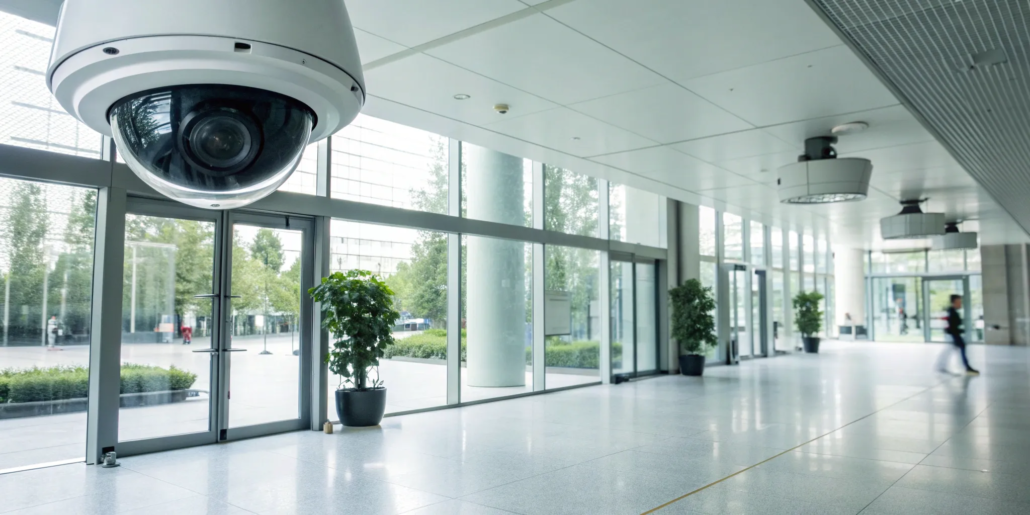
Dome cameras are more discreet, housed in a dome-shaped casing that makes it hard for people to tell which way the lens is pointing. This makes them great for indoor spaces like lobbies and retail floors. Fisheye cameras take this a step further, offering a complete 360-degree view from a single point. They are incredibly efficient for covering wide indoor areas and eliminating blind spots. If you’re unsure which style is right for you, our team can help you design a custom solution.
Matching a Security System to Your Industry
Not all businesses face the same security challenges. A retail boutique has different needs than a sprawling warehouse, and a healthcare clinic requires a different approach than a construction site. The best commercial security system is one that’s tailored to your specific industry, addressing your unique vulnerabilities and operational needs. A one-size-fits-all solution just won’t cut it when your assets and people are on the line.
Choosing the right setup means thinking about your daily operations, compliance requirements, and biggest risks. Do you need to monitor transactions at a register, secure a large perimeter, control who enters sensitive areas, or protect equipment in a remote location? Let’s look at some common industries and the security features that matter most for each.
Retail Stores: Prevent Theft and Monitor Customer Flow
For retail store owners, the top priorities are usually preventing theft and understanding customer behavior. A well-placed commercial camera system can do both. High-definition cameras at entrances, exits, and over cash registers are essential for deterring shoplifters and resolving any transaction disputes. Integrating your cameras with your point-of-sale (POS) system can also help you spot suspicious activity like fraudulent returns or unauthorized discounts. Beyond security, cameras can provide valuable insights into customer traffic patterns, helping you optimize your store layout and staffing for a better shopping experience.
Warehouses: Ensure Wide Coverage and Protect Inventory
Warehouses are large, complex spaces filled with valuable inventory, making them a prime target for theft. Your security system needs to provide wide-area coverage, even in low-light conditions. Cameras with infrared night vision and wide-angle lenses are perfect for monitoring large storage areas, loading docks, and perimeter fences around the clock. These systems not only protect your inventory but also help you maintain a safe working environment, ensuring you meet OSHA safety regulations. With the right setup, you can keep an eye on your entire facility from a single screen.
Office Buildings: Manage Access and Keep Employees Safe
In an office environment, the focus shifts to protecting your people and controlling who comes and goes. Security cameras are a critical component of a comprehensive safety plan, especially when paired with access control systems. Placing cameras in lobbies, reception areas, server rooms, and near elevators allows you to monitor all entry points and sensitive areas. This setup helps prevent unauthorized access and creates a visual record of everyone who enters the building. It gives both you and your employees peace of mind, knowing the workplace is being actively monitored and secured.
Construction Sites: Monitor Remotely and Protect Equipment
Construction sites are often remote and filled with expensive equipment and materials, making them vulnerable to theft and vandalism, especially after hours. A robust security system designed for rugged, outdoor environments is a must. Look for durable, weatherproof cameras with remote monitoring capabilities. This allows you to check in on your site from anywhere, at any time, using your phone or computer. Features like motion-activated alerts can instantly notify you of any unusual activity, so you can respond quickly to protect your valuable assets and keep your project on schedule.
Healthcare Facilities: Maintain Compliance and Patient Safety
Security in healthcare is about more than just protecting property; it’s about ensuring patient safety and maintaining strict regulatory compliance. Facilities must adhere to regulations like HIPAA, which governs patient privacy. Your security system needs high-resolution cameras that provide clear images while also offering features like privacy masking to block sensitive areas from view. Placing cameras in waiting rooms, hallways, and pharmacies helps deter unauthorized access and provides a record of events, all while respecting patient confidentiality. It’s a delicate balance, but the right security products make it achievable.
Understanding the Costs of a Commercial Security System
Figuring out the budget for a commercial security system can feel like a big task, but breaking it down makes it much more manageable. The total price depends on your specific needs—the size of your property, the type of industry you’re in, and the level of protection you want. Think of it not just as an expense, but as a critical investment in protecting your assets, your employees, and your peace of mind. The costs generally fall into four main categories: the initial equipment, professional installation, ongoing monitoring, and any future maintenance or upgrades. Understanding each piece helps you build a system that fits your budget and your business perfectly.
Equipment Costs by System Type
The hardware is typically the largest upfront cost. A basic setup for a small business might start around $1,500, while a comprehensive system for a large warehouse or multi-site operation can run well over $50,000. The price difference comes down to the number and type of cameras, the complexity of the recording and storage devices, and any advanced features like AI analytics. High-resolution cameras, for example, cost more than standard-definition ones. The key is to choose the right systems and products that match your security goals without overspending on features you don’t need.
Professional Installation Fees
While some simpler systems offer DIY installation, a commercial-grade setup really benefits from professional hands. Installation fees can range from $300 to over $2,000, depending on the scale of the project. This cost covers the labor for running wires, mounting cameras in optimal locations, and configuring the entire system to work seamlessly. Paying for a professional installation ensures everything is set up correctly from day one, avoiding vulnerabilities and the headaches of troubleshooting down the line. It’s a worthwhile expense for the reliability and expertise that comes with it.
Ongoing Monitoring Service Costs
Your security system doesn’t stop working after business hours, and that’s where monitoring comes in. Professional 24/7 monitoring services typically cost between $40 and $120 per month. For this fee, a team of security experts keeps an eye on your system, ready to respond to any alerts by contacting you and dispatching emergency services if needed. This constant vigilance is what turns a passive recording system into an active deterrent. Many companies offer different monitoring service packages, allowing you to find a plan that fits your budget.
Maintenance and Upgrade Expenses
Like any technology, security systems need occasional attention to stay in top shape. It’s smart to budget for potential maintenance, like replacing a faulty camera or upgrading your software. Some companies offer maintenance plans or leasing options, which can help spread out the cost over time. As technology evolves, you may also want to upgrade components to keep your security current. Planning for these long-term expenses ensures your system remains effective for years to come. If you’re curious about what a system might cost for your specific business, it’s always a good idea to get a custom quote.
Professional vs. DIY Monitoring: Which Is Better for Your Business?
When you’re choosing a security system, one of the biggest decisions you’ll make is how it will be monitored. Do you handle it yourself, or do you bring in the pros? DIY systems have become popular, often promising lower costs and more control. You get an alert on your phone, and you decide what to do next. This approach can work for some, but for a business, the stakes are much higher. You’re not just protecting your home; you’re securing your inventory, your employees, and your livelihood.
Professional monitoring, on the other hand, connects your security system to a dedicated 24/7 command center. When an alarm is triggered, a trained professional is immediately on it, verifying the threat and dispatching emergency services if needed. This isn’t just a service; it’s a partnership in protecting your business. While the upfront investment might be different, the reliability and peace of mind that come with professional security system monitoring can be invaluable. The right choice depends on your specific needs, the scale of your operations, and how much responsibility you’re prepared to take on yourself.
The Benefits of 24/7 Professional Surveillance
The biggest advantage of professional monitoring is the immediate, expert response. When an alarm goes off, a team of trained professionals is instantly alerted. They can quickly assess the situation—whether it’s a break-in, a fire, or another emergency—and contact the police or fire department on your behalf. This rapid response time can make all the difference in minimizing damage or loss. It also means you aren’t the one getting a call at 3 a.m. and having to make a high-stakes decision alone. This constant oversight gives you the freedom to focus on running your business, knowing that your security is in capable hands around the clock.
The Limitations of DIY Monitoring for Businesses
With a DIY system, the responsibility for monitoring falls squarely on your shoulders. This means every alert, day or night, comes directly to your phone. What happens if you’re in a meeting, on a flight, or simply asleep when a critical notification comes through? A missed alert could mean a delayed response when every second counts. There’s also the issue of false alarms. If your system sends frequent notifications, you might start to ignore them, potentially overlooking a real threat. While DIY security systems are often more budget-friendly, they require your constant attention and place the burden of response entirely on you, which isn’t always practical for a busy business owner.
Expert Installation vs. Self-Installation
How your system is installed is just as important as how it’s monitored. Professional installation ensures every component is set up for optimal performance. Experts know exactly where to place cameras to eliminate blind spots, how to integrate different sensors, and how to secure the network to prevent tampering. This process guarantees your system works correctly from day one. With a self-installation, it’s easy to make small mistakes that can create major security vulnerabilities. Plus, when you work with a professional company, you get ongoing support and maintenance. If you’re ready to discuss a system tailored to your business, it’s always a good idea to contact an expert for a consultation.
Keeping It Legal: Security Cameras, Compliance, and Privacy
Installing a security camera system is a smart move for your business, but it’s not just about picking the right hardware. You also need to think about the laws and regulations surrounding surveillance. Handling privacy rules, industry standards, and employee rights is essential to protect your business from legal trouble. A well-planned system respects privacy while keeping your property and people safe. By understanding your legal responsibilities from the start, you can build a security strategy that is both effective and compliant.
Data Privacy Rules and Storage Compliance
When you install commercial security cameras, you become responsible for the data you collect. This means following data privacy regulations and ensuring your video footage is stored securely. A good system does more than just stop crime; it can also help you run your business better by monitoring operations and keeping everyone safe. Think about who has access to the footage and how long you’ll keep it. Creating clear policies for video storage and access helps you stay compliant and protects the privacy of your customers and employees. Secure storage, whether on-site or in the cloud, is crucial to prevent data breaches.
Industry-Specific Security Standards
Different industries have their own set of rules for video surveillance. For example, healthcare facilities must follow strict HIPAA guidelines, which often require features like privacy zones to protect patient information. Similarly, if you run a retail store, you need to consider PCI compliance to protect customer payment data, which might involve specific camera placements around point-of-sale systems. Understanding the unique security requirements for your specific field is non-negotiable. Working with a security expert who knows these industry-specific standards can help you design a system that meets all necessary legal and regulatory demands from day one.
Employee Privacy Considerations
Monitoring your employees with security cameras requires a careful balance between security and trust. Generally, you can record in common areas like sales floors, warehouses, or reception areas where there isn’t a reasonable expectation of privacy. However, areas like bathrooms, locker rooms, or break rooms are typically off-limits. Transparency is your best policy here. While laws vary, it’s always a good idea to inform your employees about the presence of cameras and their purpose. Avoiding hidden cameras and being upfront about your security measures helps maintain a positive work environment while keeping your business protected.
Key Questions to Ask Before You Buy
Choosing the right security camera system feels like a huge decision, but it doesn’t have to be overwhelming. The key is to ask the right questions before you commit. By thinking through your specific needs upfront, you can find a solution that fits your business perfectly and gives you real peace of mind. Think of this as your pre-purchase checklist to ensure you’re making a smart, long-term investment in your company’s safety. Answering these questions will help you narrow down your options and select a system that truly serves and protects your business.
From understanding the exact square footage you need to cover to planning for future growth, every detail matters. We’ll walk through the essential points to consider, helping you feel confident in your final choice. A well-chosen security system isn’t just about cameras; it’s about creating a secure environment where your team and your assets are protected. It’s about having clear evidence if an incident occurs and deterring potential threats before they happen. Taking the time to evaluate your options based on these key questions will save you headaches and money down the road. Let’s get started on finding the perfect fit for you.
What area do you need to cover?
First things first, walk through your property. Where are your most vulnerable spots? Think about entrances, exits, cash registers, inventory storage, and parking lots. Make a list of every area you need to monitor. This simple exercise will help you figure out how many cameras you need and where they should go. A clear plan for your coverage area ensures there are no blind spots, giving you a complete view of your business operations and keeping your assets protected around the clock. This initial assessment is the foundation of an effective security strategy, helping you focus your investment where it matters most and providing comprehensive surveillance.
What type of cameras are right for your space?
Not all cameras are created equal, and your business might need a mix of different types to get the job done right. Do you need durable, weatherproof cameras for your building’s exterior? Or maybe discreet indoor dome cameras for your lobby? There are also specialized options like Pan-Tilt-Zoom (PTZ) cameras that can cover large areas like a warehouse. Considering your specific environment and what you need to see—whether it’s a wide overview or a detailed close-up—will help you select the right systems and products for each location. Matching the camera to the task is essential for getting clear, useful footage when you need it.
What’s your budget for installation and monitoring?
Let’s talk numbers. Your budget should account for two things: the initial cost of equipment and installation, and the ongoing monthly fee for professional monitoring. While it can be tempting to cut corners, remember that professional installation guarantees your system is set up correctly for optimal performance. It’s also a good idea to look for special offers that can make a top-tier system more affordable. Planning for both upfront and recurring costs helps you find a powerful security solution that fits comfortably within your financial plans without any surprise expenses later on. A clear budget makes the selection process much smoother.
Can the system grow with your business?
Your business is going to grow, and your security system should be able to grow with it. The last thing you want is to invest in a system that you’ll outgrow in a year or two. Ask potential providers if their systems are scalable. This means you can easily add more cameras, integrate new features, or expand coverage to a new wing or location without having to start from scratch. Choosing a flexible, scalable system from the start is a forward-thinking move that protects your investment for the long haul. It ensures your security can adapt just as quickly as your business does, providing continuous protection as your needs evolve.
What kind of support can you expect?
What happens when you need help? A security system is only as good as the support behind it. Before you buy, find out what kind of customer service and technical support is available. Is there a local team you can call for troubleshooting or maintenance? Having access to reliable support is crucial for keeping your system running smoothly and ensuring your business stays protected without interruption. A partner you can count on makes all the difference when you need assistance, providing peace of mind that help is always available. This is especially important for businesses that can’t afford any downtime with their security.
Related Articles
- Top Commercial Alarm Solutions for Your Business Security Needs
- Peachtree City Commercial Security Systems: Seamless Protection
- Norcross Commercial Security Systems: Smart Protection
- Commercial Alarm Systems to Protect Your Business in 2025
- Buckhead Commercial Security Systems: Elite Protection
Frequently Asked Questions
Is professional monitoring really necessary, or can I just use the mobile app? Relying solely on a mobile app puts all the responsibility on you. If an alert comes through while you’re asleep, in a meeting, or on a flight, you might miss it. Professional monitoring means a dedicated team is watching over your business 24/7. They verify real threats and can dispatch emergency services immediately, which is a level of response that’s nearly impossible to manage on your own as a busy business owner.
What’s the biggest mistake businesses make when choosing a security system? The most common mistake is focusing only on the present. Business owners often buy a system that fits their needs perfectly today but doesn’t have the flexibility to grow with them. Choosing a system that isn’t scalable means you might have to replace the entire setup when you expand or move. Thinking about your future needs from the start ensures your investment is protected for the long run.
How can I make sure my security cameras don’t create privacy issues with my employees? Transparency is key. The best approach is to be upfront with your team about where cameras are located and why they are there for security and operational purposes. It’s standard practice to monitor public and work areas like sales floors, stock rooms, and entryways. However, you should always avoid placing cameras in areas where employees have a reasonable expectation of privacy, such as bathrooms or break rooms.
My business is small. Do I still need a custom-designed system? Absolutely. A custom design doesn’t necessarily mean more expensive; it means more effective. For a small business, a tailored system ensures you’re covering your specific vulnerabilities—like a single cash register or a back-alley entrance—without paying for extra cameras or features you don’t need. It’s about getting the right protection for your unique space, not a generic package deal.
What kind of ongoing support should I expect after my system is installed? A great security provider doesn’t disappear once the installation is complete. You should expect reliable ongoing support for any technical issues, questions about using the system, or future maintenance needs. Having a local team you can call for help is a huge advantage. This ensures your system continues to run smoothly and your business stays protected without interruption.

Leave a Reply
Want to join the discussion?Feel free to contribute!