Top 9 Access Control Software List: A Comparison
The access control software market covers a wide range of platforms — from cloud-based systems designed for small businesses to enterprise solutions managing hundreds of doors across multiple sites. The nine platforms covered in this guide include Kisi, Brivo, Genetec, Honeywell Pro-Watch, Lenel OnGuard, Johnson Controls C•CURE 9000, Avigilon Alta, AMAG Symmetry, and Kantech EntraPass. Each is evaluated on deployment model (cloud vs. on-premise), scalability, integration capability, and total cost of ownership. Before comparing individual platforms, it helps to understand what these systems actually do at a property level — our guide to access control gate systems covers the hardware side in detail. Businesses that have already chosen a software platform and need professional installation in the Atlanta area can review our commercial access control and alarm solutions. For a broader look at how access control fits into a complete security strategy, our commercial security systems and products page outlines the full scope of what a professionally managed system includes.
Your security system should do more than just lock doors. It should be the brain of your entire building, making everything smarter and more efficient. When your access control software is integrated with video surveillance, an entry event can automatically trigger a recording. When it’s linked to your HR platform, new team members get access instantly on day one. This is what a truly unified system looks like—it streamlines operations and gives you a complete picture of your property’s security. We’ll explore how these connections work and provide an access control software list highlighting the best access control platforms (門禁系統) available.
Businesses planning a deployment can also explore Atlanta access control system installation for a solution matched to their facility.
Key Takeaways
- Focus on Features That Fit Your Workflow: The best software simplifies your daily operations. Prioritize features like remote management and mobile access that allow you to control your property from anywhere, and look for streamlined visitor management to create a professional and secure experience for guests.
- A Unified System is a Stronger System: Your access control software shouldn’t work in isolation. Integrating it with your video cameras, alarm systems, and even HR software creates a powerful, automated security network that provides clearer insights and reduces the risk of human error.
- Choose a Partner, Not Just a Product: The right software is only effective with proper implementation and support. Select a provider who offers comprehensive training for your team, transparent pricing without hidden fees, and a system that can scale with your business as it grows.
So, What Is Access Control Software?
Think of access control software as the digital gatekeeper for your business. At its core, it’s a system that lets you decide who can enter your building—or even specific rooms within it—and when. Instead of relying on traditional metal keys that can be lost or copied, this software gives you a smart, centralized way to manage entry points across your property. It’s all about letting the right people in while keeping unauthorized individuals out.
The software is the brain behind complete access control systems in Atlanta. It works with hardware like electronic door locks, card readers, and keypads to grant or deny access instantly. With it, you can manage who can enter a building, track entry and exit times, and even lock or unlock doors remotely from your computer or phone. You can also set up custom rules, like giving an employee access only during their scheduled work hours or receiving an alert if a sensitive area is accessed after hours.
This technology gives you a clear, real-time picture of who is moving through your space at all times. It replaces clunky manual processes with an automated, secure solution that protects your employees, assets, and sensitive information. By putting you in complete control of your property’s entry points, it adds a powerful layer of protection to your business operations.
Understanding the Fundamentals of Access Control
Access control might sound technical, but the concept is straightforward. It’s a structured way to manage who gets into your property and what they can do once they’re inside. Every system, from a simple keypad on a single door to a complex network securing an entire corporate campus, operates on the same core principles. Understanding these fundamentals helps you see past the hardware and appreciate how the software intelligently protects your space. It all breaks down into a simple, three-step process, different models for setting rules, and the physical hardware that brings it all together.
How Access Control Works: The Three Core Steps
At its heart, every access control decision happens in a split second through a sequence of three questions: Who are you? Can you prove it? And what are you allowed to do? This process of identification, authentication, and authorization is the foundation of modern security. It ensures that every entry request is properly vetted against the rules you’ve set. This automated process removes the guesswork and potential for human error, providing a consistent and reliable method for securing your premises.
Identification: Who Are You?
This is the first step in any access control interaction. It’s the moment a person presents their credential to the system to claim their identity. This could be as simple as swiping a key card, holding a fob up to a reader, or even just standing in front of a biometric scanner. The system isn’t verifying them yet; it’s just receiving the claim of who they are. Think of it as walking up to a security desk and stating your name. The system now has an identity to check.
Authentication: Prove It
Once a person has identified themselves, the system needs to verify that they are who they say they are. This is the authentication step. It’s the “prove it” moment. The credential itself—the key card, the PIN code you enter, or the fingerprint you provide—serves as the proof. The system checks this information against its secure database to confirm the identity is legitimate. This step is crucial for preventing unauthorized individuals from gaining entry using fraudulent credentials.
Authorization: What Can You Do?
After a user’s identity has been successfully authenticated, the system makes its final decision: what is this person allowed to do? This is authorization. The software checks the permissions assigned to that specific user. Are they allowed through this particular door? Can they enter at this time of day? Should they have access to the server room or just the main office? The system grants or denies access based on these pre-defined rules, ensuring people only go where they are supposed to.
Models of Access Control
While the three-step process is the “how,” access control models are the “why.” These models are the underlying logic or set of rules the software uses to make its authorization decisions. The model you choose depends entirely on your organization’s security needs, from the most rigid, top-down structures to more flexible, dynamic systems. Understanding these different approaches helps you select a system that aligns with your operational workflow and security policies, ensuring the right level of control for your business.
Mandatory Access Control (MAC)
This is the most restrictive model, often used in government and military facilities where security is paramount. In a MAC system, a central authority or administrator classifies all resources (like files or areas) and assigns security clearances to all users. Access is granted based on whether the user’s clearance level matches the resource’s classification. The key feature here is that users—not even the “owner” of a resource—cannot change these permissions. Everything is locked down and controlled from the top.
Discretionary Access Control (DAC)
DAC is a more common and flexible model where the owner of a resource has the discretion to decide who can access it. Think of it like sharing a document in the cloud—you, as the owner, can grant viewing or editing permissions to specific colleagues. In a business setting, a department head might be given the authority to grant access to their team’s office space or storage closets. This model offers more control at the local level, which can be efficient for many businesses.
Role-Based Access Control (RBAC)
Perhaps the most popular model for businesses, RBAC assigns permissions based on a person’s job title or role within the organization. For example, everyone in the accounting department gets access to the finance office, while only the IT team can enter the server room. This simplifies administration significantly and is a core strategy for securing your business from the inside out. Instead of managing permissions for each individual employee, you manage permissions for each role, and they automatically inherit all the appropriate access rights.
Attribute-Based Access Control (ABAC)
ABAC is the most dynamic and granular model. It makes access decisions based on a combination of attributes related to the user, the resource, and the environment. For instance, a rule could be set to grant a specific manager (user attribute) access to financial records (resource attribute) only during business hours (environment attribute) and only from a company-owned device (another environment attribute). This allows for highly specific and context-aware security rules that can adapt in real-time.
Physical Types of Access Control Systems
The logical models we’ve discussed are the brains of the operation, but they need physical hardware to function in the real world. These are the devices you and your employees will interact with every day at entry points like doors, gates, and elevators. The type of hardware you choose will depend on your security needs, budget, and desired level of convenience. At American Alarm, we help Atlanta businesses select and install the right combination of systems and products to create a seamless and secure experience. If you’re trying to figure out the best fit, feel free to contact our team for advice.
Card-Based Access Control
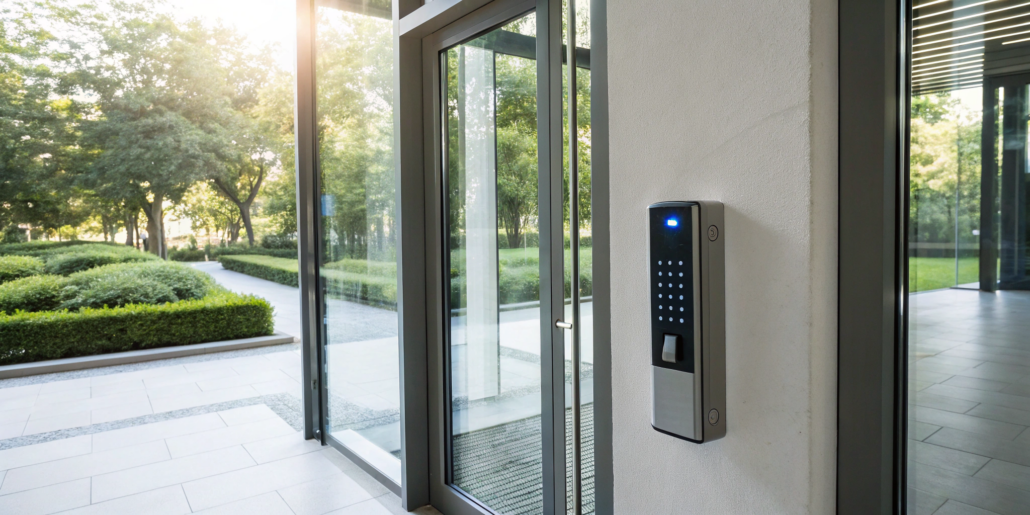
This is one of the most widely used types of access control. Employees are issued a credential, typically a plastic card or a small key fob, which they present to a reader installed near a door. When the card is scanned, the reader sends the information to the central control panel, which then verifies the user’s permissions and unlocks the door if authorized. These systems are effective, easy to manage, and provide a clear audit trail of who entered and when, making them a solid choice for many businesses.
Keypad and PIN Access Control
Keypad systems require users to enter a unique personal identification number (PIN) to gain access. This eliminates the need for a physical credential like a card or fob, which can be lost or stolen. Often, for added security, these systems are combined with a card reader in a “two-factor authentication” setup, requiring both a card and a PIN. This ensures that even if a card is misplaced, an unauthorized person can’t get in without knowing the code. Keypads are a reliable and cost-effective solution for controlling access to specific areas.
The Top Access Control Software: A Comparison
Choosing the right software is about finding the perfect fit for your property’s size, needs, and budget. Some systems are built for massive corporate campuses, while others are designed for a small business with a single office. Let’s walk through some of the leading names in the industry to see what makes each one unique. This will give you a clearer picture of the landscape and help you identify what features matter most to you.
How Vendors Are Rated: Leaders, Innovators, and Service Stars
When you start comparing access control software, it helps to know how the industry evaluates them. It’s not just about a long list of features; it’s about performance and the overall customer experience. According to industry insights that classify these vendors, they typically fall into three main groups. Leaders are the well-rounded, top-rated products recognized for their strong capabilities and ease of use. Product Innovators are the forward-thinkers, offering cutting-edge features that users highly recommend. Finally, Service Stars are celebrated for delivering an amazing user experience and building strong customer relationships. Understanding these distinctions can help you narrow down your options and find a solution that aligns perfectly with your priorities, whether that’s advanced technology, proven reliability, or exceptional support.
A Look at American Alarm
For Atlanta small businesses, American Alarm provides access control software installation backed by NICET IV certified expertise — the highest level for fire alarm and security engineering. Since 1995, we’ve helped local offices, retail spaces, and commercial facilities choose and implement the right access control platform for their size and budget. Unlike national vendors, we’re not tied to a single brand; we recommend the best-fit solution from leading platforms and install it with flat $69 service calls and monitoring from $18.95/month. If you already have an access control system, our free reactivation program can bring it back online at no cost. Talk to our Atlanta team for a free consultation and find out which access control software fits your business.
A Look at Kisi
Kisi is a popular cloud-based system that’s known for its flexibility and modern interface. It’s a great fit for businesses of all sizes because it’s easy to manage. Through its user-friendly dashboard and highly-rated mobile app, you can handle group permissions, grant temporary visitor access, and even initiate a building lockdown remotely. Kisi’s platform also integrates with video monitoring, giving you a centralized way to manage who comes and goes. If you’re looking for a system that’s straightforward and puts powerful features right on your smartphone, this is one to consider.
A Look at Johnson Controls
Johnson Controls offers a robust, web-based access control system designed for comprehensive building management. It allows you to do more than just control doors; you can create detailed schedules, monitor alarms, and manage permissions from a central platform. The system includes both web and mobile apps for remote control, giving you flexibility whether you’re on-site or away. It also integrates with video cameras and is built to expand, making it a scalable choice for businesses that anticipate future growth and want a system that can grow with them.
Industry Standing and User Insights
When you’re comparing software, it’s easy to get lost in a long list of features. What really tells the story is how these systems perform in the real world. That’s why looking at industry standing and user insights is so valuable. Many rankings are based entirely on feedback from real people who use the software daily, giving you an honest look at its strengths and weaknesses. You’ll often see providers categorized as “Leaders” for their strong features and user experience, or “Product Innovators” for their forward-thinking technology. For instance, users often praise ZKTeco for its reliable biometric performance, while Kisi is frequently highlighted for its modern, user-friendly interface. The key takeaway is that a system’s reputation is built on how well it serves its users and integrates into a complete security solution.
A Look at ADT Commercial
As one of the most recognized names in security, ADT offers a comprehensive access control solution through its ADT Pulse software. This system is designed to give you a complete view of your property’s activity. You can monitor movement, receive real-time alerts, and integrate access control with your existing alarm systems for a unified setup. ADT Commercial’s platform supports a variety of entry methods, including mobile access, keycards, and intercoms, providing a layered approach to securing your facility. It’s a solid option for those who want a system from a long-established industry leader.
Industry Standing and User Insights
When you’re comparing software, it’s easy to get lost in a long list of features. What really tells the story is how these systems perform in the real world. That’s why looking at industry standing and user insights is so valuable. Many rankings are based entirely on feedback from real people who use the software daily, giving you an honest look at its strengths and weaknesses. You’ll often see providers categorized as “Leaders” for their strong features and user experience, or “Product Innovators” for their forward-thinking technology. For instance, users often praise ZKTeco for its reliable biometric performance, while Kisi is frequently highlighted for its modern, user-friendly interface. The key takeaway is that a system’s reputation is built on how well it serves its users and integrates into a complete security solution.
A Look at Verkada
Verkada stands out by using a single cloud-based platform, Verkada Command, to connect all its security products. This creates a seamless experience where your access control, cameras, and alarms all work together. From the platform, you can set custom access levels for different users, create schedules, and view live video feeds from associated cameras when an entry event occurs. You can also unlock doors remotely and initiate lockdowns with a single click. Verkada’s approach is ideal for businesses looking for an all-in-one, integrated security ecosystem that’s easy to manage from anywhere.
A Look at Brivo
Brivo is a pioneer in cloud-based access control and offers a solution that pairs security with convenience. The platform is particularly well-suited for both commercial and residential buildings, thanks to its specialized applications. It provides a dedicated app for mobile access, another for property managers to oversee the system, and even one tailored for smart home integrations. This focus on user-specific experiences makes it a versatile choice. Brivo’s system combines access control with video surveillance, giving you a complete and flexible security solution that can be managed from any device.
Industry Standing and User Insights
When you’re comparing software, it’s easy to get lost in a long list of features. What really tells the story is how these systems perform in the real world. That’s why looking at industry standing and user insights is so valuable. Many rankings are based entirely on feedback from real people who use the software daily, giving you an honest look at its strengths and weaknesses. You’ll often see providers categorized as “Leaders” for their strong features and user experience, or “Product Innovators” for their forward-thinking technology. For instance, users often praise ZKTeco for its reliable biometric performance, while Kisi is frequently highlighted for its modern, user-friendly interface. The key takeaway is that a system’s reputation is built on how well it serves its users and integrates into a complete security solution.
A Look at HID Global
You might know HID Global for its widely used keycards and fobs, but the company also provides complete access control systems. Their strength lies in secure identity technology, which forms the foundation of their hardware and software. HID’s solutions are trusted in high-security environments, from government buildings to corporate headquarters. They offer a range of options, from web-based management for small businesses to enterprise-level software for complex organizations. If your priority is top-tier credential security and a system built on decades of identity management expertise, HID is a major player to look at.
A Look at Genetec
Genetec is known for its unified security platform, Security Center. This software doesn’t just handle access control; it brings together video surveillance, automatic license plate recognition, and other systems into a single, intuitive interface. This unified approach helps you see the bigger picture and manage all aspects of your property’s protection more efficiently. Genetec’s platform is highly scalable and favored by organizations like airports, universities, and city-wide surveillance projects that need to manage complex security operations without juggling multiple disconnected systems.
A Look at AMAG Technology
AMAG Technology’s Symmetry Security Management System is a powerful, enterprise-level solution designed for organizations with sophisticated security requirements. It’s more than just an access control system; it’s a comprehensive platform that integrates access control, video management, and intrusion detection. The system is known for its reliability and ability to handle a large number of doors and cardholders across multiple sites. AMAG’s Symmetry platform is a go-to choice for corporations, healthcare facilities, and government agencies that need a robust, centralized system to manage their complex security needs effectively.
Open vs. Proprietary Systems: Making the Right Choice
As you explore your options, you’ll likely hear the terms “open” and “proprietary” used to describe access control systems. This might sound like technical jargon, but the distinction is one of the most important factors in your decision. It affects everything from your upfront cost and long-term flexibility to how easily your system can integrate with other technology. Choosing one path over the other sets the foundation for your entire security infrastructure, so understanding what each approach offers is crucial for making a smart investment that will serve your needs for years to come.
Understanding the Difference
The easiest way to think about this is to compare it to smartphones. A proprietary system is like an iPhone; one company designs and builds both the hardware (the phone) and the software (iOS). They are created to work together seamlessly as a single, closed package. In the access control world, this means the card readers, control panels, and management software all come from the same manufacturer. An open system is more like an Android phone. Different companies make the hardware, but they can all run similar software. This approach uses controllers from widely adopted manufacturers, allowing you to pair hardware from one company with software from another.
The Pros and Cons of Open Systems
The primary advantage of an open system is freedom from “vendor lock-in.” If you choose a proprietary system and become unhappy with the software or service down the line, your options are limited. Switching usually means replacing all the hardware you invested in. With an open system, you have the flexibility to change your software provider without having to tear out and replace your existing controllers and readers. This gives you more control and protects your investment. Open systems also tend to make it easier to integrate your access control with other tools, like video management systems, creating a more connected and efficient security setup.
Examples of Open System Manufacturers
Many of the industry’s leading brands build their platforms with an open architecture. Companies like Genetec, Brivo, and Johnson Controls often use trusted, standardized hardware components from manufacturers like Mercury or HID. This allows them to focus on creating powerful, user-friendly software that can operate on a reliable hardware foundation. When considering an open system, it’s still important to confirm that the specific software you’re interested in is compatible with the hardware you plan to use. A knowledgeable provider can help ensure all the components will work together perfectly.
Examples of Proprietary System Manufacturers
On the other side, you have companies that build proprietary systems from the ground up. Manufacturers like AMAG Technology, Kantech, and Software House develop their own unique hardware and software that are engineered to function as a single, cohesive unit. The main benefit here is that you’re getting a solution where every component has been optimized to work together by a single manufacturer. This can sometimes lead to a very stable and reliable user experience, as there are no potential compatibility issues between different vendors’ products. The trade-off, of course, is the lack of flexibility if you ever decide you want to switch to a different software platform.
Key Features to Look for in Access Control Software
When you start looking at access control software, the sheer number of options can feel overwhelming. While every business has unique needs, there are a few core features that set the best systems apart from the rest. Think of these as the non-negotiables for modern, effective building management. The right software doesn’t just lock and unlock doors; it gives you a clear, comprehensive view of who is coming and going, all while making your day-to-day operations smoother. From managing access on the go to integrating with your other security tools, these are the features that deliver real value and peace of mind.
Manage Access from Anywhere
Imagine being able to grant access to a last-minute contractor or lock a door you forgot about, all from your phone, whether you’re across town or on vacation. That’s the power of remote management. Modern, cloud-based access control systems let you oversee your property from anywhere with an internet connection. This flexibility is a game-changer for business owners who can’t be on-site 24/7. You can instantly add or remove user permissions, check event logs, and respond to situations in real-time without having to rush back to the office. It’s about having complete control, right in your pocket.
Seamless Mobile and App Integration
Physical keycards and fobs are becoming a thing of the past. Today, the most convenient and secure way to manage entry is with a smartphone. Top-tier access control software offers mobile access, allowing employees and approved individuals to use their phones as their keys. This eliminates the headache and cost of replacing lost or stolen cards. A well-designed mobile app also serves as a central hub for users to manage their own access and for administrators to track activity and receive notifications, making the entire process seamless and user-friendly.
Streamline Your Visitor Management
How do you handle visitors, clients, or delivery drivers? A clunky sign-in sheet at the front desk is inefficient and doesn’t offer much security. A great access control system includes a streamlined visitor management feature. This allows you to easily issue temporary credentials—like a QR code or a digital key—that are only active for a specific time. You can grant a guest access to the lobby for their 2 p.m. meeting and have that access automatically expire an hour later. It creates a more professional experience for your guests and gives you a clear digital record of everyone who has entered your building.
The Power of Biometric Authentication
For areas that require a higher level of protection, biometric authentication is the gold standard. This technology uses unique biological traits to verify a person’s identity, such as a fingerprint, facial scan, or even a palm print. Because these markers are nearly impossible to duplicate or steal, biometrics provide a significant step up from traditional keys or PIN codes. This feature is ideal for securing sensitive spaces like server rooms, cash offices, or areas where valuable inventory is stored. It ensures that only specifically authorized individuals can gain entry, adding a powerful layer of protection to your most critical assets.
Stay Informed with Real-Time Alerts
A security system is only as good as your ability to respond to an issue. That’s why real-time monitoring and instant alerts are crucial. The best software will immediately notify you of important events, such as a door being propped open, an unauthorized access attempt, or a system malfunction. These alerts can be sent directly to your phone or email, allowing you to take immediate action. This proactive approach means you’re not just reviewing what happened yesterday; you’re actively managing the security of your building as events unfold. It’s a key part of any effective monitoring service.
Does It Work with Your Current Setup?
Your access control system shouldn’t operate in a silo. It should work hand-in-hand with the other security tools you already have in place. Look for software that offers robust integration capabilities, especially with your video surveillance system. When these two are linked, an access event (like a door being opened) can automatically trigger the nearest camera to record. This provides valuable visual context for every entry. Integration with alarm systems, HR platforms, and other business tools can further streamline your operations, creating a single, cohesive security and management ecosystem for your entire property.
Ensure Uptime with Battery Backup
Power outages are an unavoidable reality, but your building’s security can’t afford to take a break. That’s why a reliable battery backup is an essential feature of any professional access control system. When the power goes out, the best systems don’t just shut down; they seamlessly switch over to a backup power source. This ensures your doors remain secured, your readers stay active, and your system continues to log access events without interruption. For larger properties, this might involve a dedicated Uninterruptible Power Supply (UPS) to extend operational time during a prolonged outage. It’s a critical component that guarantees continuous protection, ensuring your property is never left vulnerable.
Direct Alerts with Alarm Vectoring
Getting a notification is one thing; getting the right notification to the right person is what makes a system truly smart. This is where alarm vectoring comes in. Instead of sending every single alert to a general inbox, the software can intelligently route specific notifications to designated individuals. For example, an alert for a door that’s been propped open can be sent directly to the on-site manager, while a more critical event like a forced entry attempt can be instantly routed to both the business owner and your professional monitoring center. This targeted approach prevents alert fatigue and ensures that important events get an immediate and appropriate response from the people who need to know.
Protect Data with Database Partitioning
Your access control system holds sensitive information, from employee schedules to a detailed log of who has been where. Protecting this data is just as important as protecting your physical entry points. Database partitioning is a key feature for this, acting like digital walls within your software. It allows you to segment access to the system’s data, so a manager in one department can only view and manage credentials for their own team. This is crucial for maintaining privacy and security, especially in businesses with multiple departments or in multi-tenant commercial buildings. It ensures that sensitive information remains confidential and accessible only to authorized personnel, strengthening your overall security posture.
Breaking Down Access Control Software Pricing
Figuring out the cost of access control software can feel like a puzzle, but it doesn’t have to be. The price depends on the type of system you choose, the size of your property, and the features you need. Most pricing models are designed to be flexible, so you can find a solution that fits your budget without sacrificing protection. By understanding the common pricing structures, you can ask the right questions and find a system that works for your Atlanta business or home. Let’s break down the main factors that will influence your total cost.
Subscription or One-Time Fee?
You’ll generally encounter two payment models: a recurring subscription or a one-time payment. Cloud-based systems typically use a subscription model, where you pay a monthly or annual fee. This approach offers great flexibility, allowing you to scale your system up or down as your needs change. It also means lower initial costs. On the other hand, traditional on-premise systems often come with a one-time payment for the software license and hardware. While this requires a larger upfront investment, you own the software outright, which can be more cost-effective in the long run for some organizations.
Paying Per Door vs. Per User
Beyond the initial payment model, providers often calculate costs based on the number of doors or users. A per-door model charges you for each access point you want to secure. This is a great fit if you have a large number of employees but only a few critical entry points to manage. Alternatively, a per-user model bases the price on how many people need access credentials. This can be more economical for locations with many doors but a smaller, consistent group of staff. To get a clear picture of potential costs, you should evaluate your specific needs by counting both your doors and the number of people who will need access.
How Cloud vs. On-Premise Affects Price
The type of system you choose—cloud or on-premise—directly impacts pricing. Cloud-based systems generally have lower upfront costs because you don’t need to purchase and maintain your own servers. The ongoing subscription fees cover software access, updates, and support. In contrast, on-premise solutions require a larger initial investment for server hardware and software licenses. While the upfront cost is higher, you avoid recurring fees, which can lead to lower long-term expenses if you have the IT resources to manage the system effectively. We can help you explore the different systems and products to see which makes the most financial sense for you.
How to Spot and Avoid Hidden Fees
When you’re comparing quotes, it’s important to look beyond the sticker price. Some access control systems come with hidden fees that can catch you by surprise. Be sure to ask about potential extra costs for things like installation, initial setup, or training for your staff. You should also clarify if advanced features, ongoing maintenance, or customer support are included in the base price or if they require a separate fee. A trustworthy provider will offer transparent pricing. Always ask for a detailed breakdown of all costs so you know exactly what you’re paying for before you commit.
Cloud vs. On-Premise: Which Is Right for You?
One of the biggest decisions you’ll make when choosing an access control system is where your data lives: on a server at your location (on-premise) or on the internet (cloud-based). This choice affects everything from your daily operations and initial costs to your long-term flexibility, so it’s worth taking the time to understand the differences. There’s no single right answer—it all comes down to what your business needs.
Cloud-based systems, often called Software as a Service (SaaS), store your access control data on secure, remote servers managed by the provider. You access and manage your system through a web browser or mobile app. The biggest draw here is convenience. You can add or remove users, check activity logs, and even unlock doors from anywhere with an internet connection. Updates and security patches are handled automatically by the provider, so you always have the latest features without needing an IT person to manage them. This model usually involves a monthly or annual subscription fee, which covers software, support, and data storage, making the initial investment much lower than a traditional system.
On-premise solutions are the more traditional approach. All the software and data are housed on a dedicated server located physically at your business. This gives you complete ownership and control over your security infrastructure. You’re not dependent on an internet connection for the system to grant access, which can be a critical factor for some operations. This is often the preferred choice for organizations with strict data privacy policies or specific compliance requirements, as all information stays within your own network. However, this control comes with more responsibility. You’ll need to budget for the upfront cost of the server hardware and plan for ongoing maintenance, updates, and data backups, which may require dedicated IT staff.
Why Choose a Cloud-Based System?
If you value flexibility and ease of use, a cloud-based system is likely your best bet. With the cloud, you can oversee and manage security remotely, whether you’re at another office, at home, or on the go. Need to grant a contractor temporary access or revoke an employee’s credentials immediately? You can do it from your phone or laptop in seconds. Cloud systems let you add or remove users from anywhere and often integrate smoothly with other tools like video cameras. While there’s a subscription fee, the reduced need for on-site hardware and IT maintenance means the long-term benefits and cost savings often make it a smart financial choice for growing businesses.
When Does an On-Premise Solution Make Sense?
For some businesses, keeping data in-house is non-negotiable. On-premise solutions give you direct, physical control over your servers and security data. This is a major advantage for organizations with strict privacy policies or those in industries with heavy compliance requirements. You aren’t reliant on an internet connection for the system to function, which provides peace of mind. While traditional access control systems can come with higher upfront hardware costs and require more hands-on maintenance, the trade-off is complete authority over your security infrastructure. This level of control over data and security is precisely why many businesses continue to choose this tried-and-true method.
Getting the Best of Both with a Hybrid Model
You don’t always have to pick just one. A hybrid approach offers a middle ground, letting you combine the benefits of both cloud and on-premise systems. For instance, you could keep your most sensitive data stored on a local server while using the cloud for everyday management tasks like adding users or checking activity logs. This model allows you to maintain control over critical information while still getting the convenience and remote access of a cloud platform. A hybrid system is a great way to balance the need for robust, on-site security with the operational advantages of modern, flexible technology, giving you a solution tailored perfectly to your business.
How to Integrate Access Control with Your Current Systems
An access control system is a fantastic tool on its own, but it becomes a true powerhouse when it communicates with the other systems you already use. Think of it as moving from a solo player to a fully coordinated team. When your security, HR, and building management platforms are all on the same page, you create a seamless, intelligent environment that is both more secure and easier to manage. Modern access control systems are designed for this kind of teamwork.
Integrating these systems means you can automate routines, reduce manual data entry, and gain a much clearer picture of what’s happening on your property at any given moment. Instead of checking multiple different dashboards to piece together a story, you get a single, unified view. This not only tightens your security protocols but also streamlines your day-to-day operations, saving you time and preventing costly human errors. It’s about making your building work smarter, not harder.
Pairing with Your Video Surveillance
Pairing your access control system with video cameras is one of the most effective security moves you can make. It’s simple: access control tells you who has permission to enter, but video shows you who actually entered. This integration gives you undeniable visual proof for every single event at your doors, whether it’s a successful entry, a denied attempt, or a door being propped open.
When an access event occurs, the system can automatically bookmark the corresponding video footage. This makes reviewing incidents incredibly fast and straightforward. Instead of scrubbing through hours of video, you can jump directly to the few seconds that matter. This combination of data and visuals provides a complete narrative, strengthening your security and giving you clear evidence if an investigation is ever needed. It’s a core component of our commercial camera systems.
Syncing with HR and Employee Platforms
Integrating access control with your HR platform is a game-changer for managing employee permissions. From an employee’s first day to their last, their access rights can be handled automatically. When a new hire is added to the HR system, they can be instantly issued the appropriate credentials and access levels without you lifting a finger.
Even more importantly, this works just as smoothly for offboarding. When an employee resigns or is terminated, revoking their access is as simple as updating their status in the HR system. This instantly deactivates their keycard or mobile credential, eliminating the security risk of a former employee retaining access. This automation ensures your access policies are enforced consistently, improving both security and operational efficiency while reducing the burden on your administrative staff.
Integrating with Building Management
Connecting access control to your building management system (BMS) transforms your property into a truly smart and responsive space. This integration allows your building to react based on who is present. For example, when the first employee badges in for the day, the system can automatically trigger the lights to turn on and the HVAC to adjust to a comfortable temperature in their specific zone.
When the last person leaves and locks up, the system can ensure all lights are turned off, thermostats are set to an energy-saving mode, and all appropriate doors are secured. This not only adds a layer of convenience but can also lead to significant energy savings over time. It allows you to automate building functions based on actual occupancy, ensuring resources are only used when and where they are needed.
Connecting to Fire and Alarm Systems
In an emergency, every second is critical. Integrating your access control with your fire and alarm systems is essential for life safety. When a fire alarm is triggered, the integrated system can automatically unlock doors along designated evacuation routes, allowing people to exit quickly and safely without fumbling for keys or credentials.
At the same time, the system can be programmed to lock down other areas to contain a threat or prevent unauthorized access during the chaos of an emergency. This ensures your security measures support, rather than hinder, your emergency response plan. A properly synced system is a key part of our NFPA fire alarm services, providing peace of mind that your property is prepared for any situation.
Essential Security Best Practices for Access Control
Choosing the right access control software is a huge step, but it’s only half the battle. The most advanced system in the world won’t be effective if it isn’t managed with smart, consistent security habits. Think of it like having a high-performance car; you still need to follow the rules of the road to stay safe. At American Alarm, we don’t just install systems; we help you build a complete security strategy. The following best practices are the foundation of that strategy, turning your access control system from a simple tool into a powerful shield for your property.
The Principle of Least Privilege (PoLP)
This might sound technical, but the idea is simple: people should only have access to the areas and information they absolutely need to do their jobs—and nothing more. It’s about giving everyone the right keys, but not the master key. For example, your marketing team needs access to the main office, but they probably don’t need to get into the server room or the accounting files. By following this principle, you dramatically reduce your risk. If an employee’s credential is ever compromised, the potential damage is contained because their access is already limited. It’s a fundamental rule to manage access control effectively.
Adopting a Zero Trust Model
The old way of thinking about security was like a castle with a moat: once you were inside, you were trusted. The Zero Trust model flips that idea on its head. It operates on the principle of “never trust, always verify.” This means the system requires verification from everyone trying to access any resource, regardless of whether they are inside or outside the network. It assumes no one can be trusted by default. In practice, this means consistently verifying users and using multi-factor authentication where possible. It’s a proactive stance that hardens your defenses by assuming threats could come from anywhere, creating a much more resilient security posture.
The Importance of Regular Access Audits
Over time, your business will change. Employees take on new roles, move departments, or leave the company. If their access permissions aren’t updated to reflect these changes, you can end up with significant security gaps. That’s why regular access audits are so important. At least once or twice a year, you should review who has access to what. This process helps you spot and correct issues, like former employees who still have active credentials or current team members who have accumulated more permissions than they need. It’s a simple but critical maintenance task that keeps your system clean and secure.
Enforcing a No Shared Accounts Policy
It might seem harmless for a coworker to borrow a keycard or share a PIN code, but this habit completely undermines your security. When credentials are shared, you lose accountability. The event log might show that a door was opened, but you have no way of knowing who actually opened it. Enforcing a strict policy of no shared accounts is essential. Every person should have their own unique credential that is tied directly to them. This ensures that your access logs are accurate and meaningful, giving you a clear and reliable record of who went where and when. It’s a simple rule that makes a world of difference in an investigation.
Implementing Separation of Duties
This practice is all about creating checks and balances to prevent any single individual from having too much control over a sensitive process. The goal is to divide critical tasks among multiple people. For example, you wouldn’t want the same person who can approve a large payment to also be the one who can authorize its release. In access control, this might mean requiring two different managers to approve access to a high-security area. By distributing these responsibilities, you make it much more difficult for fraud or a significant error to occur without being noticed. It’s a powerful strategy for protecting your most valuable assets.
Common Implementation Hurdles (And How to Clear Them)
Choosing the right access control software is a huge step, but the journey doesn’t end there. A smooth implementation is what truly brings your new system to life and ensures it protects your business effectively. It’s easy to get tripped up by unexpected hurdles during the setup process. But with a little foresight, you can plan for these common challenges and keep your project on track. Thinking through integration, training, policies, and maintenance ahead of time will save you headaches later and help you get the most out of your investment from day one. Let’s walk through what to expect and how to prepare.
Making Different Systems Work Together
One of the biggest challenges is making sure your new access control software plays well with the systems you already have. It’s not uncommon for the desired security policy to be difficult to implement because the technology doesn’t quite line up. Your access control system shouldn’t operate in a silo; it needs to connect seamlessly with your cameras, alarms, and other business tools. Before committing to a provider, discuss your current setup and confirm their ability to create a truly unified system. A successful integration means all your security products work together, giving you a complete and accurate picture of what’s happening at your property.
Getting Your Team Onboard
A powerful system is only effective if your team knows how to use it. Many businesses, especially smaller ones, don’t have dedicated IT staff to manage complex software, which can lead to poorly managed access and security risks. The best approach is to choose a system with a user-friendly interface and a provider who offers comprehensive training. Your employees need to feel confident handling day-to-day tasks like issuing credentials, revoking access, and running reports. Don’t hesitate to ask potential providers about their training process and what kind of support they offer after the initial setup. A little training goes a long way in preventing user errors and maintaining security.
Why Consistent Access Policies Matter
It’s a classic scenario: the people who decide on the security rules aren’t the same people who program them into the system. This disconnect can lead to inconsistent or confusing access policies. Before you even start implementation, sit down and create a clear, written access control policy. Define who gets access to which areas, during what times, and under what conditions. Outline the process for requesting and approving access changes. Having these guidelines established upfront ensures everyone is on the same page and that the rules are applied consistently across your entire organization, closing potential security gaps before they can be exploited.
Planning for Long-Term Maintenance
Just like any other critical business system, your access control software needs regular attention to perform at its best. This means staying on top of software updates, checking hardware like readers and locks, and periodically reviewing your access policies to ensure they’re still relevant. Whether you choose a cloud-based or on-premise solution, ongoing maintenance is key to long-term reliability and security. Partnering with a professional ensures you have an expert on call for any necessary repairs or system checks. This proactive approach keeps your system running smoothly and protects your investment for years to come.
How to Choose the Right Access Control Software
Picking the right access control software can feel like a huge decision, but it doesn’t have to be overwhelming. When you break it down, it’s about finding a system that fits your business’s unique rhythm. Think about your daily operations, your team’s comfort level with technology, and where you see your company in the next five years. The best software is one that blends into your workflow, making your premises more secure without creating headaches for your team. It’s about finding that perfect balance between robust protection and everyday usability.
Key Factors to Consider
With a clearer picture of the landscape, you can start to narrow down the options. The best choice comes down to a handful of key factors that are specific to your property and operations. By thinking through the size of your building, the number of people who need access, your security requirements, and your budget, you can confidently select a system that’s a perfect match for your needs.
The Size of Your Building
The right software for a single-door office will be very different from what’s needed for a sprawling commercial complex with dozens of entry points. The physical size and layout of your property are the first things to consider. Think about how many doors you need to secure, whether you have multiple buildings, and if you need to manage access to specific zones like a warehouse or server room. A system designed for a large campus might be overkill for a small business, while a basic system won’t offer the scalability a growing enterprise needs. It’s all about finding a solution that matches the scale of your operations right now, with the flexibility to grow with you in the future.
The Number of Users
Just as important as the number of doors is the number of people who will need access. Some software providers charge on a per-door basis, which can be ideal for a location with many employees but only a few secured entrances. Others use a per-user model, basing the price on how many individuals need credentials. This can be more economical if you have a smaller, consistent team but need to secure many different rooms or areas. Take a moment to count both your doors and the number of people who will need access; this simple step will help you request a more accurate quote and determine which pricing structure makes the most sense for your business.
Your Required Security Level
Not all areas of your property require the same level of protection. Your main entrance might be fine with a standard keycard, but a room containing sensitive information or valuable assets may need something more. This is where layered security comes in. The best access control software allows you to assign different security measures to different areas. For your most critical zones, you might implement biometric authentication like a fingerprint or facial scan, which provides a much higher level of certainty than a simple PIN. This flexibility ensures you can apply the right amount of protection exactly where it’s needed most.
Your Overall Budget
Of course, your budget plays a huge role in your decision. The total cost of an access control system includes the software itself, the hardware like readers and locks, and potentially installation and ongoing maintenance. The good news is that there are flexible solutions designed to fit a wide range of financial plans. Whether you prefer a lower upfront cost with a monthly subscription or a one-time purchase, you can find a system that works for you. Look for providers who offer transparent pricing and be sure to check for affordable security options that deliver robust protection without breaking the bank. A smart investment protects your business and provides long-term value.
Does It Meet Your Compliance Needs?
First things first, your access control software needs to handle your specific security challenges. This goes beyond just keeping doors locked; it’s about protecting sensitive areas, valuable assets, and confidential data. For many businesses, it’s also about meeting industry-specific compliance standards, whether that’s HIPAA in healthcare or other regulations that govern data protection. Your software should provide detailed audit trails and reporting features, so you can easily track who went where and when. This creates accountability and ensures you have the necessary documentation if you ever need it. Choosing a system that understands these access control best practices is fundamental to securing your operations.
HIPAA for Healthcare
If you operate a medical clinic, dental office, or any healthcare facility, you know that protecting patient information is non-negotiable. The Health Insurance Portability and Accountability Act (HIPAA) sets strict rules for safeguarding this sensitive data. Your access control system is a critical part of your compliance strategy. It allows you to restrict entry to sensitive areas like server rooms and records storage, ensuring only authorized staff can get in. A robust system also provides detailed audit logs, creating a clear record of who accessed these locations and when, which is essential for demonstrating HIPAA compliance during an audit.
GDPR for Data Privacy
While the General Data Protection Regulation (GDPR) is a European law, its reach is global. If your business handles the personal data of anyone in the European Union, you need to comply with its standards. A core principle of GDPR is limiting data access to only those who absolutely need it for their job. An access control system is the perfect tool for enforcing this. By setting granular permissions, you can make sure that only specific employees can enter rooms where personal data is stored or processed, helping you implement the necessary technical measures to protect that information and uphold privacy standards.
PCI DSS for Payment Cards
For any business that accepts credit card payments, the Payment Card Industry Data Security Standard (PCI DSS) is a must. This standard requires you to protect cardholder data from unauthorized access. Your access control software plays a direct role here by securing the physical locations where this data lives, such as your server room or back office. By restricting and monitoring who can enter these areas, you create a secure environment that helps prevent data breaches. This is a fundamental part of meeting PCI DSS requirements and protecting your customers’ financial information.
SOX for Financial Reporting
Publicly traded companies are subject to the Sarbanes-Oxley Act (SOX), which mandates strict internal controls to ensure the accuracy of financial reporting. Access control is a key component of these controls. The right software allows you to secure areas where financial data is handled, such as the accounting department or data centers. It provides a verifiable audit trail, showing exactly who entered these sensitive zones and at what times. This helps prevent unauthorized access to financial records and demonstrates that you have strong internal procedures in place, which is a cornerstone of SOX compliance.
Will It Grow with Your Business?
Your business isn’t static, and your security system shouldn’t be either. Look for a solution that can grow with you. Will it be easy to add new users, new doors, or even new locations down the road? Cloud-based systems are often a great choice here because they offer the flexibility to scale your system up or down as needed. With a cloud-based access control system, you can manage security across multiple sites from a single dashboard, giving you incredible control and flexibility. Planning for future growth now saves you from having to replace your entire system later.
Is the Software Easy to Use?
Even the most powerful software is useless if no one can figure out how to use it. A clean, intuitive user interface is essential for both administrators and everyday users. Managers should be able to assign or revoke access, set schedules, and pull reports without needing a technical manual. For employees, the process of getting through a door should be seamless. A system that is simple to use reduces the chance of user error and minimizes the need for extensive training. When you’re comparing options, ask for a demo to see how the access control software feels in action.
What Kind of Support Can You Expect?
When a question comes up or a technical issue arises, you need to know that help is available. Before committing to a provider, look into their customer support and training resources. Do they offer 24/7 support? Are there helpful guides, videos, or training sessions available for your team? Reliable support gives you peace of mind, knowing that experts are there to help you get the most out of your system. A company that invests in customer education and support is a partner you can count on. At American Alarm, we pride ourselves on providing ongoing alarm repair and support to ensure your system always works as it should.
What’s Next? Key Trends in Access Control
Access control is evolving quickly, moving far beyond simple keycards and codes. The technology on the horizon isn’t just about locking and unlocking doors; it’s about creating smarter, more responsive, and more secure environments for your business. Staying aware of these trends can help you make better decisions for your property’s protection, ensuring your system is effective for years to come. Here are a few key developments to keep an eye on.
Smarter Security with AI and Machine Learning
AI is making access control systems more intuitive. Instead of just recording who enters and when, systems with artificial intelligence can analyze that data to identify patterns and spot potential risks before they become problems. For example, an AI-powered system can learn the typical hours for employees and automatically flag an entry attempt at 3 a.m. as unusual, sending an alert. This proactive approach means your system isn’t just a gatekeeper; it’s an intelligent guard that helps you manage your property’s security more effectively by distinguishing between normal activity and a genuine threat.
The Move Toward Mobile-First Access
Physical keycards and fobs are slowly being replaced by something we all carry: our smartphones. Mobile-first access control uses an app on your phone to grant entry, turning your device into a secure digital key. This approach offers incredible convenience—no more lost cards or fumbling for a fob. It also gives you more control. You can grant or revoke access remotely in an instant, which is perfect for managing employee turnover or letting in a temporary visitor. This shift makes managing access simpler and more dynamic, fitting perfectly with the way modern businesses operate. Many modern access control systems now offer this as a standard feature.
The Latest in Biometric Technology
Biometrics provide a level of security that’s tough to beat because they rely on unique personal traits. While fingerprint scanners have been around for a while, the technology is getting much more sophisticated. We’re now seeing widespread use of advanced facial recognition that works even when someone is wearing a mask, as well as palm and iris scanners. These methods are not only highly secure—since you can’t lose or share your fingerprint—but also faster and more convenient for users. What was once considered futuristic tech is now a practical and accessible option for businesses in Atlanta looking for a higher standard of protection.
Connecting with IoT and Smart Buildings
Modern access control doesn’t operate in a silo. It’s becoming a central part of a building’s connected ecosystem, often called the Internet of Things (IoT). When your access system is integrated with other smart building features, it can trigger a chain of automated actions. For instance, when the first employee unlocks the door in the morning, the system can signal the lights to turn on, the thermostat to adjust, and the alarm to disarm. This integration streamlines daily operations, improves energy efficiency, and creates a more responsive environment. It transforms your access control from a standalone tool into the brain of a truly smart commercial building.
Related Articles
- How an Access Control System Secures Your Business
- Top 6 Access Control Companies for Your Business
- 6 Best Commercial Access Control Companies
- Security Gate Access Control Systems: A 2026 Guide
- Top Access Control Systems for Enhanced Security and Peace of Mind
Frequently Asked Questions
I have an older building. Can I still install a modern access control system? Absolutely. One of the best things about modern access control technology is its flexibility. Many systems are designed to be retrofitted onto existing doors and hardware, which means you often don’t need to undertake a massive and costly renovation. We can work with your current infrastructure to install electronic locks and readers that integrate smoothly, giving you all the benefits of a new system without having to change the character of your building.
Is a cloud-based system secure if my data is online? This is a great question and a common concern. Reputable cloud-based providers use advanced encryption and robust security measures to protect your data, both when it’s stored and when it’s being transmitted. In many cases, the level of security they provide is far more advanced than what a small business could maintain on its own local server. It’s their entire business to keep data safe, so they invest heavily in staying ahead of potential threats.
What happens if the power or internet goes out? Will I be locked out? Not at all. Professional access control systems are designed with these situations in mind. The door controllers have battery backups that keep them running during a power outage. They also store access permissions locally, right at the door. This means that even if your internet connection goes down, the system can still verify credentials and grant access to authorized people, ensuring your day-to-day operations aren’t interrupted.
This sounds complicated. How much work is it to manage one of these systems day-to-day? While the technology behind it is sophisticated, the user experience is designed to be simple. Once the system is professionally set up, daily management is incredibly straightforward. Adding a new employee, removing an old one, or changing someone’s access level can usually be done in just a few clicks from a web browser or mobile app. It’s far less work than tracking down physical keys or re-keying locks.
Why should I work with a local provider like American Alarm instead of a big national company? Working with a local expert means you get a solution that’s truly tailored to you, not a one-size-fits-all package. We understand the specific needs of businesses and residences here in Atlanta. We’re here to design and install your system, but we’re also your neighbors who will be here for ongoing support and service. You get a direct relationship with the people who know your system inside and out, which is a level of personalized attention you just can’t get from a national call center.


Leave a Reply
Want to join the discussion?Feel free to contribute!