Is Cloud Based Access Control Right for Your Business?
The way you manage building access directly impacts your budget. That’s why the choice between cloud-based vs on-premise access control is so important. A traditional system requires a big upfront investment in hardware and software. In contrast, a cloud based access control system operates on a subscription, turning a large capital expense into a predictable operational cost. But the initial price tag doesn’t tell the whole story. This choice affects long-term costs for maintenance and future upgrades. We’ll compare the total cost of ownership for both so you can see which model best aligns with your financial strategy.
Key Takeaways
- Choose between remote flexibility and direct control: A cloud-based system offers the freedom to manage access from anywhere through a subscription, while an on-premise system provides complete ownership and keeps all your data securely on-site.
- Align your choice with your business needs: Consider your budget, future growth plans, and specific compliance rules. Cloud systems are great for scalability and lower upfront costs, while on-premise solutions offer deep customization for strict requirements.
- Ensure a successful rollout with a clear strategy: A smooth transition depends on careful planning. Focus on mapping out the data migration, training your team on the new system, and partnering with a professional for the installation.
Cloud vs. On-Premise: Which Access Control Is Right for Your Business?
Choosing the right access control system for your business or property can feel like a big decision. The main choice you’ll face is between a cloud-based system and a traditional on-premise setup. A cloud-based system stores data on the internet, giving you access from anywhere, while an on-premise system keeps everything on-site using local servers. Each has its own advantages, and the best fit depends on your specific needs, budget, and how you manage your operations. Let’s break down what a cloud-based system offers and how it can work with the security you already have.
What Is Cloud-Based Access Control?
Think of a cloud-based access control system as a modern approach to managing who comes and goes. Instead of being tied to a single computer on-site, all your data and controls are securely stored online. This means you can manage access to your building from anywhere in the world with an internet connection. Need to grant a new employee access or revoke credentials for a former one? You can do it from your laptop or phone in seconds. This flexibility gives you real-time monitoring and control, making it easier than ever to keep your property secure, whether you’re at the office or on the go.
Will It Work with My Existing Security?
A major benefit of modern access control is that it doesn’t operate in a silo. Cloud-based systems are designed to connect seamlessly with your other security measures, creating a single, unified platform. For example, you can link your access control with your video surveillance and alarm systems. When someone uses a key card, the system can automatically pull up the relevant video feed. If an unauthorized entry is attempted, it can trigger an alarm and send you an instant notification. This level of integration provides a more complete picture of your property’s activity and allows for quicker, more informed responses. It’s about building a smarter, more connected security solution for your business.
Understanding Access Permission Models
Once you have an access control system, you need to set the rules for who can go where and when. This is managed through permission models, which are the logic the system uses to grant or deny entry. Think of them as the digital gatekeepers for your property. Each model offers a different way to structure these rules, and understanding them is key to selecting a system that truly fits your business’s daily operations and security priorities. Choosing the right model ensures that your team has the access they need to do their jobs, while your sensitive areas remain protected. Let’s look at the most common models you’ll encounter.
Role-Based Access Control (RBAC)
Role-Based Access Control, or RBAC, is one of the most popular models for businesses because it’s so practical. Instead of assigning permissions to each person one by one, you assign them based on their job title or role. For example, all employees in your “Sales” role might have access to the main office and break room, while the “Management” role also gets access to the server room and executive offices. If someone changes roles, you simply update their role in the system, and their permissions adjust automatically. This approach streamlines administration, reduces the chance of human error, and makes it easy to manage access for a growing team.
Discretionary Access Control (DAC)
Discretionary Access Control gives the “owner” of a resource—like a specific office, a file cabinet, or a storage area—the power to decide who can access it. This model is more flexible and granular than RBAC. For instance, a department head could grant temporary access to their office to a specific colleague without needing to go through an administrator. While this flexibility is great for dynamic environments, it places the responsibility for security on individual users. It requires clear policies and trust in your team to make smart decisions, as mismanaged permissions could create unintended security vulnerabilities over time.
Mandatory Access Control (MAC)
Mandatory Access Control is the most stringent and secure model, typically used in government, military, or other high-security environments. With MAC, a central authority defines all access rules based on security classifications. Every person and every resource (like a room or a digital file) is assigned a security level, such as “Confidential” or “Top Secret.” Access is only granted if a person’s security level is equal to or higher than the resource’s classification. Unlike other models, individuals cannot change these permissions. This top-down approach enforces a strict, unchangeable security policy across the entire organization.
Rule-Based Access Control (RuBAC)
Rule-Based Access Control adds another layer of intelligence to your system by granting access based on specific conditions or rules. These rules often involve context, such as the time of day or a user’s location. For example, you could set a rule that allows entry to your main building for all employees, but only between 8 a.m. and 7 p.m. on weekdays. Another rule might restrict access to a high-value storage area on weekends. This model is incredibly powerful for creating dynamic security that adapts to your operational schedule, ensuring that your access control system enforces your policies automatically and precisely.
And What About On-Premise Access Control?
Think of on-premise access control as the classic, hands-on approach to managing who comes and goes from your property. Unlike cloud-based systems that store information on the internet, an on-premise solution keeps everything right there with you. All the necessary hardware, like servers and data storage, is physically located at your business. This method has been the standard for years and gives you direct oversight of your entire system.
You purchase the software license upfront and run it on your own computers. This means you aren’t relying on a third-party company to manage your data or keep the system running. For businesses that prioritize direct control and have the resources to manage their own tech, this traditional setup offers a robust and self-contained way to secure their premises.
A Look at the Traditional On-Site Hardware
With an on-premise system, the central computer server that runs your access control software is located right inside your building. It’s a self-contained ecosystem. Your company purchases the software and installs it on your own hardware. This gives you a tangible, physical command center for your building’s entry points.
Because everything is on-site, you are in charge of maintaining the servers and ensuring everything runs smoothly. This setup is ideal for organizations that want to keep their security infrastructure completely in-house. American Alarm offers a range of access control systems that can be tailored to this traditional model, giving you a reliable foundation for your property’s protection.
What Does In-House Management Involve?
Opting for an on-premise solution means your team takes the lead on management. You have complete control over your data, from how it’s stored to who can access it, without involving an outside provider. A major advantage here is that the system can operate even if your internet connection goes down, since it doesn’t rely on the web to function.
This level of control does mean your company is responsible for all maintenance, updates, and troubleshooting. While this requires some IT resources, it provides peace of mind for those who want to keep their security data strictly private. We can help you explore the right services to support your on-premise system, ensuring it’s installed and configured correctly from day one.
Why Choose Cloud-Based Access Control?
Choosing a cloud-based system for your access control comes with perks that make managing your property’s security much simpler and more efficient. Instead of housing all the hardware and software on-site, a cloud system handles the heavy lifting remotely. This approach offers incredible flexibility, especially for growing businesses or property managers who need to stay on top of things without being tied to a specific location. It streamlines daily operations and long-term growth, making modern security more accessible. Let’s look at the biggest advantages.
Grow Your System and Get Automatic Updates
One of the best things about a cloud-based system is how easily it grows with you. If you need to add a new door, employee, or location, the process is straightforward and doesn’t require a massive hardware overhaul. This flexibility saves you time and money. Plus, you can say goodbye to manual software updates. Your provider manages all security patches and feature rollouts automatically, so your system is always running the latest, most secure version. This means you get top-notch protection without adding another task to your IT team’s to-do list, ensuring your security solution is always current.
Save Money on Upfront Costs
Traditional access control systems often come with a hefty price tag for on-site servers. Cloud-based systems change the game by operating on a subscription model. This means you can avoid a large upfront capital expense, making it a more affordable security option for many businesses. By turning a complex security setup into a manageable service, you can get a powerful system without draining your budget. This approach simplifies your financial planning with predictable monthly or annual costs for maintenance, support, and software updates.
Secure Your Property From Anywhere
Imagine being able to grant or revoke access for an employee, check an entry log, or lock a door remotely from your phone or laptop. That’s the freedom a cloud-based system gives you. Because the platform is online, you can manage your property’s security from anywhere with an internet connection. This is a huge advantage for business owners who travel or manage multiple sites. You get real-time information and control at your fingertips, offering peace of mind that you can respond to any situation instantly. These modern access control systems put you in the driver’s seat, no matter where you are.
Unlock Advanced Features and Integrations
A modern cloud-based access control system does more than just lock and unlock doors. It acts as the central hub for a smarter, more connected building. These systems are designed to work with other technologies, creating a seamless security network that offers advanced features you won’t find in older, standalone setups. From using your phone as a key to receiving intelligent alerts about suspicious activity, cloud platforms transform how you protect and manage your space. This integration means all your security components can communicate with each other, giving you a more complete and powerful way to keep your property safe.
Use Your Smartphone as a Key
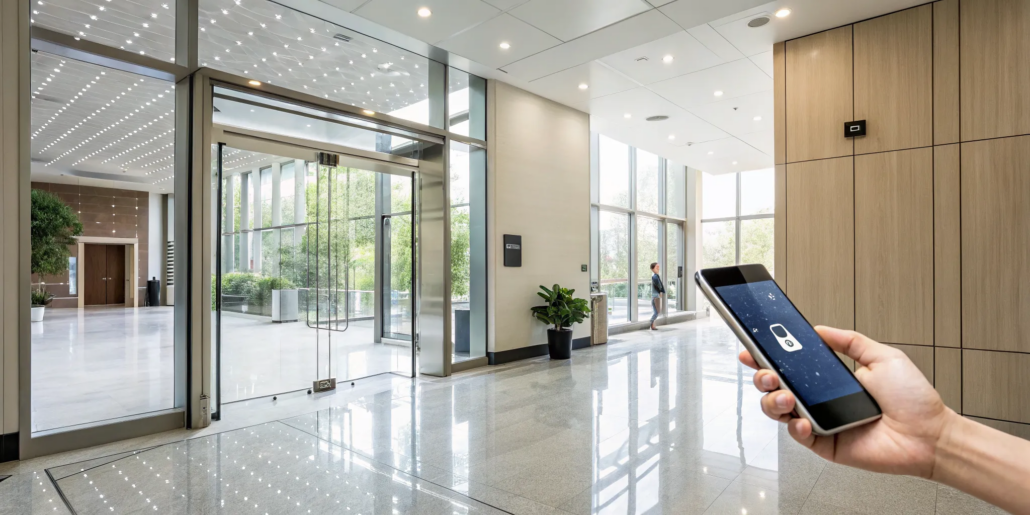
Imagine never having to worry about a lost or forgotten key card again. With a cloud-based system, you can turn your smartphone into a secure digital key. Using technologies like Bluetooth or integrating with digital wallets like Apple Wallet, employees and residents can unlock doors with a simple tap of their phone. This not only adds a layer of modern convenience but also simplifies credential management for you. Issuing or revoking access is as easy as updating permissions in the software, which can be done instantly from anywhere. It’s a streamlined, user-friendly approach that fits perfectly with how we use technology today.
Support for Multiple Credential Types
Flexibility is a core strength of cloud-based access control. These systems aren’t limited to a single entry method. You can support a variety of credential types to suit different needs across your property. For example, you might issue mobile credentials to full-time employees, use traditional key fobs for contractors, and even implement license plate recognition for secure vehicle entry at a parking gate. This ability to mix and match allows you to create a customized security plan that works for everyone. It ensures you have the right tool for every access point, all managed from one unified platform.
Receive Smart Alerts for Events like Tailgating
Cloud-based systems offer proactive security by keeping you informed in real time. One of the most valuable features is the ability to receive smart alerts for specific events. For instance, the system can detect and notify you of “tailgating,” which is when an unauthorized person follows an authorized individual through a door before it closes. Instead of discovering a security breach after the fact, you get an instant notification on your phone or computer. This allows you to respond immediately, whether that means reviewing video footage or dispatching someone to investigate, helping you stop potential issues before they escalate.
Integrate with Your Intrusion Alarm System
One of the biggest advantages of a cloud platform is its ability to unify your entire security infrastructure. You can seamlessly connect your access control with your intrusion alarm and video surveillance systems. When someone attempts an unauthorized entry, the system can automatically trigger an alarm and send an alert directly to you or your monitoring service. At American Alarm, we specialize in creating these integrated security systems. For example, when a valid key card is used, the system can pull up the corresponding video feed, giving you visual confirmation and a complete record of every event, creating a truly comprehensive solution.
Leverage Access Data for Business Intelligence
The data your access control system collects is a goldmine of information that goes far beyond simple entry and exit logs. A cloud-based platform provides you with real-time dashboards and intelligent reports that can help you make smarter business decisions. By analyzing this data, you can gain valuable business intelligence about how your space is actually used. For example, you can see which entrances are used most frequently, identify peak traffic hours, and understand movement patterns throughout your building. This information allows you to optimize everything from staffing schedules and cleaning routines to energy consumption, turning your security system into a powerful tool for operational efficiency.
Imagine being able to justify a new building layout by showing exactly how employees move between departments, or adjusting your HVAC schedule based on when certain zones are occupied. The access data can help you do just that. You can track attendance for compliance purposes, monitor how well different parts of your system are working together, and get a clear picture of what’s happening on your property at all times. This data-driven approach helps you improve security protocols and find new ways to run your business more effectively, all from the information your access control system is already gathering.
Benefit from Proven Reliability and Wide Adoption
A common question about cloud technology is whether it’s reliable enough for something as critical as security. The answer is a resounding yes. Leading cloud-based access control systems are built on robust, secure infrastructure with guaranteed uptime of 99.5% or higher. This means you can depend on the service to be available when you need it most. This technology is not a fleeting trend; it’s a proven solution trusted by hundreds of thousands of organizations worldwide, from small businesses to large enterprises. This wide adoption is a testament to its stability, security, and effectiveness in real-world applications.
When you choose a cloud-based system, you’re investing in a mature technology that is constantly being improved by the provider. Security patches, software updates, and new features are rolled out automatically, so your system is always protected against the latest threats without any effort on your part. Partnering with an experienced provider like American Alarm ensures that your system is installed and configured correctly, maximizing its inherent reliability. You get the peace of mind that comes from a professionally managed, always-on security solution that protects your property around the clock.
What to Consider with Cloud Access Control
Cloud-based systems offer a lot of flexibility, but it’s smart to look at the full picture before making a decision. Like any technology, they come with a few trade-offs. Understanding these potential drawbacks helps you choose a system that truly fits your property’s needs and gives you peace of mind. Let’s walk through the main considerations, from internet dependency to data privacy, so you can weigh the pros and cons for your Atlanta business or home.
What Happens if the Internet Goes Down?
This is probably the biggest “what if” for cloud-based access control. Because the system operates via the cloud, it needs a stable internet connection to communicate with the server. If your internet service goes out, you could temporarily lose the ability to manage access or even have disruptions at entry points. While many modern systems have offline capabilities to keep basic functions running, a prolonged outage can still be a major headache. For businesses where uptime is critical, this dependency is a key factor to consider when evaluating your security options.
How Hybrid Cloud Architecture Keeps You Online
It’s a valid concern, but modern cloud systems are built with a smart hybrid design to handle internet outages. Think of it as getting the best of both worlds. While you manage everything from a central online platform, the real decision-making happens locally at each door. These controllers have their own memory and processing power, so they can work on their own. If your internet goes down, the system keeps running, granting access to authorized people and logging every entry. Once your connection is back, all that activity automatically syncs to the cloud, leaving you with a complete, uninterrupted record. This ensures the advanced access control systems we install offer both the convenience of remote management and the reliability of on-site operation.
Is My Data Secure in the Cloud?
Handing your data over to a third-party provider can feel like a leap of faith. While cloud companies invest heavily in security, the fact remains that your sensitive information, like access logs and user credentials, is stored off-site. This raises valid questions about who can access your data and how it’s protected. It’s also worth noting that user error, such as incorrect settings, is a common cause of security issues. It’s crucial to partner with a trusted provider who prioritizes data protection and helps you configure your system correctly from day one.
Verifying Security with SLAs and Certifications
This is where you can separate the serious providers from the rest. A reputable company will be transparent about their security measures, and you can verify their claims by looking at their Service Level Agreements (SLAs) and industry certifications. An SLA is a contract that details the provider’s obligations for uptime and data protection, holding them accountable. Certifications like SOC 2 or ISO 27001 aren’t just fancy badges; they prove the provider has passed rigorous third-party audits of their security controls. When you’re evaluating your options, asking for these documents is a non-negotiable step. It ensures you’re choosing a partner who can deliver the reliable security solution your property deserves.
How Much Can You Customize the System?
Cloud-based access control systems are often designed for simplicity and ease of use, which is great for many users. However, this can sometimes mean less room for customization compared to an on-premise solution. If your organization has highly specific security protocols, unique workflow requirements, or needs to comply with strict government regulations, a standard cloud offering might not be flexible enough. You may find that the out-of-the-box features don’t quite match your needs, making it important to review the systems and products available to ensure they can be tailored to your exact specifications.
When Does On-Premise Make Sense?
While cloud-based systems are getting a lot of attention, on-premise access control holds its ground for some very good reasons. For businesses and property owners who prioritize total control, deep customization, and unwavering reliability, a traditional on-site system is often the best choice. An on-premise solution means your entire system, from the servers to the software, lives right there with you at your location. This setup gives you a level of authority and independence that you just can’t get with a cloud-based service. If your organization handles sensitive information or has unique security protocols, the benefits of an on-premise system are hard to ignore. It’s a powerful option for those who prefer to keep their security management completely in-house, ensuring everything runs exactly to their specifications without relying on outside connections or third-party providers. This approach is particularly suited for industries like finance, healthcare, or government facilities where data sovereignty and specific compliance standards are non-negotiable. You’re not just buying a service; you’re investing in a dedicated infrastructure that you own and operate. This gives you the final say on everything from software updates to hardware maintenance, putting you firmly in the driver’s seat of your building’s protection.
Maintain Full Control Over Your Data
With an on-premise access control system, you are the sole guardian of your data. All information, from employee credentials to access logs, is stored on your own local servers. This means you have full control over your data storage and how it’s used, which is a major advantage for organizations with strict compliance or privacy requirements. You don’t have to worry about a third-party provider’s data breach or changes in their terms of service affecting your security. Your data stays within your four walls, managed by your rules. This direct oversight provides peace of mind and a more secure environment for your most sensitive information.
Get Total System Customization
On-premise systems offer a fantastic degree of flexibility. Because the hardware and software are yours, they can be tailored to meet your building’s specific needs. This is especially valuable for facilities with complex or stringent security protocols, like financial institutions, healthcare facilities, or tech companies. Whether you need to integrate with legacy software or create multi-layered credential rules, an on-premise solution can be adapted to your exact requirements. You aren’t limited by a cloud provider’s standard offerings; instead, you can build a system that aligns perfectly with your operational workflow and exact security rules.
Run Your System Without an Internet Connection
One of the most significant advantages of an on-premise system is that it doesn’t need an internet connection to work. Your access control will continue to function perfectly even if your internet service goes down. This ensures that your building remains secure and accessible to authorized personnel at all times, without interruption. This independence also adds another layer of protection, as your sensitive access data isn’t traveling over the internet. By keeping everything on your local network, you reduce exposure to online threats and maintain a stable, reliable security posture, no matter what’s happening with your internet provider.
The Challenges of On-Premise Systems
While on-premise access control gives you direct oversight, it’s important to look at the full picture. This traditional approach comes with some significant drawbacks in terms of cost, scalability, and maintenance that might not be obvious from the start. For many Atlanta businesses, these challenges can outweigh the benefits of having everything on-site. Understanding these potential hurdles is key to deciding if an on-premise system truly fits your needs or if a more modern solution is a better match for your goals. Let’s walk through the main disadvantages you should consider.
Expect Higher Upfront and Maintenance Costs
One of the biggest hurdles with on-premise access control is the upfront cost. You’re not just buying keypads and readers; you’re investing in expensive on-site servers, hardware, and professional installation. Beyond that initial purchase, you have to factor in the ongoing expenses. These systems require regular maintenance and updates to keep them running smoothly and securely. You may also need to dedicate IT staff to manage the servers, which adds to your operational budget. Over time, these costs can really add up, especially if you have multiple locations to secure.
Scaling Requires More IT Support
If your business is growing, an on-premise system can struggle to keep up. Expanding your access control means purchasing and installing new hardware for every new door or location. This process isn’t quick; it can take weeks or even months to get new equipment up and running. To avoid delays, some companies buy more hardware than they currently need, which often leads to wasted resources and money spent on equipment that just sits there. This lack of flexibility can make it difficult to adapt your access control systems as your business evolves.
You Handle All System Updates and Maintenance
With an on-premise system, the responsibility for maintenance rests entirely on your shoulders. Every software update, security patch, and system check has to be handled by your team. This often means a technician needs to physically come to your building to perform the updates, which can interrupt your daily operations and cause potential downtime. Staying on top of this schedule is critical for security, but it demands a significant commitment of time and resources. If you’d rather not manage this yourself, it’s worth exploring systems that handle these updates for you.
Breaking Down the Costs: Cloud vs. On-Premise
When you’re deciding on an access control system, the price tag is obviously a major factor. But the financial comparison between cloud and on-premise solutions isn’t as simple as picking the cheaper option. It’s more about understanding two different financial models: one based on a recurring operational expense and the other on a significant upfront capital investment. To make the right choice for your Atlanta business or home, you need to look beyond the initial quote and consider the total cost over the life of the system. This means factoring in everything from hardware and installation to maintenance, staffing, and potential upgrades down the road.
A new business might prefer the low entry cost of a cloud system to preserve cash flow, while an established company with a dedicated IT department might see the long-term value in owning its hardware. There’s no single right answer; the best choice depends entirely on your organization’s financial structure, growth plans, and available resources. For example, a system that seems cheaper today could end up costing more over five years due to hidden maintenance or staffing needs. That’s why it’s so important to map out the full financial picture before making a commitment. By breaking down these costs, you can see which system truly aligns with your budget and long-term financial strategy.
Upfront Costs vs. Subscription Fees
The most immediate difference you’ll notice between cloud and on-premise systems is how you pay for them. A cloud-based system works on a subscription model, much like other software services you use. This means your initial investment is much lower because you don’t have to purchase and house expensive servers. Instead, you pay a recurring fee, which makes it easier to get started without a large capital expense.
On-premise systems are the opposite. They require a significant upfront investment in hardware, software licenses, and installation. You’re buying all the equipment and paying to have it set up on your property. This traditional approach means a bigger hit to your budget from day one.
Comparing Subscription Tiers and Included Features
With a cloud system, you’re not just paying one flat fee. The subscription is usually tiered based on factors like how many doors you need to secure or the number of users in your system. This makes it easy to find a plan that fits your current needs and scale up as your business grows. The great thing about this model is its predictability. Your monthly or annual fee typically covers everything from software access and automatic security updates to customer support. This approach simplifies your financial planning because the subscription fee usually bundles together all the essential services, helping you avoid surprise maintenance bills down the line.
Factoring in Long-Term Operational Costs
After the initial setup, your ongoing costs will also look very different. With a cloud system, your subscription fee typically covers maintenance, software updates, and technical support. The provider manages the infrastructure, so you don’t need a dedicated in-house expert to keep things running, which can significantly reduce your labor costs. This creates a predictable, consistent operational expense.
For an on-premise system, the story is different. While you own the hardware, you’re also responsible for all the upkeep. This includes paying for IT staff to manage the servers, handling any repairs, and covering the costs of power and space for the equipment. Over a very long period, these costs might eventually be less than a subscription, but they are often less predictable.
How to Calculate Your Total Cost of Ownership
To get a true financial picture, you need to consider the Total Cost of Ownership (TCO). For an on-premise system, the TCO includes the initial hardware and installation, plus ongoing expenses for maintenance, IT staff, and energy consumption. For a cloud system, the TCO is primarily your subscription fee, along with any initial setup charges.
For businesses that need flexibility or are planning to grow, a cloud solution often has a lower TCO and provides more agility. An on-premise system might be more cost-effective for a large, stable organization with the capital and IT resources to manage it for many years to come.
How to Choose the Right Access Control System
Picking the right access control system doesn’t have to be a complicated decision. While the technology behind each option is different, the best choice for your property comes down to your specific situation. It’s less about which system is universally “better” and more about which one aligns with your goals for security, growth, and budget. By thinking through a few key areas, you can confidently decide whether a cloud-based or on-premise solution is the right fit for your Atlanta home or business.
The choice between cloud and on-premise access control is a significant one, impacting everything from your initial costs to your day-to-day operations. A cloud-based system gives you the flexibility to manage access from anywhere with an internet connection, which is perfect for business owners on the go. An on-premise system, on the other hand, puts all the hardware and data directly under your control, on your property. To find the perfect match, you’ll want to look closely at three things: your unique security and compliance requirements, your plans for future growth, and your budget. Let’s walk through each of these factors so you can get a clearer picture of what you need.
Start with Your Security and Compliance Needs
First, think about what you’re protecting and what industry rules you need to follow. If your business handles sensitive information, like in the healthcare or finance sectors, you might have strict compliance regulations to meet. In these cases, you might choose on-premises access control if you need full control over data storage and security, especially if you have a professional IT team ready to handle maintenance and updates. This setup keeps all your data on-site. For many other businesses, a secure cloud provider offers robust protection that meets industry standards without the need for in-house server management. Understanding your specific security needs is the first step to making a smart decision.
Think About Your Business Size and Growth
Where do you see your business in five years? A single-location shop has very different needs than a company planning to expand across the metro Atlanta area. If you anticipate growth, a cloud-based system is often the better choice. Cloud-based access control is designed for businesses planning to expand or manage multiple locations remotely. You can add new doors or entire buildings to your system from a central dashboard without needing to install new servers at each site. While on-premise systems can certainly grow with you, scaling up usually involves more significant hardware investments and on-site configuration for each new location, which can be more complex and costly over time.
Match the System to Your Budget and Goals
Finally, let’s talk about cost and compatibility. Your budget will play a big role in your decision. On-premise systems typically require a larger upfront investment for hardware and installation, but you own the equipment outright. Cloud-based systems have lower initial costs, shifting the expense to a predictable monthly or annual subscription fee. It’s important to compare these models to see what makes the most financial sense for you in the long term. Also, consider how the new system will work with your existing technology. Cloud solutions often offer more flexibility for integrating with other business software, which can help streamline your operations and create a more connected environment.
Assess Your Installation and Support Needs
Beyond the big-picture questions of budget and growth, the practical side of installation and ongoing support can make or break your experience with an access control system. Are you starting from scratch in a new building or working with an existing setup? Do you have an IT team ready to handle maintenance, or would you prefer a hands-off approach? Answering these questions will help you understand the day-to-day reality of managing your system and ensure you choose a solution that not only secures your property but also fits seamlessly into your operations.
New Construction vs. Retrofitting an Existing System
Whether you’re building from the ground up or upgrading an older system, the installation process will look different. For new construction, you have a blank slate, making it easier to wire for either a cloud or on-premise system. Retrofitting, however, often favors a cloud-based solution due to its simpler infrastructure needs. If you anticipate growth, a cloud-based system is often the better choice. It’s designed for businesses planning to expand or manage multiple locations remotely. You can add new doors or entire buildings to your system from a central dashboard without needing to install new servers at each site. This scalability is a major advantage over on-premise systems, which typically require more intensive on-site work for each expansion.
The Importance of Quality Technical Support
Think about who will keep your system running after it’s installed. With a cloud system, your subscription fee typically covers maintenance, software updates, and technical support. The provider manages the infrastructure, so you don’t need a dedicated in-house expert to keep things running, which can significantly reduce your labor costs. This means you always have the latest security features without lifting a finger. On the other hand, an on-premise system puts the responsibility for support and maintenance squarely on your shoulders. While this offers more control, it requires having the right technical resources available to handle any issues that arise. It’s important to consider which of these support models best fits your team’s capabilities and budget when looking at different access control systems.
How to Ensure a Smooth Implementation
Once you’ve decided on the right access control system for your business, the next step is putting it into place. A successful rollout isn’t just about installing hardware; it’s about creating a seamless transition that strengthens your security from day one. A thoughtful implementation ensures your system works exactly as intended and that your team feels confident using it.
Making the switch, especially from an older system to a modern cloud-based solution, involves a few key stages. You’ll need a clear strategy for moving your data, a plan for getting your employees up to speed, and the right partner to handle the technical side of things. By focusing on these three areas, you can ensure your new access control system is a powerful asset for your business, not a source of frustration. Let’s walk through how to make your implementation a success.
Create a Plan for Migration and Data Transfer
A solid plan is the foundation of a smooth transition. Before any new equipment is installed, it’s important to map out how you’ll move from your old system to the new one. If you’re upgrading to a cloud-based system, this involves deciding how your existing user data will be securely transferred. Think about your organization’s specific needs, like which employees need access to certain areas and at what times. A detailed migration plan helps prevent security gaps and minimizes disruption to your daily operations. This is a critical step where professional guidance can help you identify potential challenges before they become problems.
Get Your Team Ready for the New System
Your new access control system is only as effective as the people who use it every day. Proper training is essential to get the most out of your investment and maintain a secure environment. Make sure your team understands the new protocols, from how to use their credentials to what to do in an emergency. When everyone is on the same page, you create a consistent and reliable security culture across your entire organization. Clear instruction from our team of experts helps your staff feel comfortable with the new technology and empowers them to be an active part of your business’s protection.
Work with a Professional for Installation
While it might be tempting to handle installation yourself, partnering with a professional is the best way to guarantee your system is set up correctly. Experienced technicians ensure that every component is installed for optimal performance, security, and scalability. A professional installation handles the complexities of wiring, software configuration, and system integration, so you can be confident everything works together seamlessly. This partnership doesn’t just save you time and headaches; it ensures your system is reliable from the start. When you’re ready to secure your property, get in touch with us to discuss a professional installation.
Related Articles
- Access Control for Commercial Buildings: A Full Guide
- Top Access Control Systems for Enhanced Security and Peace of Mind
- The Top 9 Access Control Software List of 2026
- 6 Best Access Control Software Picks for 2026
Frequently Asked Questions
What happens to my cloud-based access control if the internet goes down? This is a common and very valid concern. While you do need an internet connection to manage the system remotely or make real-time changes, most modern cloud-based systems are designed with offline functionality. This means your key cards or fobs will still work to open doors, so your day-to-day access isn’t interrupted. You just won’t be able to make administrative changes, like adding a new user, until your connection is back online.
Is one system inherently more secure than the other? Security isn’t really about which system is better, but about how it’s managed. An on-premise system gives you complete control over your data, which is great if you have a dedicated IT team to maintain it. However, a reputable cloud provider invests heavily in data encryption and protection, often exceeding what a small business can manage on its own. The right choice depends on whether you prefer direct control or trusting a specialized provider to handle security for you.
I manage several properties. Is a cloud or on-premise system better for that? For managing multiple locations, a cloud-based system is almost always the more practical choice. It allows you to oversee all your properties from a single, centralized dashboard that you can access from anywhere. You can grant or revoke access, check activity logs, and manage user credentials for all sites without having to travel to each one. An on-premise setup would require separate servers and management at each location, which can become complex and costly.
Can I integrate my existing security measures, like video surveillance, with either system? Yes, integration is possible with both types of systems. You can connect your access control with video feeds and alarm systems to create a more comprehensive security setup. Cloud-based solutions often provide more modern and flexible integration options with a wider variety of other software and platforms, which can help streamline your overall business operations.
How do I know if my business has the right IT resources for an on-premise system? An on-premise system requires you to have the internal capacity to manage it effectively. This means having IT staff who are comfortable maintaining servers, performing manual software updates and security patches, troubleshooting hardware issues, and handling data backups. If your team is already stretched thin or you don’t have dedicated IT personnel, the ongoing maintenance could become a burden, making a cloud-based system a more manageable option.
Partnering with Atlanta Security Experts like American Alarm
Choosing the right system is a huge step, but its success hinges on a flawless implementation. Partnering with a local expert who understands the Atlanta area makes all the difference. At American Alarm, we provide more than just hardware; we offer tailored guidance from start to finish. We’ll help you create a solid migration plan for a smooth transition, and our experienced technicians will handle the installation, guaranteeing every component is configured for optimal performance. We also make sure your team receives the training they need to feel confident with the new system. Working with a trusted local partner means you get the comprehensive support you need to turn a complex project into a simple, secure solution.


Leave a Reply
Want to join the discussion?Feel free to contribute!